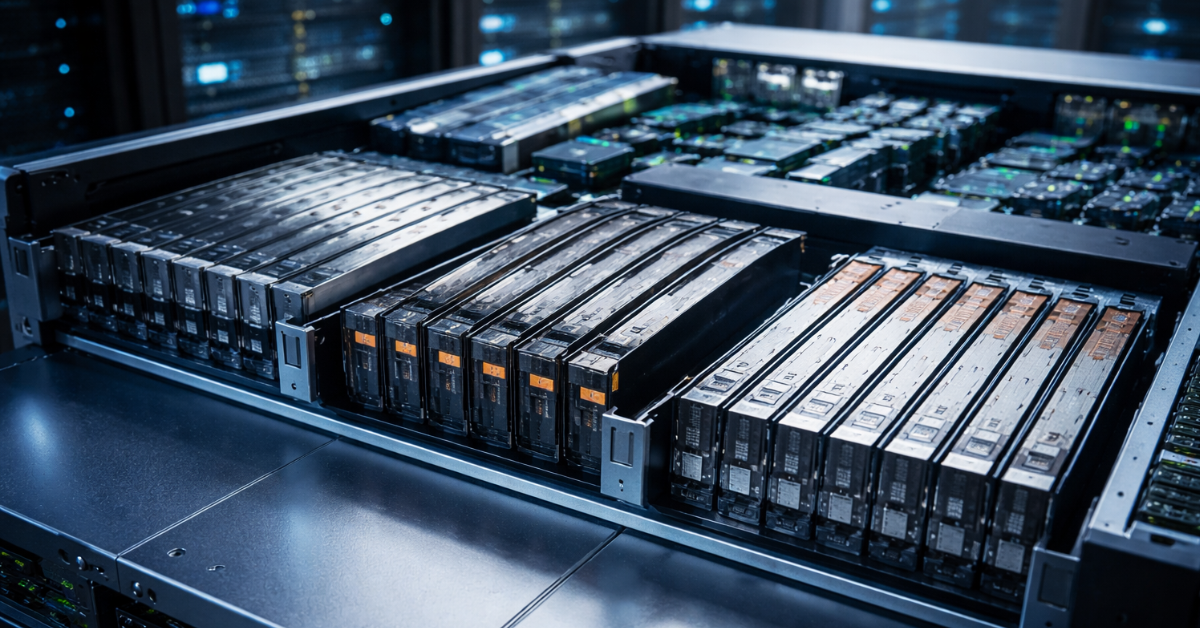
U.2 is a proven server form factor for 2.5-inch NVMe drives, U.3 is its evolution for more flexible and universal server platforms, while E3.S is already a next-generation form factor, created not as a variation of the old 2.5-inch logic but as a response to new requirements for density, cooling, power delivery, and scalability. For an existing server, it is usually most sensible to start with the drive bay and backplane it already supports, while for a new platform it increasingly makes sense to look toward E3.S, especially if high storage density and headroom for future PCIe generations matter.
Of course, there are actually many more form factors out there — SAS/SATA are still very much in use, as are AIC drives (full PCIe add-in cards) and M.2. Here we will focus on the three main, relatively new formats that still raise questions for many people. In practice, confusion arises because many compare these formats only by the outward appearance of the drive. That is a mistake. In a server, not only the SSD matters, but the entire chain around it: the drive bay, the backplane, the PCIe lanes wired to it, firmware support, the allowed power budget per slot, cooling, and the server vendor’s restrictions. The same drive can work perfectly in one platform and be unsuitable for another, even though it may look compatible “in the picture.”
Why these form factors cannot be compared by size alone
When someone sees U.2, U.3, and E3.S, they often think these are simply three versions of an NVMe drive’s physical enclosure. In reality, however, three different layers are mixed together here.
The first layer is the physical form factor itself: dimensions, mounting format, convenience of front installation, and hot-swap capability.
The second is the connector and the electrical connection logic. Here it already matters how many PCIe lanes the drive uses, what exactly the backplane supports, and how the server manages the drive.
The third is the architecture of the platform itself. One server may be designed for classic 2.5-inch bays, another for a denser front layout, and a third for a universal backplane that allows different drive types.
That is why the phrase “but it is NVMe too” says almost nothing about real-world compatibility. NVMe is the protocol the drive uses to operate, while U.2, U.3, and E3.S are about physical implementation and server integration.
What U.2 is and why it remained the baseline option for so long
U.2 gave the server world a convenient way to place an NVMe drive into a familiar 2.5-inch front-access bay. For the market, this was a very practical solution. There was no need to hide drives on the motherboard the way M.2 does, or to rely on expansion cards where front access and routine servicing were desired.
That is why U.2 was long perceived as the “normal server NVMe” option. It made it possible to install fast drives in the server’s front drive cage, replace them without opening the chassis, build familiar 1U and 2U architectures, and move beyond SATA and SAS performance limits at the same time.
U.2 still has real strengths today. It is a mature ecosystem, with a familiar layout, many servers and drives on the market, well-understood operating practices, and a good balance between convenience and performance. It is no coincidence that new servers can still be configured with U.2 today, and SSD vendors continue to release drives in this format.
But it is important to understand that U.2 remains relevant today not because it is “the newest,” but because it is still convenient and widespread across a large number of already deployed and still fully modern platforms.
What U.3 is and why it is not just a “new U.2”
U.3 probably causes more misunderstandings than anything else in this topic. Externally, it looks close to U.2, so it is often seen as simply the next version of the same format. But the point of U.3 is not a cosmetic update.
The main idea behind U.3 is a more universal server platform, where one type of backplane and one control logic can work with different drive types. In industry documentation, this is described through the universal backplane concept, UBM, and a tri-mode approach. Put simply, the server is designed not around one connection type, but around a more flexible scheme where the platform can support NVMe, SAS, and SATA in the appropriate implementation. KIOXIA explicitly states that U.3 is built on the same SFF-8639 connector as U.2 and is a tri-mode standard for universal backplanes, while full compatibility depends on compliance with the specification on both the drive and backplane sides.
This leads to an important practical conclusion. U.3 should not be understood as “any new drive that will fit into any U.2 server with no conditions attached.” Yes, in some cases a U.3 drive may work in a platform associated with the U.2 ecosystem, but that is determined not by the magic of a similar connector, but by specific support from the server itself. You need to check the documentation for the server, its backplane, and the supported modes.
That is why U.3 is valuable first of all not as “the fastest form factor,” but as an architectural step toward more flexible platforms. For server vendors, this is useful in platform design; for operations, in upgrades and mixed configurations; and for the user, it means that the compatibility question has become not simpler, but more complicated: you now need to look not only at the SSD itself.
What E3.S is and why it reflects a different design philosophy

While U.3 is still tied to the evolution of the familiar 2.5-inch server world, E3.S belongs to a different family altogether — EDSFF (Enterprise and Data Center SSD Form Factor). This is a format developed specifically for modern and future server requirements, not as an extension of old mechanical conventions.
Its design goal is different. It is not just about placing a drive into a bay, but about optimizing the entire platform for higher speeds, better thermals, more flexible power profiles, and higher storage density. SNIA and KIOXIA documents emphasize exactly this: the new form factors are intended to work better with high-frequency interfaces, provide reasonable thermal behavior, support higher power profiles, and give server designers more freedom when laying out 1U and 2U systems. The E3 white paper explicitly states that saturating PCIe Gen4 x4 already requires around 25 W, Gen5 is expected to require around 30 W, and the platform itself must scale to even higher power levels; the same paper also emphasizes optimization for density, performance, and server thermals.
This is the key difference between E3.S and U.2. E3.S did not appear because the industry wanted “one more name,” but because the old 2.5-inch logic is gradually running into limits in airflow, density, power delivery, and signal integrity. The higher the PCIe generation and the more powerful the drives themselves become, the more obvious this gets.
That is why E3.S is especially interesting in new platforms where you need to fit more fast drives at the front, cool them properly, and preserve headroom for future hardware generations.
Table: what really distinguishes U.2, U.3, and E3.S
| Form factor | Main idea | Where it is strong | What matters in practice |
|---|---|---|---|
| U.2 | Classic 2.5-inch server NVMe form factor | Clear compatibility, mature ecosystem, convenient upgrades for existing servers | Limits of the old 2.5-inch layout in density, thermals, and long-term scalability |
| U.3 | An evolution of U.2 logic toward a universal backplane and a more flexible platform | Versatility in the right servers, convenience for platform vendors | Compatibility cannot be assumed by default; it depends on the server implementation |
| E3.S | A new server form factor from the EDSFF family | Density, cooling, power profiles, and modern high-speed platforms | Requires explicit E3.S support at the bay, backplane, and server level; “using an adapter” usually does not solve the problem |
If you strip away the marketing language, the choice between these formats comes down to three questions. First: what your server already supports. Second: how important flexibility is in this particular platform generation. Third: how critical density, cooling, and future headroom are.
Why a similar connector does not guarantee compatibility
This is the most dangerous part of the topic. A great many mistakes in buying server SSDs happen not because someone does not know the abbreviation, but because they underestimate the role of the backplane.
A backplane is not just “the board the drive plugs into.” It determines which signals are delivered to the drive and in what mode, how the drive is powered, how management works, and what topology the server supports overall. That is why two drives that look similar on the outside can have very different outcomes depending on the platform.
What to check before buying:
- which drive types the specific server supports;
- which exact backplane is installed in the chosen configuration;
- how many PCIe lanes are wired to the slot;
- which PCIe generation is actually supported;
- whether there are dimensional limits such as drive thickness;
- what power budget per slot is allowed;
- whether the vendor requires specific certified drives or firmware;
- whether the needed format is supported not just in theory, but in this exact server model and drive bay.
People most often make mistakes in three scenarios. First: they buy a U.3 SSD assuming it must work in any server with U.2 bays. Second: they see E3.S and expect to solve the issue with a standard adapter. Third: they look only at the NVMe interface and forget about thermals, power delivery, and layout constraints.
That is why, when choosing a drive for a server, the right question is not “which SSD should I buy?” but “which form factor does my platform support, and what limitations does this specific drive cage have?”
Why the form factor affects cooling more than it seems

When people discuss SSDs, attention usually shifts to read and write speeds. But for server operation, the physical shape of the drive matters no less than its rated megabytes per second.
The denser the front section of a server is, the harder it is to organize a stable airflow path. The higher the drive power draw, the stricter the cooling requirements become. The faster the interface, the more sensitive the system is to signal stability and temperature. As a result, the form factor affects not only placement convenience, but also real stability under load.
This is exactly where the purpose of E3.S becomes most visible. It was designed with modern thermal and power requirements in mind, not merely for mechanically fitting a drive into a bay. E3 documentation emphasizes that the new form factor must account for high-frequency interfaces, reasonable thermal environments, and growing device power consumption. Dell documentation already shows real platforms where the same server can be offered both with U.2 and with front E3.S Gen5 NVMe configurations, and in a much denser layout — for example, with 16 or 20 front E3.S drives.
This does not mean U.2 is bad. It means that in new high-density configurations, it has a natural limit in convenience. In a calm infrastructure environment, where the server is already built around U.2 and there is no need to squeeze the maximum possible drive density into each rack unit, U.2 can be a perfectly rational choice. But in new dense platforms, the advantages of E3.S become not theoretical, but practical.
When to choose U.2, when U.3, and when E3.S
If you are upgrading an existing server
In this case, you should almost always start not with fashionable form factors, but with the documentation for the server itself. If your platform is built for U.2, there is no point in moving away from it at any cost just for the sake of “something newer.” It matters far more that the drive works without surprises, is cooled properly, and is supported by the vendor.
U.3 is worth considering here only when the platform is genuinely designed for that kind of flexibility and the vendor explicitly confirms it. Not because U.3 is “better by name” (three is bigger than two, so it must be better), but because in a specific system it may simplify configuration and drive selection.
If you are buying a universal server without extreme density requirements
Here, U.3 can be a sensible option if the server is built around a universal backplane from the outset. That gives you more room in terms of possible configurations. But again, the value of U.3 appears only where its logic is truly implemented.
If you are building a new dense or performance-oriented platform
This is where E3.S often looks the most logical. Especially if high front-drive density, solid thermals, support for new PCIe generations, and headroom for future growth matter. In new servers, E3.S is increasingly appearing not as something exotic, but as a normal working option for modern high-performance configurations.
Less obvious points worth remembering
- The drive form factor and the protocol are not the same thing. NVMe does not make all drives identical.
- A new format does not automatically make the old one bad. U.2 remains a practical and sensible choice in a large number of real servers.
- The value of U.3 is not “the fastest SSD,” but the architectural flexibility of the platform.
- E3.S is not a trend for its own sake, but an attempt to solve real limits of the old layout in density, cooling, and power delivery.
- When choosing a server SSD, you should look not at a polished product card, but at the server documentation.
A short checklist before buying

Before buying an SSD in one of these formats, it is worth going through these questions:
- Which form factor does my server explicitly support?
- Which backplane is installed in my exact configuration?
- How many PCIe lanes are actually wired to the slots, and which generation are they?
- Are there limits on thickness, power, or cooling?
- Is the server intended for future upgrades, or is trouble-free compatibility here and now more important?
- Do I already have an existing infrastructure with a stocked spare-parts inventory, such as replacement drives, or will I have to add new device types to that inventory?
Conclusion
U.2, U.3, and E3.S are not three almost identical names for server NVMe drives, but three different stages in the evolution of server storage layouts. U.2 is a mature and understandable option for many existing systems. U.3 is a step toward more universal platforms with more flexible backplane logic. E3.S is a next-generation form factor that better addresses density, thermal behavior, and increasing power demands in modern servers.
So the right choice is not the “newest” format, nor the one with the prettiest specifications in a product listing. The right choice is the format that matches the architecture of your specific server, your operating model, and your platform development goals for the next several years.
Sources
- KIOXIA: a white paper on the E3 family and its engineering logic.
- Micron: an example of a modern server SSD in the U.3 form factor.
- Dell: an example of a current server with U.2 and E3.S Gen5 NVMe options.