Hello to our regular readers— and to everyone who just dropped by!
What have you heard about the latest trends in server cooling ? Liquid cooling, maybe ? Data centers placed in the ocean ?
All of that is fascinating, of course. But if the headline about servers sitting in boiling water caught your eye;
if you’ve never heard about using potable water for cooling, have no idea what capillary cooling for CPUs is, and the term PUE means absolutely nothing to you— then you’ve parked in the right place.
In this article, I’ ll walk you through how the server cooling industry is adapting to chips whose TDP is racing toward the 1000 - watt mark.
Warning: long read ahead.
Grab a thermos with tea, coffee, or something stronger— so you don’ t get cold 🙂
Everyone Wants a Lower PUE
PUE(Power Usage Effectiveness) is the most widely used metric in the data center industry for measuring infrastructure energy efficiency. It’ s great for tracking how a single data center evolves over time and for evaluating the impact of different decisions— switching cooling systems, reconfiguring equipment, and so on.
It works best when applied to a specific facility, helping you understand which solutions actually improve energy efficiency in real life.
The metric was introduced in 2007 by The Green Grid(TGG), a non - profit industry consortium focused on improving resource efficiency in data centers. Its members include— or have included— pretty much every major name you can think of in server hardware, components, software, and cloud services: AMD, Nvidia, Dell, HPE, IBM, Intel, Microsoft, Google, Cisco, Oracle, AWS, and many others.
The formula for PUE is simple:
PUE = Total facility power / IT equipment power
IT equipment includes anything doing actual computation: servers, storage systems, networking gear, plus auxiliary equipment like KVM switches, monitors, and workstations or laptops used for monitoring or managing the data center.
Total facility power is everything the site consumes: IT equipment plus power delivery components, UPS systems, switchgear, generators, PDUs, batteries, and all energy losses outside the IT gear itself. Add cooling systems— chillers, cooling towers, pumps, CRAC units(Computer Room Air Conditioning), DX systems(Direct Expansion)— and my personal favorite acronym crash: CRAH units(Computer Room Air Handling).On top of that, there are secondary loads like lighting, access control systems, and other facility infrastructure.
In theory, the perfect PUE is 1.0.That would mean 100 % of the energy goes into computation, and zero into infrastructure— cooling, lighting, and everything else. In reality, that’ s unattainable. But the lower the PUE, the better.
It’ s a bit like trying to reach the speed of light in space travel: you can get closer and closer, but any object with non - zero mass will never actually get there.
If we take the near - sci - fi PUE of 1.03, that means for every 100 watts used for computation, the data center needs just 3 watts for everything else.
And the biggest obstacle to lowering PUE? Cooling.
Cooling alone accounts for up to 40– 50 % of a facility’ s total energy consumption.With classic air - based cooling systems, you’ re usually closer to the upper end of that range— around 50 %. Liquid cooling or free cooling can bring that down to 20– 30 % , or even less under favorable conditions.
So let’ s talk about the specific solutions used to reduce PUE from a cooling perspective.
Spoiler: there are a lot of them— and they all depend on the age and size of the facility, the equipment used, geographic location, utilization levels, and plenty of other factors.
Cool Your Hardware
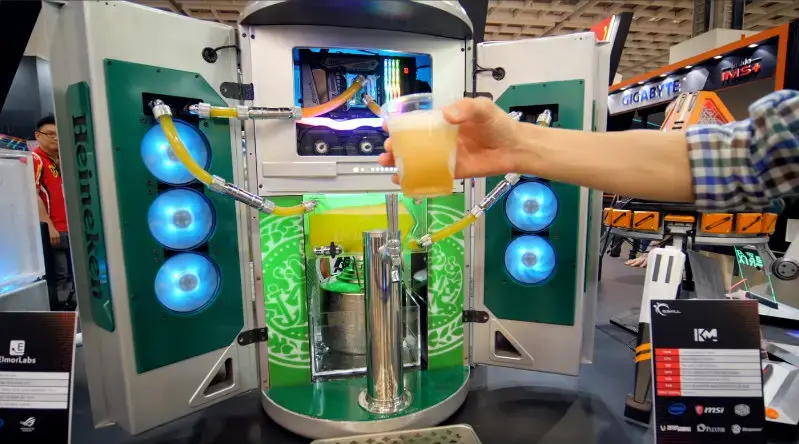
Let’ s start with the basics of cooling.
Anything that runs on electricity generates heat. For household appliances, that heat output is usually small and rarely requires special measures— engineers typically rely on passive cooling, meaning heat is dissipated naturally through airflow, or more formally, convection.
In rare cases(excluding PCs, smartphones, and laptops), household devices might have a small fan— like the one in my percussion massage gun.
The main exceptions at home are air conditioners and refrigerators. Passive cooling or a couple of fans simply aren’t enough for them. These devices don’ t just dissipate heat— they actively remove it from an enclosed space to maintain a consistently low temperature.
That’ s where refrigerants come in: special substances that circulate in a closed loop, absorb heat inside the fridge or AC unit, and release it outside. This is why refrigerators sometimes hum(the compressor is compressing the refrigerant) and feel warm on the outside(that’ s the condenser coils dumping heat).All of this is part of what’ s known as the thermodynamic refrigeration cycle.
Now back to our favorite subject: servers.
They use a mix of passive cooling(heatsinks), fans, and refrigerator - like systems— chillers, or liquid cooling systems with phase change. Cooling can target either the server itself(the components inside it) or the surrounding environment, which is typically handled by air conditioning systems.
I’ll cover all of these approaches— including some rather unconventional ones. We’ll move from simple to extreme(yes, boiling water comes at the end).
Passive and Air Cooling: PUE 1.5– 2.0
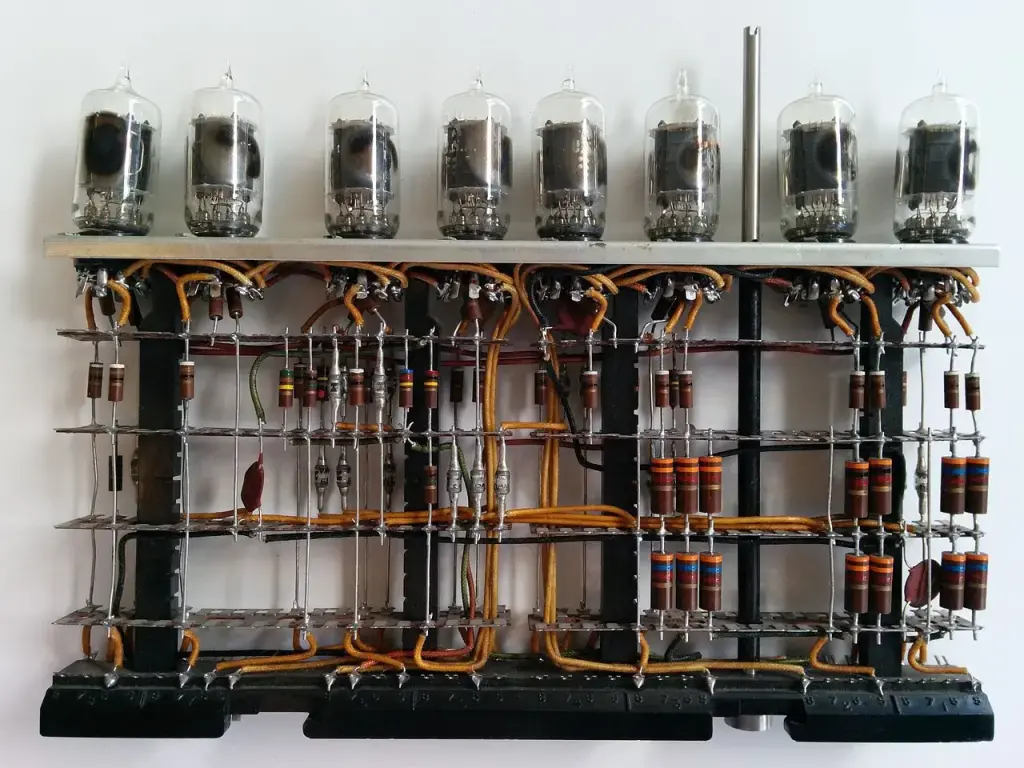
Low upfront cost, but weak and inefficient
In the era of the first electronic computers— ENIAC, IBM 701, and similar machines of the 1940 s and 1950 s— there was no active cooling. Natural convection and basic room ventilation were enough.
Yes, those machines generated tens of kilowatts of heat. But component density was low— everything was built with vacuum tubes— so the problem could be solved through room layout and architecture.
In the 1960 s, transistors arrived, dramatically shrinking computers and their components. This marked the era of the first actively cooled systems. Mainframes like the IBM System / 360 already relied on fans, which soon became the standard.
By the 1980 s, personal computers began their global takeover. Systems like the IBM PC used fans in their power supplies.
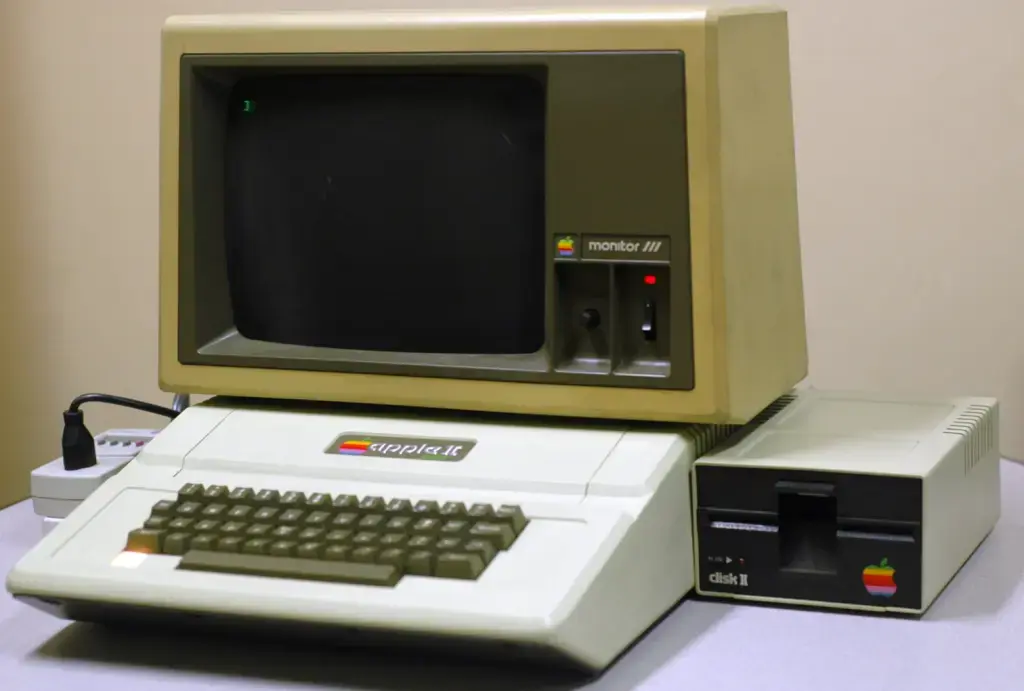
The Apple II, on the other hand, relied entirely on passive cooling. Steve Jobs rejected fans because, in his words, “a fan inside a computer violates Zen principles and distracts from work.”He took a similar approach with the Apple III— with predictable overheating issues.
Over time, CPUs grew hotter. By the end of the decade, some models required heatsinks. Intel’ s legendary 80486— especially the higher - frequency 486 DX2 - 66— was among the first CPUs that genuinely needed a cooler(a heatsink with a fan).
And from there, cooling technology evolved steadily…
Intel, AMD, and Texas Instruments 80486 Microprocessors
In my view, air cooling peaked sometime in the early 2000 s. That’ s when we saw the rise of increasingly sophisticated designs: heat pipes, copper heatsinks, high - RPM fans, and the now - standard hot - aisle / cold - aisle layouts in server rooms and data centers(servers pull in cold air from the front and exhaust hot air at the back).
Air cooling also started to be paired with liquid solutions— AIO(All - in -One) units and custom loops— especially in high - performance systems and overclocked builds.
Fun fact: in servers, CPUs usually don’ t have individual coolers. Instead, airflow is carefully channeled through ducts and pushed straight through the heatsinks mounted on the processors.
Since then, air cooling has remained the most common approach
for both PCs and servers. It owes its popularity to affordability, relative reliability, and simplicity. But it’ s far from perfect. Efficiency drops as component or rack density increases. Fan noise can be brutal(which is why servers belong in server rooms— working next to one is not exactly pleasant).Dust buildup means regular cleaning or air filtration, and in data centers this translates into powerful HVAC systems.
That said, even this downside can be turned into an advantage: waste heat can be recovered and reused—
for example, to heat offices or even nearby residential buildings.
Server Air Cooling≠ PC Air Cooling
Air cooling in servers looks a bit different from what you see in desktop PCs. Most servers are flat 1 U or 2 U systems(where 1 U equals 44.45 mm in height), which leaves no room
for standard 120 mm fans. With space at a premium, air is forced through narrow channels, creating high airflow velocity and plenty of turbulence.
Veteran sysadmins might remember cooling modules like this one:
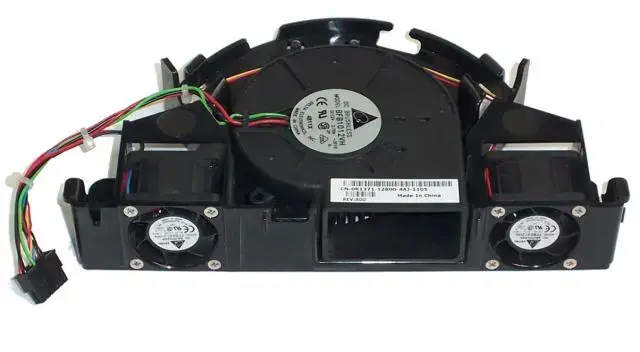
A large 120 mm centrifugal (blower) fan in the center, flanked by two smaller fans on the sides.
Today, however, most servers rely on compact, high-RPM fans—typically 40×40 mm or 60×60 mm. In larger systems (4U and above), you’ll occasionally see bigger fans. Typical speeds range from 10,000 to 20,000 RPM, sometimes even higher.
That’s where the infamous server noise comes from. You could call it “jet-engine-like”: the smaller the fan blades, the louder and higher-pitched the noise (along with the vibration frequency).
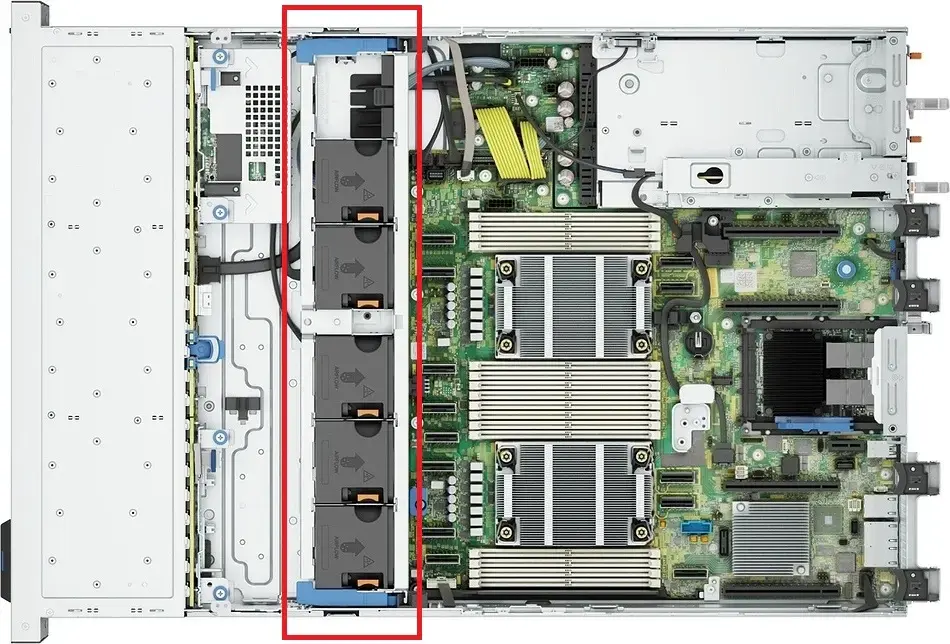
Dell PowerEdge R760xs with the top cover removed. The fan assembly is highlighted in red.
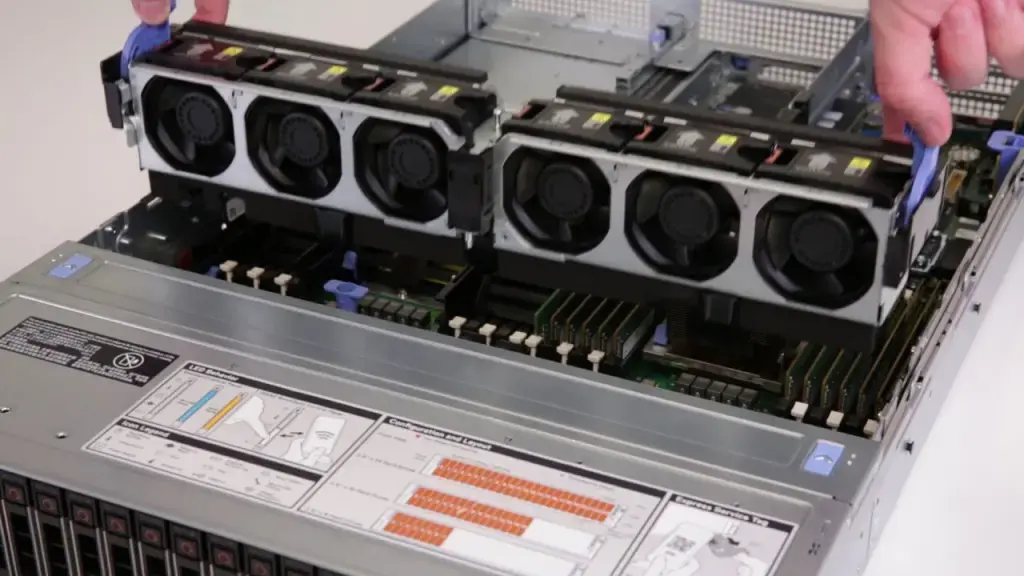
Dell R740 during fan module installation.
Liquid Cooling Systems (LCS)
The first experiments with liquid cooling for electronics date back to the 1980s. Processor heat output was rising fast, and engineers were looking for alternatives. By the 1990s, the concept started to become commercially viable. For example, Cray supercomputers used liquid cooling with Freon-based tubing to remove heat.
The mechanism was similar to a household refrigerator, relying on the Joule–Thomson effect: the refrigerant’s temperature drops as pressure decreases when it passes through a narrow section of tubing.
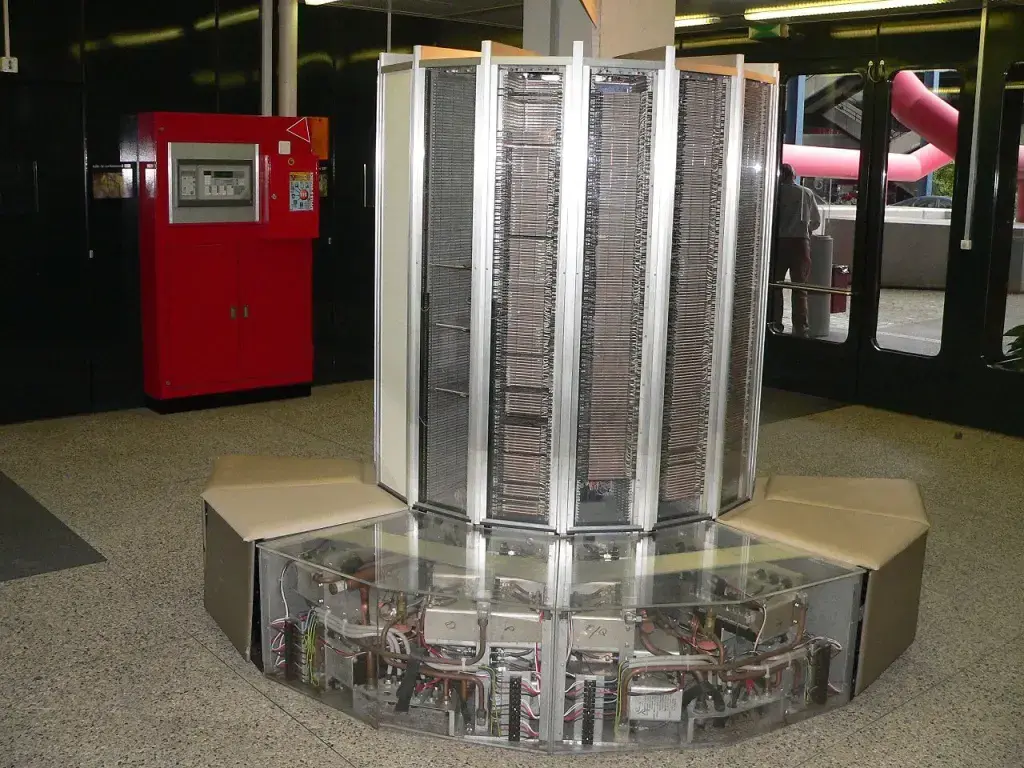
Cray-1 at the École Polytechnique Fédérale de Lausanne.
Strictly speaking, this setup is more accurately described as two-phase liquid cooling (or simply a chiller), since the refrigerant changes its phase. As you might guess, the solution was bulky, complex, and expensive—well beyond the reach of regular users.
The 2000s: Liquid Cooling Goes Mainstream
The real boom came in the 2000s, when overclockers, gamers, and hardware enthusiasts began building custom loops with pumps, tubing, water blocks, and radiators.
Back then, not everyone could install liquid cooling on a CPU or GPU. To be precise—not everyone could, and very few actually should have tried. It was almost an art form, and for some, a hobby or even a profession.
The process was complex, expensive, and not without risk. A leak could kill a system in seconds, cause a short circuit, or—in the worst case—start a fire.
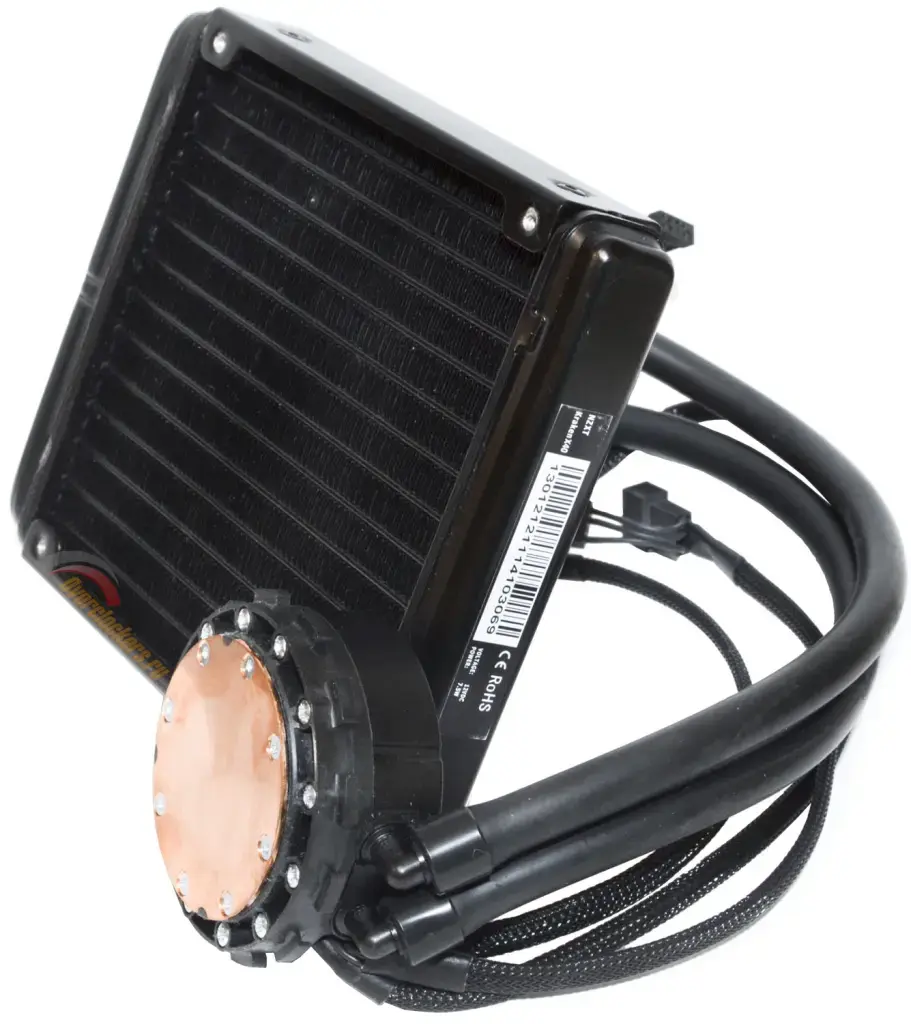
NZXT Kraken X40 liquid cooler.
That’ s why AIO(All - in -One) liquid coolers took off in the 2010 s. Pre - assembled, sealed loops like the Corsair H100 or NZXT Kraken made liquid cooling accessible to the masses. Suddenly, anyone who knew how to assemble a PC could install a liquid cooler at home.
And yes— there were also some truly wild consumer experiments with refrigerants.
Interesting fact: some systems use special dielectric liquids that don’ t conduct electricity, reducing the risk of damage in case ofa leak.
Liquid Cooling for Servers: New Game + , PUE 1.15– 1.35
Direct Liquid Cooling(DLC)— also known as Direct - to - Chip(D2C)— is a method of removing heat from server components(CPUs, GPUs, and more) via direct contact with a cooling liquid.
DLC systems can be single - phase or two - phase, but the principle is the same: liquid pulls heat directly from the hottest components. The system operates as a closed loop, where coolant effectively“ bathes” CPUs and GPUs through metal cold plates mounted directly on top of the hottest spots. These plates act like thermal sponges, soaking up energy.
The heated liquid is then routed to a CDU(Coolant Distribution Unit)— the heart of the system— which transfers the heat into the facility’ s main cooling loop. What happens next depends on engineering creativity: heat recovery(up to and including district heating for nearby buildings), connection to a cold - water loop, evaporative cooling towers(think nuclear power plant aesthetics), or simple dry coolers.
Once cooled, the liquid flows back to the chips— a kind of water cycle of server - room nature.
Direct liquid cooling is in high demand for high - density servers equipped with top - tier CPUs and AI accelerators that generate massive amounts of heat. For example, Nvidia’ s H100 has a TDP of 700 W, while the upcoming Nvidia B200 is rated at a staggering 1000 W. Modern Intel Xeon and AMD EPYC processors routinely dissipate 300– 400 W each.
And remember: in large data centers, there are thousands— sometimes tens of thousands— of these chips, with multiple processors per server. At that scale, air simply can’ t remove heat fast enough, especially in dense racks where every centimeter matters.
A Quick Note
TDP(Thermal Design Power) is a metric that describes the maximum amount of heat a processor, GPU, or other chip is expected to generate when running at its base clock— without turbo boost or user overclocking.It’ s mainly used to size a cooling solution: the higher the TDP, the more powerful your cooler and / or radiator needs to be.
A few important nuances:
TDP is not the same as real - world power consumption. CPUs can— and often do— exceed their rated TDP for short periods when boosting. Manufacturers also calculate TDP differently: Intel and AMD use different methodologies, so direct comparisons aren’t always accurate.
TDP is especially critical in compact devices like smartphones and laptops, where heat from neighboring components can quickly cause overheating and throttling. Spacious ATX cases, on the other hand, are far more forgiving of small deviations.
Why DLC Matters
Direct Liquid Cooling allows data centers to pack more equipment into the same footprint while cutting energy consumption by 30– 50 % .These systems are quieter— great for offices and on - site server rooms— and far less dependent on ambient air temperature, which makes them particularly attractive in hot climates. They also accumulate less dust, meaning less stringent air quality requirements for the room itself.
Of course, there are downsides. Installation and deployment are expensive(though often offset over time by energy savings— assuming you factor in local electricity prices).DLC requires additional infrastructure: radiators, pumps, heat exchangers. Not every building is suitable. And while modern systems are very safe, the risk of leaks is never quite zero.
If we zoom out: DLC is the future of server cooling in data centers. As hardware density increases and AI workloads become the norm, demand for this technology will only grow. It’ s still costly, but already widely used by big tech— Google, Microsoft, Amazon, Meta, Tencent— and is gradually making its way into small and mid - sized businesses, especially in regions with expensive electricity, where the return on investment is hard to ignore.
What’ s Being Developed Right Now: Capillary Cooling Inside the CPU
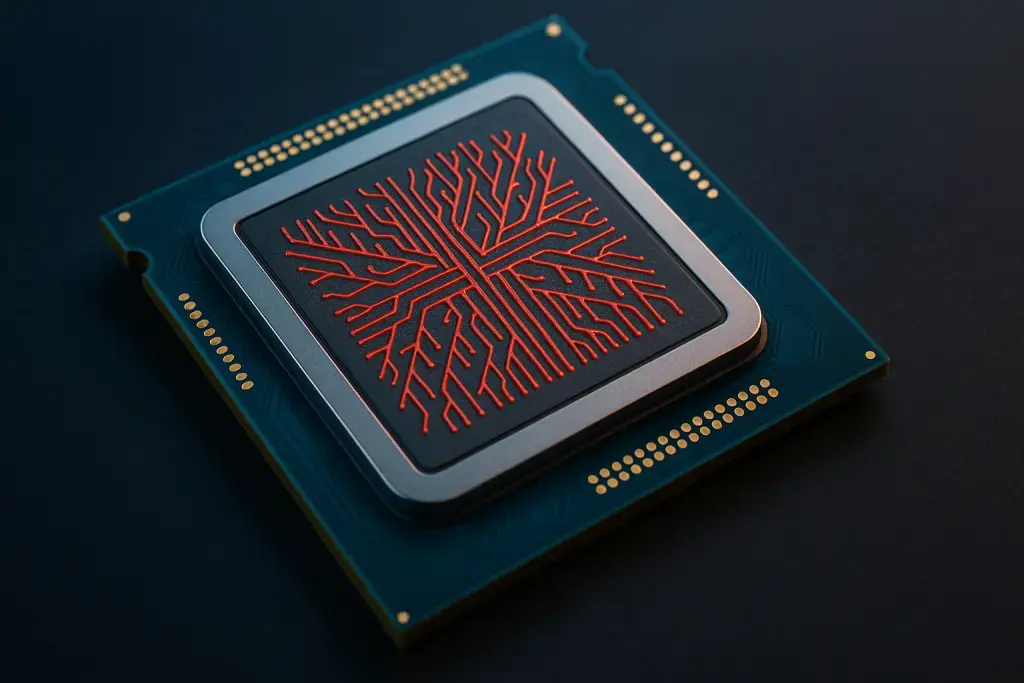
What if cooling lived inside the processor itself?
The industry is experimenting with microchannels etched directly into silicon, allowing coolant to flow right next to the die. Fewer layers between the heat source and the coolant means lower thermal resistance— and much faster heat removal.
Sounds perfect. But, as always, there’ s a catch: pressure fluctuations inside the system can create hotspots and sharp temperature swings.
Microsoft researchers decided to borrow a trick from biology. They designed microchannels that mimic a circulatory system— arteries, veins, capillaries. Hot regions of the chip receive more coolant, cooler areas receive less. The results are impressive: peak temperatures dropped by 18° C, system pressure decreased by 67 % , and temperature variance between cores was reduced by a factor of three.
The best part ? This approach is compatible with CMOS(Complementary Metal - Oxide - Semiconductor) technology— the foundation of modern chip manufacturing. These microchannels can be etched directly into silicon during fabrication and integrated into contemporary processors. In the future, cooling may no longer be an external system— it may become part of the chip itself.
Still Not Boiling Anything ? Immersion Cooling Is Coming for You
PUE ≈ 1.03–1.10
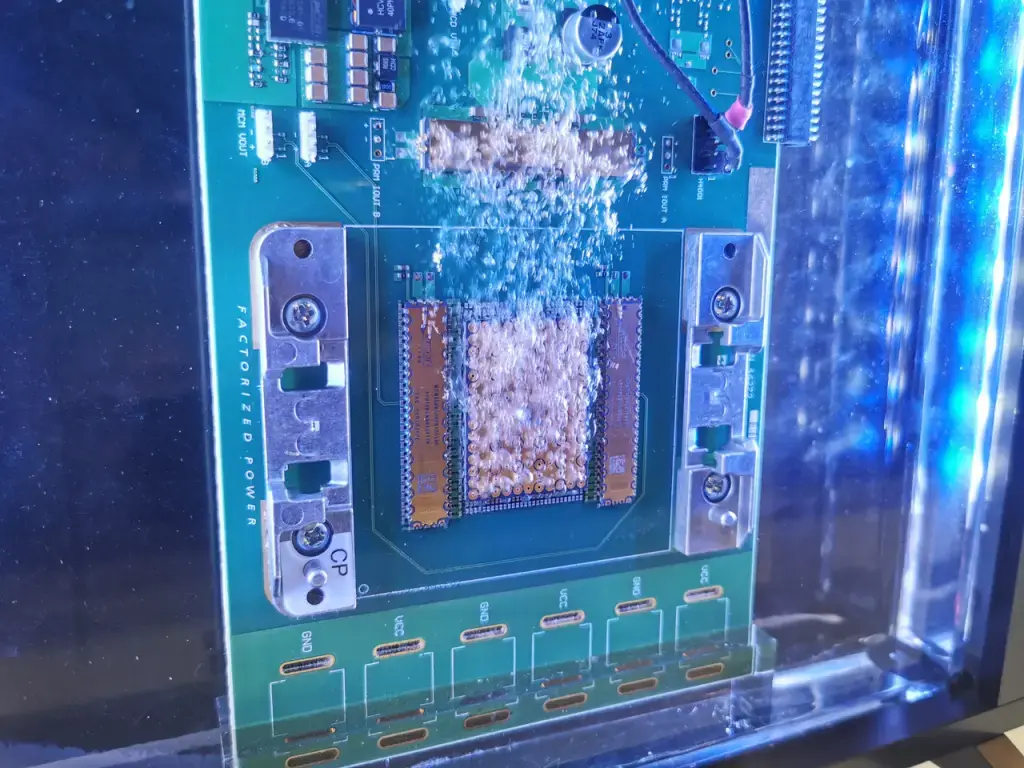
Immersion cooling means exactly what it sounds like: the server is fully submerged in liquid for direct heat exchange (though partial immersion concepts also exist). Why pump coolant through a maze of tubes to individual components when you can simply submerge the whole system in a thermally conductive fluid?
Visually, it looks a bit like a deep fryer for servers. The tank may even contain oil—just not the kind you’d cook with. No fries here.
Plain water won’t work (even though distilled water technically doesn’t conduct electricity). Instead, immersion systems use specially engineered synthetic fluids, mineral oils, or fluorocarbons. These liquids are non-conductive (safe for electronics), have high heat capacity, and excel at pulling heat away from components.
And this is where we finally get to cooling servers with boiling liquid.
But that…
we’ll cover next week.