DELL R340 vs R350: which 1U server makes sense for SMB
Quick answer: choose DELL R340 when you need the lowest entry cost for 1–2 stable services and you are fine with a more “mature” platform and tighter upgrade limits. Choose DELL PowerEdge R350 when you want a safer 3–5 year baseline: a newer platform, a higher memory ceiling, and more flexible storage/boot options. On paper both are 1U single-socket servers, but in real life the winner depends on how fast your services, users, and storage needs will grow.
Below you’ll get a practical comparison across CPU, memory, storage layout, RAID/boot approach, remote management, expansion, and typical workloads. To make the decision easier, we also include a few nearby alternatives from the ServerMall line-up (around five models total) so you can pick the “right class” of server, not just the cheapest box.
Context: what R340 and R350 are typically used for
Both models are popular when a business needs a compact rack server for:
- 1–3 business services (directory/AD, accounting, small CRM/ticketing);
- a reliable file share with access control and backup routines;
- a backup repository node (Veeam/UrBackup, replication, offsite sync);
- edge/branch deployments where remote management matters;
- light virtualisation (a few small VMs) if storage is designed correctly.
The most common mistake is to focus only on “CPU and RAM” and ignore storage topology, RAID controller class, boot reliability, and PCIe/network expansion. Those are the factors that usually force a premature replacement.
Comparison table: R340 vs R350 and nearby alternatives
| Model | CPU | RAM | Storage | Best for |
|---|---|---|---|---|
| DELL R340 | 1× Intel Xeon E-2200 / Pentium / Core i3 / Celeron | 4 DIMM, up to 64 GB UDIMM ECC | Up to 8×2.5" or 4×3.5", PERC H330/H730P, BOSS (M.2) | Budget start, branch office, stable services |
| DELL PowerEdge R350 | 1× Intel Xeon E-2300 / Pentium | 4 DIMM, up to 128 GB UDIMM ECC | Up to 8×2.5" or 4×3.5", broader RAID/boot options (BOSS-S2) | SMB baseline for 3–5 years, services + backups |
| DELL PowerEdge R250 | 1× Intel Xeon E-2300 / Pentium | 4 DIMM, up to 128 GB UDIMM | Up to 4×3.5" (hot-swap), simple entry storage | Small workloads where 8 drives are unnecessary |
| DELL PowerEdge R450 | Up to 2× Intel Xeon Scalable | 16 DIMM RDIMM, up to 1 TB | 1U, 8×2.5" or 4×3.5", “grown-up” I/O and RAID options | Virtualisation, databases, predictable scaling |
| DELL PowerEdge R650 | Up to 2× Intel Xeon Scalable | Up to 32 DIMM RDIMM | 1U, SAS/SATA/NVMe options, higher I/O ceiling | NVMe, dense services, consolidation, long-term headroom |
Most popular refurbished servers

Free shipping on orders over 500 € in the EU, £500 in the UK, and $3,000 in the USA

Free shipping on orders over 500 € in the EU, £500 in the UK, and $3,000 in the USA

Free shipping on orders over 500 € in the EU, £500 in the UK, and $3,000 in the USA

Free shipping on orders over 500 € in the EU, £500 in the UK, and $3,000 in the USA
Choosing the Right Equipment
Our specialists will contact you and answer all your questions
DELL R340: strengths, limitations, and realistic expectations

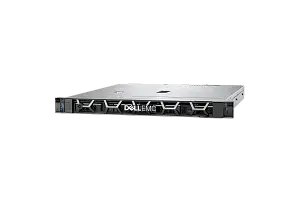
DELL R340 is a pragmatic 1U choice when you want a reliable single-socket box with remote management and you’re optimising the purchase price. It works well for “small but serious” workloads: a file share, directory services, a couple of internal apps, and a backup target. The key is to keep expectations aligned with the platform’s memory ceiling and expansion limits.
Key points
- CPU: single-socket platform for Intel Xeon E-2200 class processors (plus entry CPUs).
- Memory: 4× DDR4 UDIMM ECC, up to 64 GB. That is often enough for 1–2 core services, but it can be the main growth blocker later.
- Drive options: up to 8×2.5" or 4×3.5". With the right mix of SSDs/HDDs you can build a balanced file + backup layout.
- RAID/boot: PERC H330/H730P and BOSS (M.2) options help separate OS from data and improve maintainability.
- Remote management: iDRAC9 is a major benefit for branches and unattended racks.
- Expansion: PCIe Gen3 is fine for basic NIC/HBA needs, but don’t expect a huge I/O headroom.
Who should pick it
- branch offices and small teams with stable workloads;
- file + backup roles where storage planning matters more than raw CPU;
- projects with a strict budget where “good enough for 24–36 months” is acceptable.
What to double-check before buying
- Memory roadmap: if you foresee virtualisation, containers, or multiple heavier services, 64 GB may become limiting sooner than you think.
- Drive layout: decide upfront between 3.5" capacity and 2.5" IOPS; migrating later can be disruptive.
- RAID controller class: for busy file shares or databases, controller cache and a proper RAID level matter a lot.
- Boot reliability: separate boot media (BOSS/M.2 or mirrored SSDs) keeps OS issues away from your data array.
DELL PowerEdge R350: the safer SMB baseline
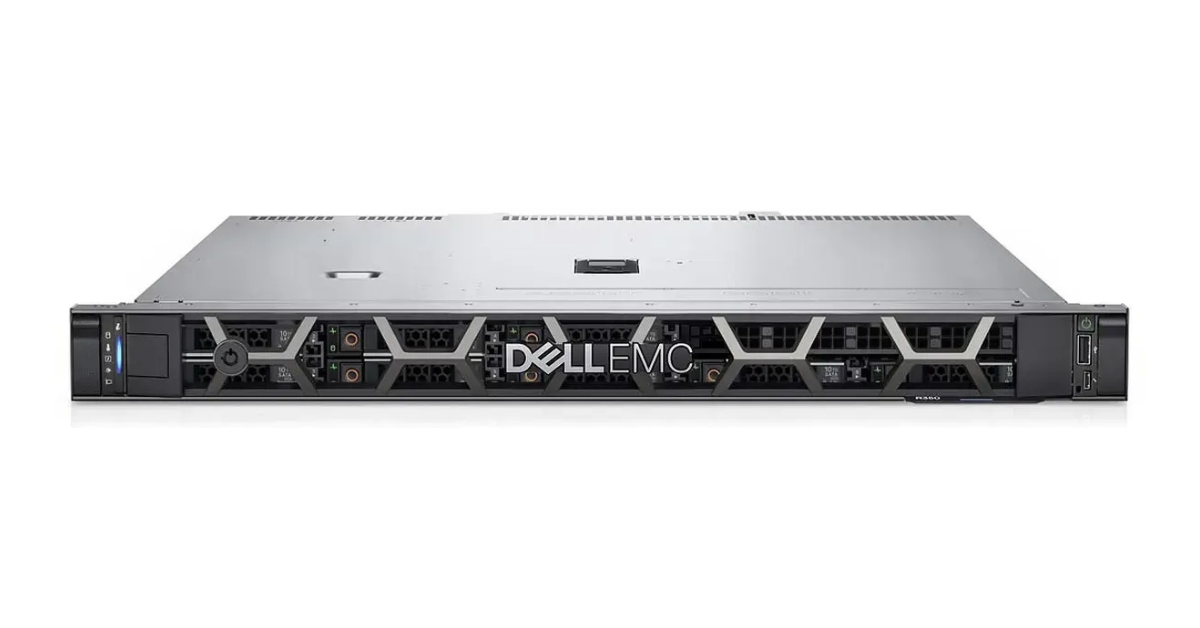
DELL PowerEdge R350 is often chosen as a “set it and forget it” SMB server because it gives you more room to grow without changing the platform. The most visible advantage is the memory ceiling, but the practical value is broader: you get more freedom to build storage the way your workload needs, and you reduce the risk of a forced replacement when the business adds another service.
Key points
- CPU: single-socket Intel Xeon E-2300 platform for a very common SMB performance envelope.
- Memory: up to 128 GB UDIMM ECC — often the difference between “one server does it all” and “we need another box.”
- Storage flexibility: 4×3.5" or 8×2.5" options allow either capacity-focused arrays or SSD-based IOPS profiles.
- RAID/boot options: a wider range of controllers and boot approaches (including BOSS-S2) simplifies a clean design.
- Operations: iDRAC9 + Redfish support helps standardise processes and maintain a small fleet.
Who should pick it
- SMBs that want a 3–5 year lifecycle without hitting a RAM wall;
- teams planning to add services (monitoring, backups, CRM/ERP, VoIP, test environments);
- admins who prefer predictable upgrades and fewer “legacy surprises”.
Real-world differences vs R340
- Memory headroom: 128 GB vs 64 GB is not a benchmark win — it is a planning win.
- Storage design: easier to match your workload profile (capacity vs IOPS) without awkward compromises.
- Total cost over time: even if R350 costs more upfront, it can be cheaper over 3 years if it prevents an early replacement.
When you should consider alternatives (still within a compact rack footprint)
DELL PowerEdge R250: simplest entry when you don’t need 8 drives

If your workload is predictable and storage needs are modest, DELL PowerEdge R250 is often the most rational entry point. You get the same “SMB service server” class, but you avoid paying for a storage topology you won’t use.
- CPU: Intel Xeon E-2300 / Pentium
- RAM: up to 128 GB UDIMM
- Use cases: small services, file share, backup agent, edge node
DELL PowerEdge R450: when you need dual-socket scale

If you already know virtualisation or database workloads are coming, pushing a single-socket 1U to the limit is rarely the best strategy. DELL PowerEdge R450 gives you dual-socket CPU options and RDIMM memory scale, which translates into real “business headroom”.
- CPU: up to two Intel Xeon Scalable
- RAM: up to 1 TB (RDIMM)
- Use cases: virtualisation, heavier services, long-term growth
DELL PowerEdge R650: high I/O ceiling and NVMe-friendly designs

When the bottleneck is storage performance, network throughput, or PCIe expansion, compact SMB models become a compromise. DELL PowerEdge R650 is a different class of 1U platform with higher I/O headroom and more storage options (including NVMe depending on configuration).
- Use cases: dense services, NVMe-based VM storage, consolidation
- Why it matters: fewer “hard limits” as workloads evolve
Most popular

Free shipping on orders over 500 € in the EU, £500 in the UK, and $3,000 in the USA

Free shipping on orders over 500 € in the EU, £500 in the UK, and $3,000 in the USA

Free shipping on orders over 500 € in the EU, £500 in the UK, and $3,000 in the USA

Free shipping on orders over 500 € in the EU, £500 in the UK, and $3,000 in the USA
Buying guide: how to choose between R340 and R350
1) Build a 18–36 month service roadmap
List what you run today and what is likely to appear next: backups, monitoring, VPN/firewall roles, an extra app server, a test environment, a small container stack. If the roadmap grows, R350 is usually the safer baseline.
2) Identify whether you are CPU-bound or I/O-bound
- CPU-bound: terminal services, compute-heavy apps, multi-user analytics — prioritise CPU and memory.
- I/O-bound: file workloads, backups, VM storage — prioritise drive bays, RAID controller class, SSD/NVMe strategy, and networking.
In SMB, storage is often the hidden bottleneck. A modest CPU with the right storage design can outperform a faster CPU with a weak disk setup.
3) Treat memory as your main “safety buffer”
Many SMB deployments start as “one box with two roles” and quickly become “one box with five roles”. 128 GB gives you flexibility when the business adds services. If you think there is a meaningful chance of running virtualisation, choose R350.
4) Design for maintenance and recovery
- separate boot media (BOSS/M.2 or mirrored SSDs) from the data array;
- choose RAID levels based on write profile and rebuild risks;
- keep backups outside the server (NAS, cloud, second site).
A server choice is not only about performance — it’s about how fast you can recover from a bad disk, a failed OS update, or a human mistake.
Choosing the Right Equipment
Our specialists will contact you and answer all your questions
Conclusion
DELL R340 is a sensible “budget workhorse” when your workload is stable and you accept its tighter upgrade ceiling. DELL PowerEdge R350 is the more future-proof pick for most SMBs because it offers higher RAM headroom and more flexibility in storage and boot design.
If you expect growth, virtualisation, or higher I/O needs, consider stepping up to DELL PowerEdge R450 or DELL PowerEdge R650. If you want the simplest entry and storage needs are modest, DELL PowerEdge R250 can be the cleanest start.