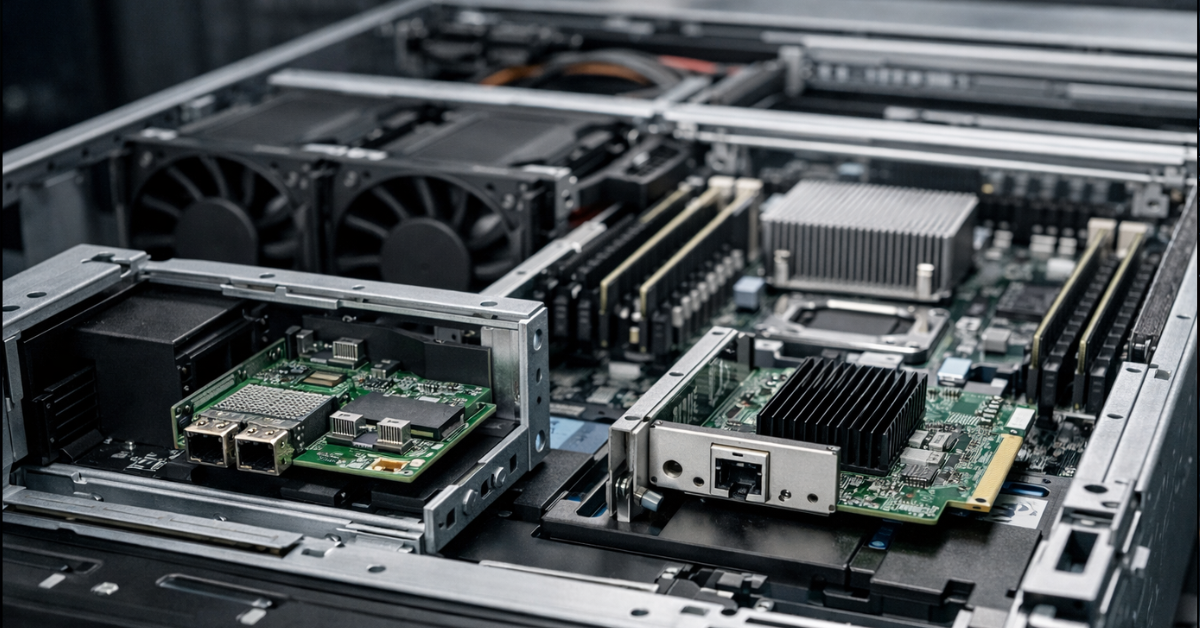
If the server supports OCP NIC 3.0 and you need to keep standard PCIe slots free for RAID/HBA controllers, NVMe adapters, GPUs, additional network cards, or other expansion cards, OCP NIC 3.0 is usually the more rational choice. If the priority is maximum compatibility, a wider choice of models, simple replacement, and portability between different platforms, a standard PCIe network card is the safer and more flexible option. Speed and capabilities are determined not by the form factor itself, but by the specific adapter, the number of PCI Express lanes, the controller, firmware, and server compatibility.
What OCP NIC 3.0 is and how it differs from a standard PCIe card
OCP NIC 3.0 is a server network adapter form factor developed as part of the Open Compute Project. Its purpose is not to replace PCI Express as a bus, but to standardize a separate network module for servers where a dedicated slot is provided for the network card. In other words, it is not “some special network card outside PCIe,” but a way to connect a network adapter to the platform without occupying a standard expansion slot. OCP describes this idea directly as an attempt to unify the mechanical design, interfaces, and basic set of requirements for server NICs.
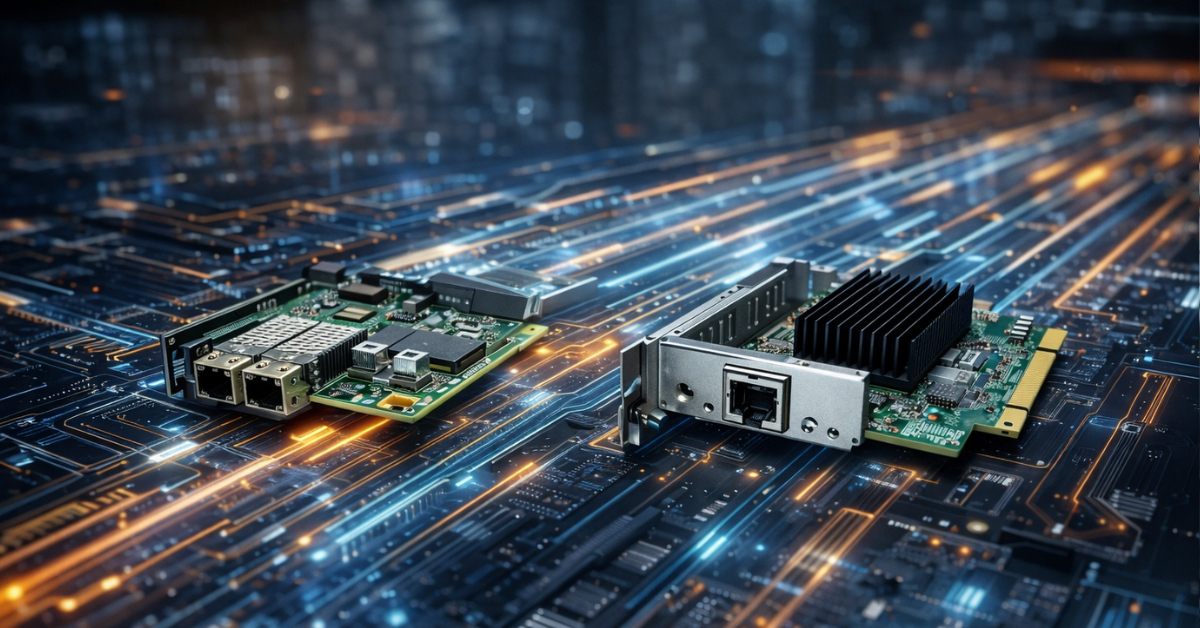
A standard PCIe NIC is an expansion card for a conventional PCI Express slot. This option is more familiar, more universal, and simpler in terms of compatibility between different generations of servers. But that flexibility usually costs the server’s scarcest resource: a universal expansion slot.
In practice, the difference between OCP NIC 3.0 and PCIe NIC comes down to three things:
- where exactly the card is installed;
- whether it occupies a standard PCIe slot;
- how strongly the choice of card depends on a specific server platform.
That is why the question should not be phrased as “which form factor is more modern,” but rather as “which way of installing a network adapter is better suited to my server architecture.”
Why OCP NIC 3.0 appeared in the first place
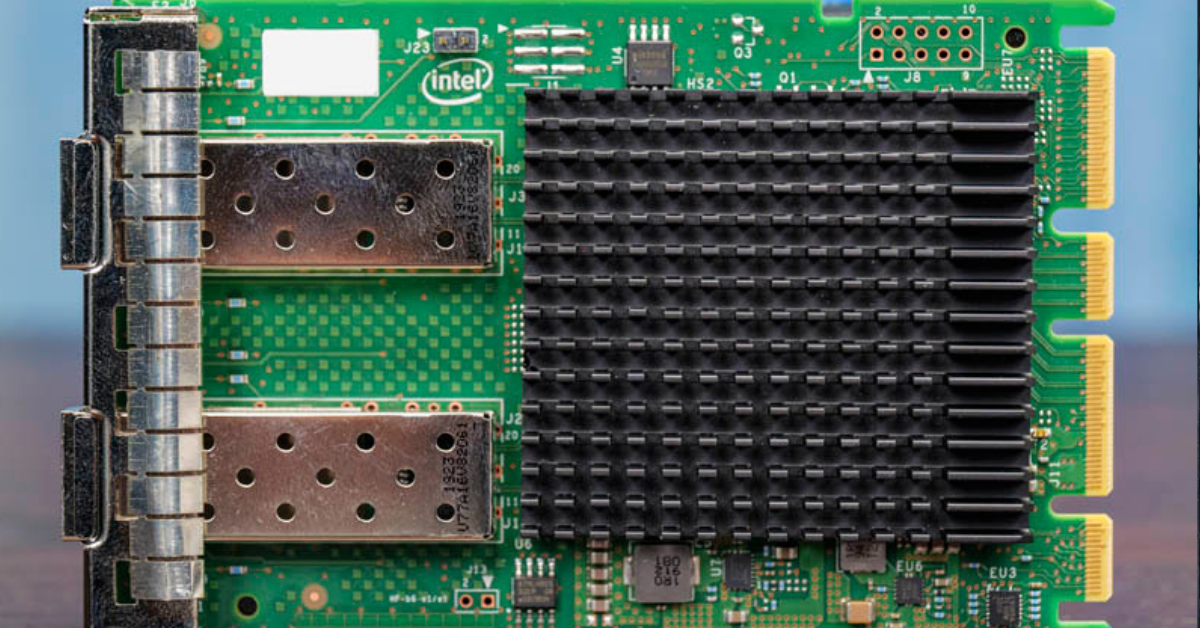
In a modern server, networking is no longer an optional extra, but a basic part of the platform. Even if the server is not part of a high-speed cluster, it still needs interfaces for access, management, virtualization, backup, replication, storage connectivity, and sometimes service traffic. At the same time, the built-in network card is often not enough, especially if it is limited to 1 GbE.
If every server has to spend a full PCIe slot just on basic network connectivity, dense configurations quickly run into compromises. In one case there may not be enough room for a storage controller, in another for an NVMe adapter, in another for an accelerator, a second network card, or a specialized expansion card.
This is exactly the problem OCP NIC 3.0 solves: networking is moved to a separate server slot, while standard PCIe slots remain available for other functions. Lenovo, for example, states directly in its server descriptions that a platform can have dedicated OCP 3.0 slots alongside standard PCIe slots, while OCP adapters are connected through a PCIe 5.0 x16 host interface. On some platforms, one of the ports on such an adapter can also be shared with the server management controller for sideband or out-of-band scenarios.
This is an important point. The main advantage of OCP NIC 3.0 is not “network acceleration by itself,” but a more rational server layout.
Storage systems

Free shipping on orders over 500 € in the EU, £500 in the UK, and $3,000 in the USA

Free shipping on orders over 500 € in the EU, £500 in the UK, and $3,000 in the USA

Free shipping on orders over 500 € in the EU, £500 in the UK, and $3,000 in the USA

Free shipping on orders over 500 € in the EU, £500 in the UK, and $3,000 in the USA
The main difference is not speed, but the adapter’s place in the architecture
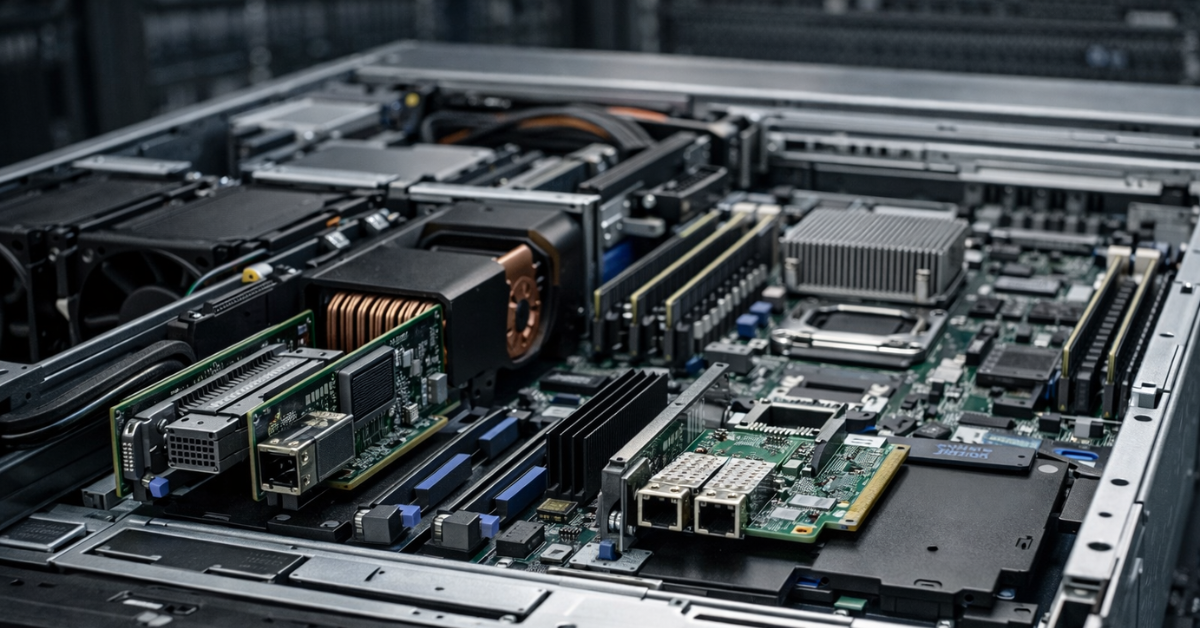
When the comparison is reduced to “OCP is faster, PCIe is slower,” it almost always confuses the form factor with the capabilities of a particular chip. In reality, the form factor does not automatically determine bandwidth, latency, or the quality of CPU offload.
The real difference is determined by:
- the PCI Express generation;
- the lane width of the connection;
- the network controller itself;
- the number and speed of ports;
- offload support;
- virtualization support;
- the quality of drivers and firmware;
- compatibility with the server and its BIOS/BMC.
For example, OCP NIC 3.0 adapters can be PCIe 4.0 x8, PCIe 4.0 x16, PCIe 5.0 x8, or PCIe 5.0 x16, depending on the model and platform. Intel publishes product materials for OCP 3.0 adapters that show this is ordinary modern server logic: high speeds, multiple ports, offload, precise timing, security, and support for different operating systems. In other words, OCP NIC 3.0 is not a “simplified built-in network module,” but a normal server adapter in a different mechanical format.
The conclusion is simple: you should compare not “OCP versus PCIe in general,” but specific cards on a specific platform. If one OCP card is based on a newer controller than an older PCIe model, the advantage comes not from the form factor, but from the adapter generation itself.
Choosing the Right Equipment
Our specialists will contact you and answer all your questions
OCP NIC 3.0 and PCIe NIC: the difference in one place
| Parameter | OCP NIC 3.0 | PCIe NIC | What this means in practice |
|---|---|---|---|
| Installation location | Dedicated server slot | Standard PCIe slot | OCP saves standard expansion slots |
| Uses a standard PCIe slot | Usually no | Yes | With PCIe, you can run out of slots faster |
| Compatibility between servers | Lower; depends on the platform | Higher | PCIe is easier to move between different servers |
| Choice of models | Narrower | Wider | PCIe offers more options by price, ports, and interface types |
| Chassis integration | Better integrated into the platform | More universal, but less “native” to the chassis | OCP is convenient in a server designed for it |
| Management integration | Sideband/shared management is supported on some platforms | Usually separate logic, without this scenario | In some servers, OCP helps organize management more neatly |
| Upgrade convenience between generations | Lower | Higher | PCIe is safer for a heterogeneous server fleet |
| Risk of compatibility mistakes | Higher if bought “blindly” | Lower, though still present | OCP almost always needs especially careful platform checking |
| Usefulness in dense configurations | High | Medium | For 1U/2U servers and rich configurations, OCP is often more advantageous |
| Typical scenario | A new server where every slot matters | A universal upgrade or mixed fleet | The choice depends on architecture, not fashion |
When OCP NIC 3.0 is genuinely better
When you need to preserve standard PCIe slots
This is the strongest and most practical argument. If, in addition to networking, the server also needs:
- a RAID or HBA controller;
- NVMe adapters;
- a GPU;
- a SmartNIC/DPU;
- a second or third network card;
- FC or InfiniBand;
- specialized expansion cards,
then moving the base network card to the OCP slot is almost always more logical. You do not spend a valuable PCIe slot on a function that the server needs in almost any case.
When the server was originally designed for OCP 3.0
If the chassis and system board already expect OCP NIC 3.0 as the standard network module, this option usually fits the platform better mechanically and from a service perspective. Lenovo specifies dedicated OCP 3.0 slots, a simple-swap mechanism, and support for a shared network channel for management. This is not an abstract advantage of the standard, but a specific feature of the server platform.
When dense and neat layout matters
In 1U servers and some 2U servers, every slot, every cooling zone, and every cable path matters. A dedicated network module makes it possible not to occupy the usual expansion area, and sometimes also simplifies the rear-panel layout. This does not always provide a noticeable temperature benefit by itself, but it often makes the server architecture cleaner and more predictable.
When integration with shared management is needed
On some platforms, one of the OCP adapter ports can be shared with the server management controller. This means that a separate physical management port may not be required, or that management and production networking can be organized more flexibly within the logic built into the platform. This scenario is not universal, but it does exist and is confirmed by Lenovo documentation.
When PCIe NIC is better
When maximum universality matters
If you have a heterogeneous server fleet, equipment is regularly redistributed, and network cards need to move between different chassis generations without unnecessary questions, a PCIe card is almost always safer. It is less tied to a specific platform and is simpler from the standpoint of inventory, repair, and replacement.
When you need a wide choice
The PCIe adapter market is simply broader. It is easier to find an option that fits the budget, speed, number of ports, connector type, required features, availability on the secondary market, or supplier stock. For many practical tasks, this is exactly what outweighs the architectural advantages of OCP.
When the server does not guarantee clear OCP support
The presence of an OCP slot does not mean that any OCP NIC 3.0 card will fit. Compatibility has to be checked for the specific platform, sometimes even for the server generation, the list of tested adapters, BIOS version, and the manufacturer’s internal logic. Dell recommends checking network card compatibility for a specific PowerEdge server, not just by external form-factor similarity.
When a simple future upgrade path matters
Today, OCP may look more advantageous, but if in two years the card has to be moved to another server or quickly replaced with an equivalent from a nearby stockroom, PCIe usually wins in predictability. This is especially important in infrastructure where hardware lives longer than a single platform lifecycle.
Performance: where the myth ends and the real difference begins
The most common mistake is to think that OCP NIC 3.0 is automatically faster simply because it is a “special server” format. That is not true.
Network performance is primarily determined by:
- port speed;
- the number of ports;
- PCIe link bandwidth;
- the controller;
- support for RDMA, SR-IOV, and other features;
- driver quality;
- how well the server and operating system can use the card’s capabilities.
You can take an excellent PCIe card and get better real-world performance than from a weaker OCP card. The reverse is also true: a modern OCP adapter based on a newer controller can outperform an older PCIe model.
So the correct question is:
not “which form factor is faster,” but “which card on which platform gives me the capabilities I need without architectural losses.”
This is especially important in virtualization, storage, and clusters, where people look not only at nominal speed, but also at:
- latency;
- offload behavior;
- stability under load;
- support for the required hypervisor;
- firmware quality;
- compatibility with the existing network architecture.
Our most popular servers

Free shipping on orders over 500 € in the EU, £500 in the UK, and $3,000 in the USA
Free shipping on orders over 500 € in the EU, £500 in the UK, and $3,000 in the USA
Free shipping on orders over 500 € in the EU, £500 in the UK, and $3,000 in the USA

Free shipping on orders over 500 € in the EU, £500 in the UK, and $3,000 in the USA
Non-obvious points that are often forgotten
Compatibility is not only about the connector
Even if the card physically fits, that does not guarantee normal operation. You need to check:
- support for your exact server platform;
- BIOS/UEFI and BMC versions;
- the list of supported adapters;
- firmware requirements;
- the number and configuration of PCIe lanes;
- support for the required operating system or hypervisor.
This is exactly where buying “by photo” or “by a similar slot” ends in the most unpleasant surprises.
The port question is more important than the form factor
In practice, the administrator should first answer not “OCP or PCIe,” but the following questions:
- how many ports are needed;
- what speed is actually required;
- copper or optics;
- whether RDMA is needed;
- whether virtualization at the network card level is needed;
- whether hardware offloads are needed;
- which operating systems and hypervisors will be used.
If these requirements are not defined, the choice of form factor is secondary.
Serviceability is also a criterion
OCP NIC 3.0 is often convenient in the server it was designed for. Some platforms provide simple adapter replacement without disturbing the general PCIe card area. This matters not only for convenience, but also for reducing service downtime. Lenovo directly notes the simple-swap mechanism and installation of OCP modules as a standard platform scenario.
A future upgrade can change the answer
If the server is being purchased for a stable role and will remain within one platform, OCP often looks very reasonable. But if the equipment has a long life, moves between servers and configurations, PCIe often becomes more advantageous over distance.
Choosing the Right Equipment
Our specialists will contact you and answer all your questions
What to choose by scenario
| Scenario | What is usually more rational | Why | What to check before purchase |
|---|---|---|---|
| 1U/2U server with a slot shortage | OCP NIC 3.0 | Saves standard PCIe slots | OCP support for your exact platform |
| Virtualization server | Depends on the configuration | Offload, SR-IOV, number of ports, and hypervisor compatibility matter | Controller, drivers, hypervisor support |
| Storage server | Often OCP NIC 3.0 | PCIe can be preserved for HBA/NVMe/other cards | PCIe lanes, port type, compatibility |
| Universal server for mixed tasks | More often PCIe NIC | More flexibility and wider choice | Required speeds, interface types, budget |
| Heterogeneous server fleet | PCIe NIC | Easier to move and replace | Compatibility between platform generations |
| Older server upgrade | PCIe NIC | OCP may be either unavailable or heavily limited | Availability of a free PCIe slot and card support |
| New server for high-speed networking | Depends on the architecture | If slots are needed for other tasks, OCP is more advantageous | PCIe width, port speed, cooling |
| Platform with shared management through OCP | OCP NIC 3.0 | Networking and management can be integrated more neatly | Sideband/shared management support |
| Possible resale or card transfer | PCIe NIC | Higher universality and liquidity | Whether the card will be useful outside the current server |
How to make the decision in practice

A practical selection process looks like this:
- First, check whether the server has a dedicated OCP NIC 3.0 slot and which adapters the platform supports.
- Then decide whether you need standard PCIe slots for other devices.
- After that, define the real network requirements:
- speed;
- number of ports;
- interface type;
- virtualization support;
- offload;
- compatibility with the operating system and hypervisor.
- Then check compatibility in the documentation for the server and the card manufacturer.
- Only after that should you compare price, taking into account the architectural cost of the decision: a lost PCIe slot, service convenience, and future reuse.
This is the mature approach. Choosing a network card for a server is part of platform design, not a separate purchase “by port speed.”
Typical selection mistakes
The most common mistakes are:
- choosing by form factor rather than by platform;
- assuming that OCP NIC 3.0 is faster than PCIe by definition;
- not accounting for the fact that losing a PCIe slot may cost more than the price difference between cards;
- looking only at port speed and ignoring the controller, PCIe lanes, and drivers;
- forgetting to check hypervisor or operating system support;
- not considering the type of cabling infrastructure;
- buying an OCP card by external similarity without checking the server compatibility matrix.
Conclusion
If the server was originally designed for OCP NIC 3.0 and you need to avoid using standard PCIe slots, this option is usually better in terms of architecture, layout, and the server’s long-term usefulness. If universality, simple replacement, a wide choice of models, and portability between different systems matter most, PCIe NIC is often the more practical solution. The right choice here is determined not by the fashion for a form factor, but by three things: compatibility, the server’s role, and how valuable each free expansion slot is for you.
Sources:
Choosing the Right Equipment
Our specialists will contact you and answer all your questions
Content:

Free shipping on orders over 500 € in the EU, £500 in the UK, and $3,000 in the USA

Free shipping on orders over 500 € in the EU, £500 in the UK, and $3,000 in the USA

Free shipping on orders over 500 € in the EU, £500 in the UK, and $3,000 in the USA

Free shipping on orders over 500 € in the EU, £500 in the UK, and $3,000 in the USA

Free shipping on orders over 500 € in the EU, £500 in the UK, and $3,000 in the USA

Free shipping on orders over 500 € in the EU, £500 in the UK, and $3,000 in the USA