
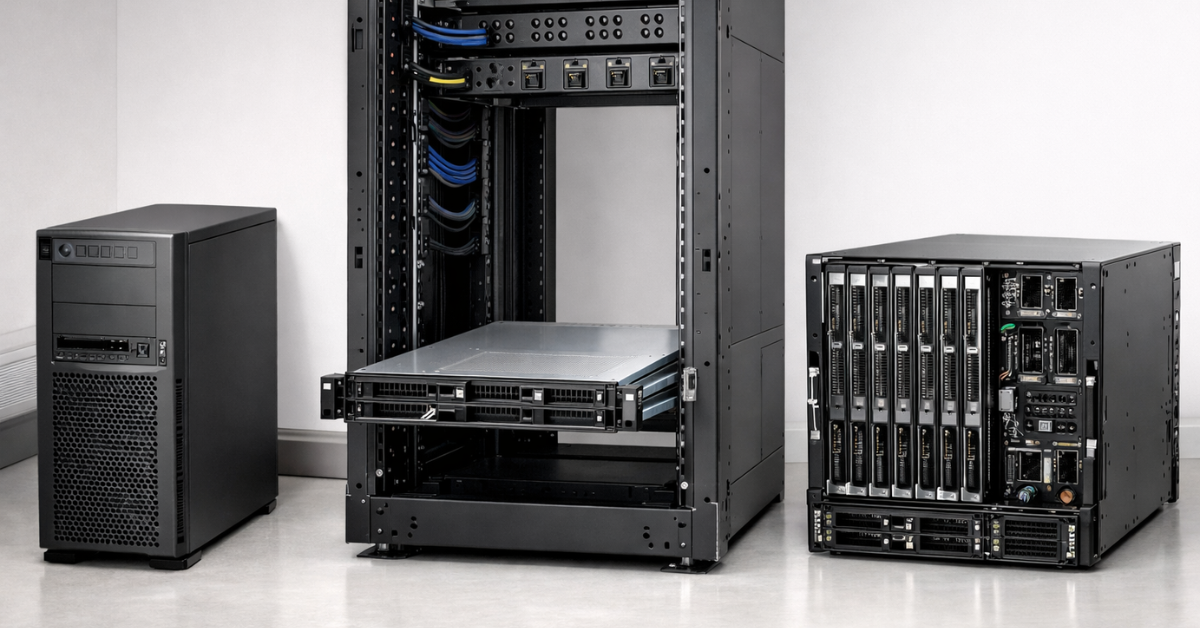
Choosing a server form factor is not about “what hardware looks nicer”, but about where it will live, how you will service it, how fast you plan to grow, and how much you will actually spend over 1–3 years (CAPEX + OPEX + downtime risk). Rack, Tower, and Blade solve the same problem (delivering compute), but in different ways: rack wins on standardization and scaling, tower wins on office-friendliness and an easy start, and blade wins on density and “wire-once” infrastructure—often at the cost of a higher entry price and ecosystem dependence. Below you’ll find a practical selection logic, comparison tables, site requirements, scenarios, and a checklist so your decision is based on constraints and workload—not “chat advice”.
Which form factor to choose
If… → choose… (assuming power/cooling/space can support it):
- 1–2 services in an office without a server room (AD/files/1C/CRM) → Tower: quieter, easier to deploy and service, fewer rack requirements.
- Branch/edge without a rack → Tower or a “mini rack/short cabinet + 1–2U” (if you have space and decent ventilation).
- Virtualization with 2–4 hosts (growth likely) → Rack 1–2U: easier to expand; cabling/power/UPS can be organized properly.
- Dense server room / mini data center → Rack: maximum standardization, rail serviceability, predictable PDU/UPS and airflow.
- Growth to dozens of servers (30–100) → Rack (almost always) or Blade (if you have scale, processes, and budget for chassis/interconnects).
- VDI/GPU/AI/render → typically Rack 2U/4U: GPUs need volume, power, and airflow; blade is often harder and costlier to operate here.
- Choose Blade only when density, unification, fast mass replacements matter—and you’re ready for chassis/interconnects/lock-in.
Quick form-factor choice (by tasks and constraints)
| Scenario | Constraints | Recommended form factor | Why | Typical mistakes |
| 1–2 services in an office without a server room | noise, heat, “people nearby” | Tower | easier placement, usually quieter, no rack required | put it in a cabinet → overheating; power it from a “regular outlet” with no dedicated line/UPS |
| Branch/edge without a rack | limited space, no local tech staff | Tower (or short rack + 1–2U) | simpler service, fewer mounting requirements | cable chaos; no remote management and monitoring |
| Virtualization with 2–4 hosts | growth expected, fast service | Rack 1–2U | standardization, rails, PDU/UPS, easy scaling | choose 1U “for density”, then hit limits on disks/GPU/cooling |
| Dense server room / data center | high power per rack, airflow | Rack | clear “kW per rack” model, service from front/back | rack depth/mounting mismatch; no A/B power and breakers trip |
| Growth to 30–100 servers | speed of replacements/deploy, processes | Rack or Blade | rack is simpler and more flexible; blade accelerates mass ops at scale | buy blade “for 6–10 servers” → poor ROI; underestimate vendor lock-in |
| VDI/GPU/AI | power, cooling, space for GPUs | Rack 2U/4U | GPU/PCIe/power/air are easier to implement in 2U/4U | try to “squeeze into” 1U; ignore heat output and UPS/PDU limits |
Terms and standards: speak the same language (and avoid buying mistakes)
U (Rack Unit) is rack height: 1U = 1.75″ (44.45 mm). Important: 1U ≠ “always better”. 1U can be costlier to run due to airflow/noise/component density, and may limit expansion (PCIe, disks, GPUs).
19-inch rack is the width standard for mounting “ears”. People treat “19″” as one standard, but in practice what matters is: hole type (cage nuts / threaded), depth, 2-post vs 4-post, rails, service clearance. See the overview ofANSI/EIA-310 and a quick reference.
IEC 60297 is an international standards series for 19″ system mechanics (racks/cabinets/chassis): useful as a “dimensions language” for compatibility between cabinets, chassis, and rails. A short description is here.
Blade chassis is not just a “box for blades”, but shared infrastructure: power, fans, interconnects (network/SAN), sometimes storage modules, and management. This changes failure domains (“who’s to blame” during an incident) and the procurement model (entry point = chassis).
Open Rack / OCP is an industry alternative to classic 19″ in hyperscale environments (different dimensions and approach to power/layout). For context, one document is enough: see OCP Open Rack v3 spec PDF.
Most popular

Free shipping on orders over 500 € in the EU, £500 in the UK, and $3,000 in the USA

Free shipping on orders over 500 € in the EU, £500 in the UK, and $3,000 in the USA

Free shipping on orders over 500 € in the EU, £500 in the UK, and $3,000 in the USA

Free shipping on orders over 500 € in the EU, £500 in the UK, and $3,000 in the USA
Choosing the Right Equipment
Our specialists will contact you and answer all your questions
Rack servers: strengths, limits, and common pitfalls
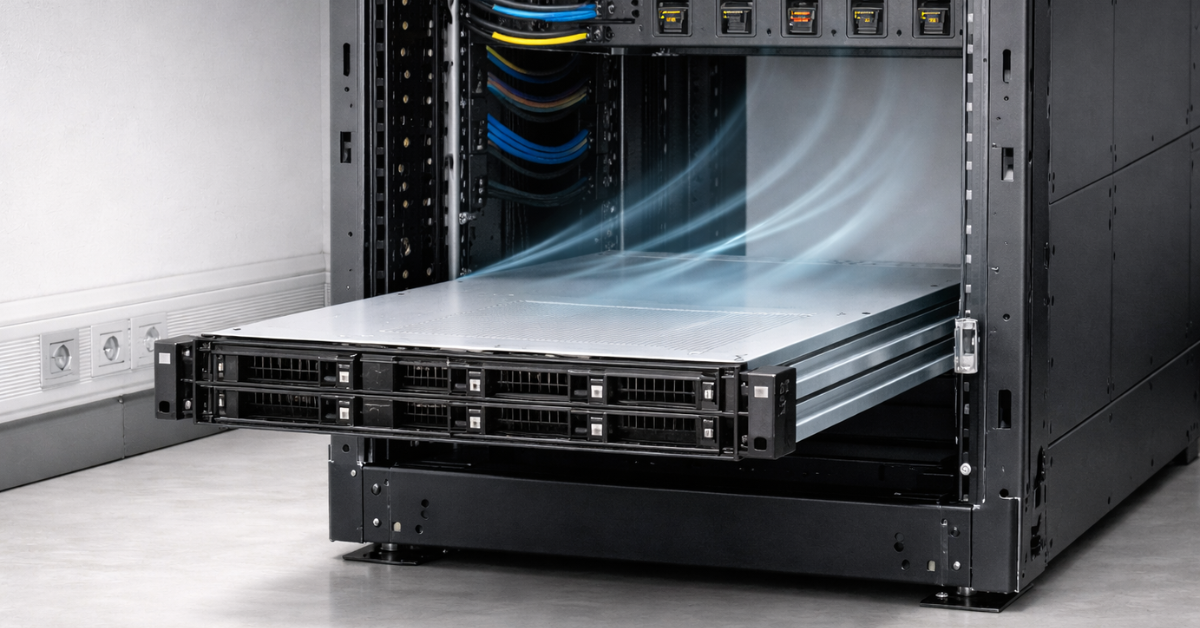
Where rack wins
- Density and standardized placement (1U/2U/4U), unified cable management.
- Centralized power (PDU); easier to design A/B power and scale a fleet.
- Convenient service: rails, hot-swap, front-to-back airflow (typically).
Limitations that show up after purchase
- Noise and heat: 1U/2U in an office is often unsuitable due to fan RPM and room heating.
- The rack “doesn’t fit”: depth, load rating, hole type/mounting, rail incompatibility.
- Service access: you can slide a server out on rails, but without rear clearance maintenance becomes a quest.
- Airflow: most servers expect front-to-back; if the rack/room blocks exhaust, temperatures rise faster than expected.
- Power (“why do breakers trip?”): total load + inrush current + wrong UPS/PDU scheme → protection trips.
Non-obvious checks (do these upfront)
- Rack type: 2-post vs 4-post: many servers are only safe in a 4-post rack with rear support. Vendors often list requirements in install guides; for example, see Cisco rack specs (PDF).
- Holes and hardware: square holes + cage nuts vs threaded rails; “universal” perforation still varies.
- Depth and rails: short racks and telecom cabinets often don’t work with deep servers and their rail kits.
- Power density (kW per rack): you hit power/cooling/UPS/PDU limits before you run out of U.
- A/B power: without it, any UPS/PDU work or electrical line maintenance becomes a downtime risk.
Quick tips on height choice
- 1U — when you need maximum density and you have good cooling/acoustics/rack conditions.
- 2U is often more practical and lower TCO, because it provides:
- more expansion space (PCIe, NIC, HBA),
- more disk/backplane options,
- easier airflow → less noise/thermal stress.
- 4U — the typical “home” for GPU/AI/render and large PCIe configurations.
Examples of rack servers at Servermall:
Tower servers: when the “office format” is the best choice
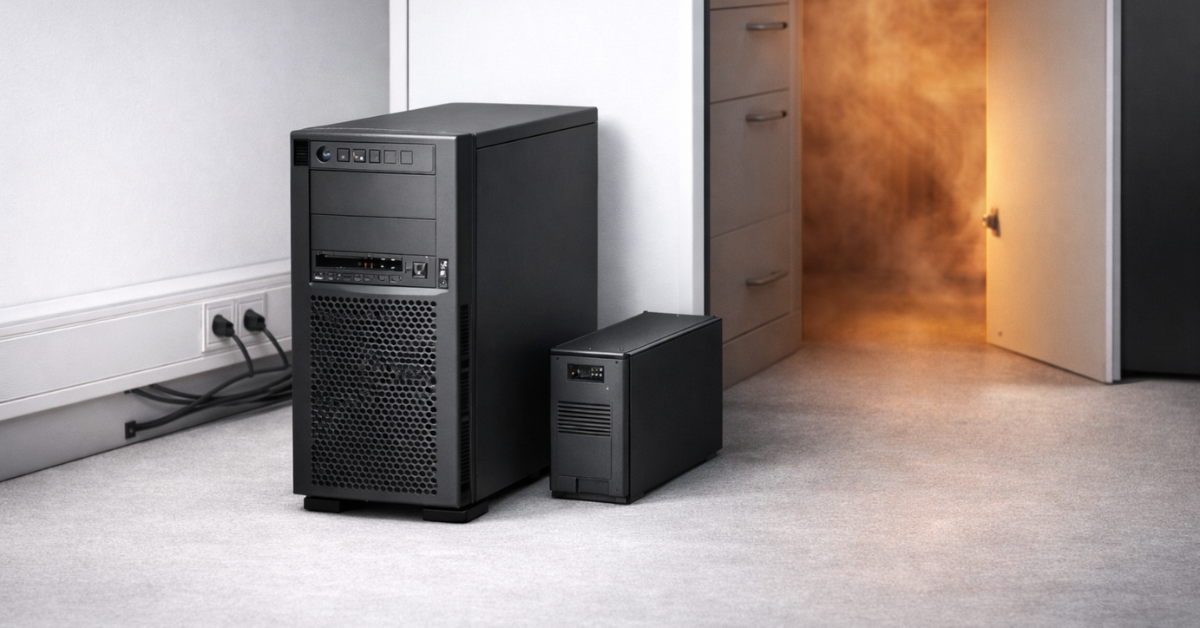
When tower is the rational choice
- Small infrastructure: 1–2 services and no rack/server room.
- Branches/edge, where noise, simplicity, and quick local access matter.
- Situations where hardware is nearby and serviced not only by admins (clarity and physical access matter).
Pros
- Often quieter and psychologically more acceptable in an office.
- No rack required; simpler installation.
- Easier on-site access to disks/ports.
Cons and non-obvious points
- Scaling turns into chaos: cables, power strips, PSUs, “extension cords”, multiple UPS boxes around the room.
- Room cooling: tower may be quieter, but it still dumps heat—office ventilation may not sustain 24/7 loads.
- Weaker standardization: a mixed fleet of tower units is harder to support than a rack of repeatable nodes.
- Physical security: a tower in an office means access by non-IT staff, dust, accidental power-offs.
- “Let’s put it in a cabinet”: usually means higher temperatures, dust, and poor access (faster wear and surprise failures).
Practical criteria (simple version)
- Noise: measure not just “by ear”—use a basic sound meter/app where people sit and at the server location. Consider peaks too (RAID rebuilds/high load spin fans up).
- Power: a tower in an office should have a dedicated circuit/breaker if possible, plus a correctly sized UPS.
- Ventilation: make sure the server isn’t boxed in; ensure intake/exhaust and that hot-day temperature doesn’t go into the red.
Dell supporting materials on rack/tower portfolios can be used as reference tables by system class.
Examples of tower servers at Servermall:
- Category Tower.
- Example HPE tower collections.
Blade systems: architecture, economics, vendor lock-in, and when you really need them
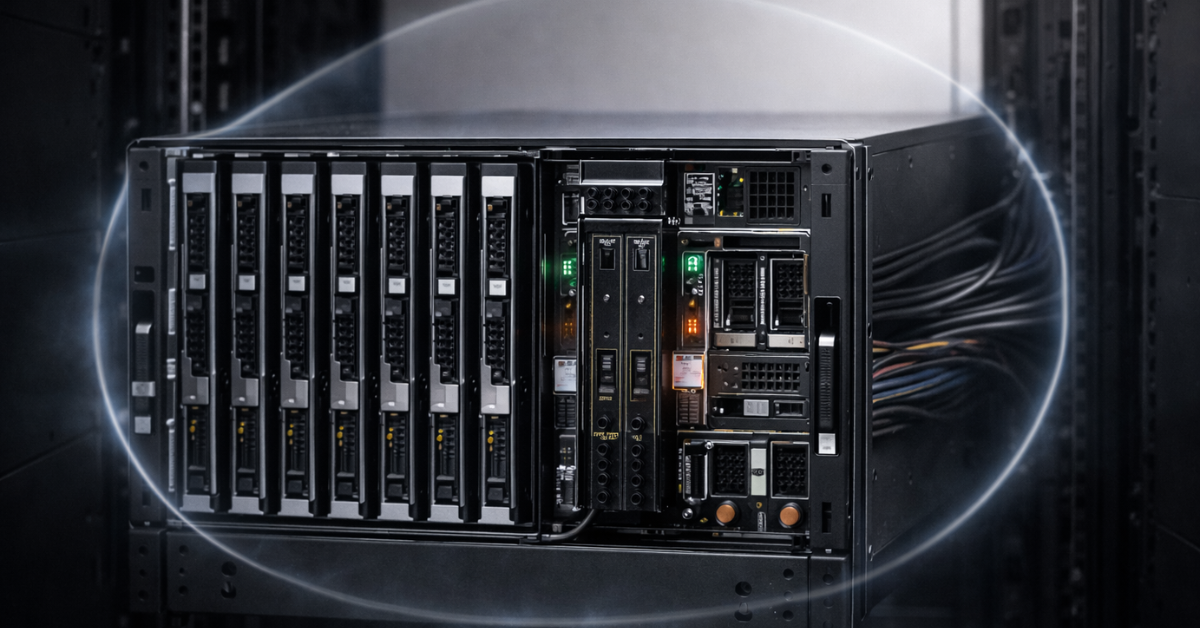
What blade means in practice
Blade = blades (server modules) + a chassis that shares:
- power supplies and redundancy design,
- fans and cooling logic,
- interconnect modules for network/SAN,
- management (often centralized).
So you’re not buying “16 small servers”, but a single platform where the chassis is both a convenience point and a risk concentration.
Pros
- Very high density and clean cabling (“wire-once”).
- Fast mass replacement/reseating of modules.
- Unified profiles and a unified management plane (valuable at scale).
Cons (the most important)
- High entry cost: chassis + interconnects + PSUs/fans + licenses/support → you need a “justification threshold”.
- Vendor lock-in: blade/module/firmware/licensing compatibility is typically inside one ecosystem.
- Power and cooling: requirements are often higher than for classic rack nodes at the same compute level (especially at high density). With rising electricity prices and DC power constraints, the advantages of extreme density can start to fade.
- Generation upgrades: may require interconnect/module/firmware stack updates; sometimes migrating to a new platform class is easier than evolving an old chassis.
- “Who’s to blame” during incidents: the issue might be in the blade, chassis, interconnect, shared power, or management module.
When blade is justified
- A large, standardized fleet where processes matter: mass replacements, fast provisioning of identical nodes.
- Strict constraints on cabling and physical density.
- A team and procedures in place (operations, firmware, spares, monitoring).
When rack + virtualization/cluster is simpler and better
- Small/medium scale (around a dozen nodes or less) without strict unification.
- Need for non-standard configurations (lots of disks, specific PCIe cards, GPUs, different network profiles).
- You want to avoid dependence on a chassis and its “interconnect family”.
Supporting sources on HPE c7000 (as an example of classic blade architecture):
- Official reference/doc card (retired, but useful for platform understanding).
- White paper (PDF).
Examples of blade servers at Servermall:
- Category Blade (catalog).
- Collections DELL and HPE.
Rack vs Tower vs Blade comparison by key criteria (the core)
Comparison matrix (specific, not “high/low”)
| Criterion | Rack | Tower | Blade |
| CAPEX (entry threshold) | server + rack/rails/sometimes PDU | minimal start: “deploy and run” | high: chassis + modules + interconnects |
| OPEX (power/cooling/ops) | predictable with a proper rack and airflow | can become chaos as you grow (office power/cooling) | efficient at scale, but demanding in cooling and operations |
| Scaling | easiest to grow a fleet | fine for “a couple of boxes”, hard beyond that | strong at large standardized scale |
| Density (servers/kW/cables) | high (especially 1U/2U) | low/medium, cable mess grows | maximum density and minimal external cabling |
| Noise / office suitability | often poor (especially 1U) | usually better | usually requires a server room/rack/cooling |
| Room requirements | needs a rack, rear access, proper airflow | can work without a rack, but watch ventilation | almost always “server-room class” for power/cooling |
| Service/repair/module replacement | rails, hot-swap, procedure-based service | physically simple, but no standardized placement | fast blade swaps, but “layered” troubleshooting |
| Power/cooling resiliency | built via A/B, PDU, UPS | often one power path (unless designed upfront) | shared PSUs/fans: good redundancy, but chassis is shared domain |
| Configuration flexibility (disks/GPU/PCIe) | high, especially 2U/4U | medium: depends on chassis and cooling | limited by ecosystem and module/slot options |
| Speed of deploying standard nodes | high with standardization (images/Ansible) | medium: “each box lives its own way” | very high with processes and prebuilt profiles |
| Compatibility/lock-in risk | low/medium (standards + wide parts market) | low/medium | high (chassis/modules/firmware/licenses) |
| “What happens in 3 years” (upgrade/migration) | most often “add/replace 1–2U nodes” | often “move to rack” as you grow | may hit chassis/interconnect generation constraints |
| Manageability (OOB) | usually strong (iDRAC/iLO/IPMI) | also available, but often not configured in branches | centralized, but more layers |
| “Who’s to blame” in incidents | usually a specific server/component | usually a specific server/office power | blade/chassis/interconnect/power—responsibility is blurred |
| Best use case | server room/mini DC, virtualization, storage, GPU | office/edge/small fleet | large fleet, density, fast mass operations |
Choosing the Right Equipment
Our specialists will contact you and answer all your questions
Site requirements: space, weight, power, cooling, noise, cabling
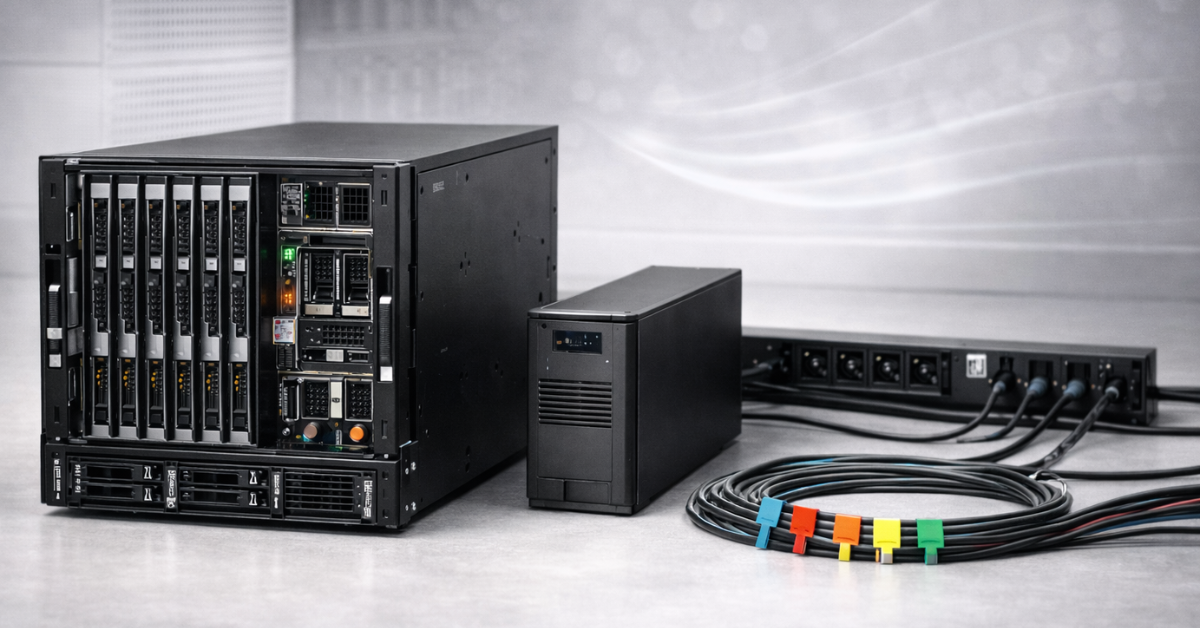
Before choosing a form factor, think not in terms of a “server”, but a site loop: floor/rack → power → UPS/PDU → airflow/temperature → service access → cabling/labels.
Thermal and operational recommendations for data centers are commonly referenced to ASHRAE TC 9.9 (PDF).
Mini calculator / scoring rules (no complex math)
Don’t try to compute TCO “down to the euro”—assess risk class and bottlenecks. Use a 10-point scale for four blocks (0 = no constraint, 10 = very strict).
Conditions scoring (selection rule)
| Block | Question | 0–10 | What a high score means | What it pushes you toward |
| Acoustics / people | Is the server near workplaces? | 8/10 | needs to be quiet, without fan “surges” | Tower (or a separate server room for rack) |
| Site / rack | Do you have a rack and rear access? | 2/10 | rack/aisles/rails are standard | Rack, sometimes Blade |
| Growth / scale | How many nodes in 12–36 months? | 3/10 | fleet growth, repeatability needed | Rack; Blade at high scale with processes |
| Density / operations | Do you need fast mass replacements? | 2/10 | wire-once, standardization, many identical nodes | Blade (or rack with strong standardization) |
Simple rule:
- if acoustics are strict and growth is low → Tower;
- if growth is medium/high and the site allows → Rack;
- if growth is high + mass operations + lock-in readiness → Blade (after checking ROI threshold).
Scenarios and recommendations (practical part)
Below are 7 typical scenarios in the same format: constraints → workload → best choice → alternatives → mistakes.
SMB/office: AD/files/1C/mail/CRM
Constraints: no server room, people nearby, office-grade power, one admin.Workload: 30–150 users, 1–3 key services, moderate growth.Best choice: Tower.Why: easier to place, quieter, fewer mounting requirements, lower chance to “break the site”.Alternative: 1–2U rack in a small rack—if you have a separate room and proper UPS/PDU.Mistakes:
- tower in a closed cabinet (overheating + dust);
- power without a dedicated line/UPS;
- no OOB management and monitoring setup.
Branch/edge: local services, weak site
Constraints: tight space, unstable power, no on-site IT staff.Workload: cache/local services, domain controller, local files/printing.Best choice: Tower (or a compact rack cabinet with ventilation).Alternative: small rack if you must standardize across branches.Mistakes:
- “extension cord under the desk”;
- no remote access/console;
- backups stored next to the server.
Virtualization: 2–6 nodes, growth, serviceability
Constraints: you have a server room/rack or can organize one.Workload: hypervisors, cluster, migrations, updates without downtime.Best choice: Rack 2U (often the sweet spot).Why: balance of cooling/expandability/noise and serviceability.Alternative: 1U for strict density and strong cooling.Mistakes:
- ignore A/B power;
- choose 1U and then run out of room for NIC/HBA/disks;
- rack depth/rail mismatch.
Database/storage/backup node
Constraints: disks, networking, serviceability, predictability matter.Workload: DB, file arrays, backups, replications.Best choice: Rack 2U/4U (depending on disks/controllers).Alternative: tower if volume is small and it’s an office case without a rack.Mistakes:
- underestimate weight/vibration/heat with lots of HDDs;
- no front service access for disks;
- keep 1GbE “because it used to be enough”.
High density in a server room / mini DC
Constraints: racks, PDUs, cooling, at least a simplified hot/cold aisle approach.Workload: many standard nodes, predictable service.Best choice: Rack.Alternative: blade if the fleet is large and the chassis/interconnects are justified.Mistakes:
- count only U and forget kW per rack;
- no UPS/PDU headroom and breakers trip;
- poor hot air exhaust management.
Large standardized fleet (enterprise)
Constraints: processes, procedures, spares, monitoring, upgrade plan.Workload: lots of identical nodes, fast replacements, short maintenance windows.Best choice: Rack or Blade (optional).Why blade: accelerates operations and simplifies cabling at high density.Mistakes:
- buy blade without processes/team → complexity eats the benefits;
- don’t account for lock-in and generation upgrade cost.
GPU/AI/render
Constraints: lots of watts per node, correct airflow, room for GPU/PCIe.Workload: LLM/render/VDI-GPU, high power and heat peaks.Best choice: Rack 2U/4U.Why: physical volume for GPUs, power, cooling, and cabling is easier and more predictable.Why blade is “not always”: GPU blades exist, but are often pricier and more demanding on chassis/cooling.Mistakes:
- try to “fit into” 1U;
- don’t verify UPS/PDU limits;
- don’t plan heat removal from the room.
Most popular GPU
Free shipping on orders over 500 € in the EU, £500 in the UK, and $3,000 in the USA
Free shipping on orders over 500 € in the EU, £500 in the UK, and $3,000 in the USA
Free shipping on orders over 500 € in the EU, £500 in the UK, and $3,000 in the USA
Free shipping on orders over 500 € in the EU, £500 in the UK, and $3,000 in the USA
Mini selection algorithm: step-by-step checklist
Where will the server live (office/server room/cabinet/edge)?
- Who will service it, and how fast must they reach the hardware?
- Do you have a rack? If not—are you ready for a rack and access front and back?
- Noise constraints (people nearby/open space)?
- Room temperature on a hot day and ventilation quality.
- Power: do you have a dedicated line/breaker?
- Do you need a UPS, and what headroom (plus 20–30%)?
- Do you need two independent A/B power paths (at least at the PDU/UPS level)?
- Cabling: how will growth be organized without “spaghetti” (labels/trays/patch panels)?
- Out-of-band management (OOB): will it be configured from day one?
- Growth plan for 12–36 months: how many nodes and what class?
- Do you need quick hot-swap for disks/PSUs and convenient rail service?
- Do you need GPUs/many PCIe/many disks → choose 2U/4U in advance.
- Are you ready for vendor lock-in and layered troubleshooting (if you consider blade)?
- Check rack compatibility: depth, hole type, rail kit, load rating.
- Check the “kW ceiling”: rack/line/UPS/PDU/cooling.
- Outcome: pick a form factor and list red flags that can stop the purchase.
FAQ
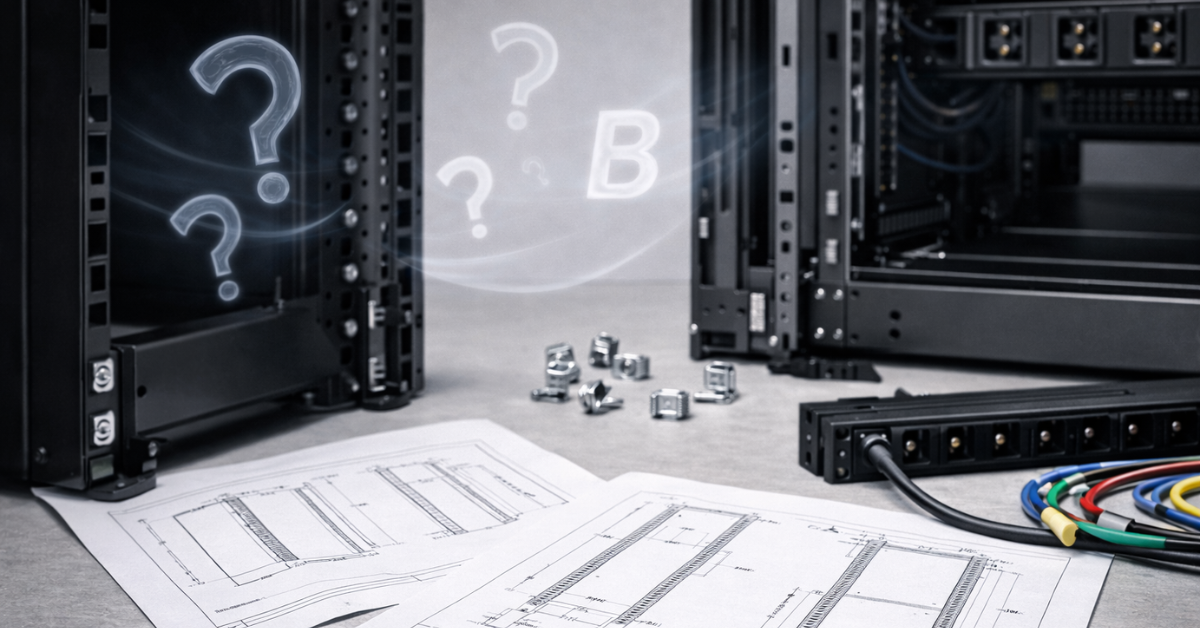
Can I run a rack server without a rack? Technically you can “place it on a shelf”, but it’s almost always a bad idea: airflow, cabling, and serviceability suffer; mechanical and overheating risks increase. Rack servers are designed for racks/rails and proper air paths. See rack requirements and 19″ compatibility in install guides (Cisco PDF example).
Is blade “obsolete” now? Not obsolete, but more niche: blade shines where you have scale, standardization, and processes. At small/medium scale, a rack cluster is often simpler and cheaper. For classic c7000 architecture, see the white paper (PDF).
Which is cheaper in 3-year TCO? It depends on the site and scale:
- in an office without a server room, tower often wins (less investment into rack/noise/organization),
- with growth and a server room, rack often wins (operations are simpler),
- blade can win only at scale with processes; otherwise it “eats” the benefit via entry cost and complexity.
Why can 1U be worse than 2U? 1U is often noisier and more demanding on cooling, and can limit expansion (PCIe/disks/GPU). 2U often provides a better balance of airflow/service/configurability.
How many servers do I need for blade to pay off? There’s no magic number: focus on ROI signs—many identical nodes, frequent mass operations, expensive cabling work, strict density constraints, lock-in readiness. If that’s not you—rack is more likely.
Do I need A/B power? If downtime is expensive or maintenance must be done without stopping services—yes, at least as two UPS/PDU paths. That aligns with the Tier approach to resiliency.
Can I put a tower server in a cabinet? Better not: a cabinet means worse intake/exhaust, more dust, higher temperature, and harder service. If you absolutely must—ensure ventilation, dust filtration, and temperature monitoring, but that’s effectively a mini server room.
Sources
- ANSI/EIA-310 overview: see EIA-310
- 19-inch rack (reference): see Wikipedia 19-inch rack
- Cisco rack requirements (PDF, example for 19″/EIA-310): see Cisco Rack Specifications (PDF)
- ASHRAE TC 9.9 thermal (PDF): see ASHRAE TC 9.9 (PDF)
- Dell tower quick comparison (PDF): see Dell tower (PDF)
- Dell rack quick comparison (PDF): see Dell rack (PDF)
- HPE BladeSystem c7000 (official doc page, retired): see HPE c7000
- HPE c7000 white paper (PDF): see HPE c7000 white paper (PDF)
- OCP Open Rack v3 spec (PDF): see OCP Open Rack v3 (PDF)
- Uptime Institute Tier overview: see Uptime Institute Tiers
Links to Servermall servers




