HP ProLiant MicroServer Gen8 — the second coming and an admin favorite
The strip at the bottom is illuminated, making it easy to quickly assess system status
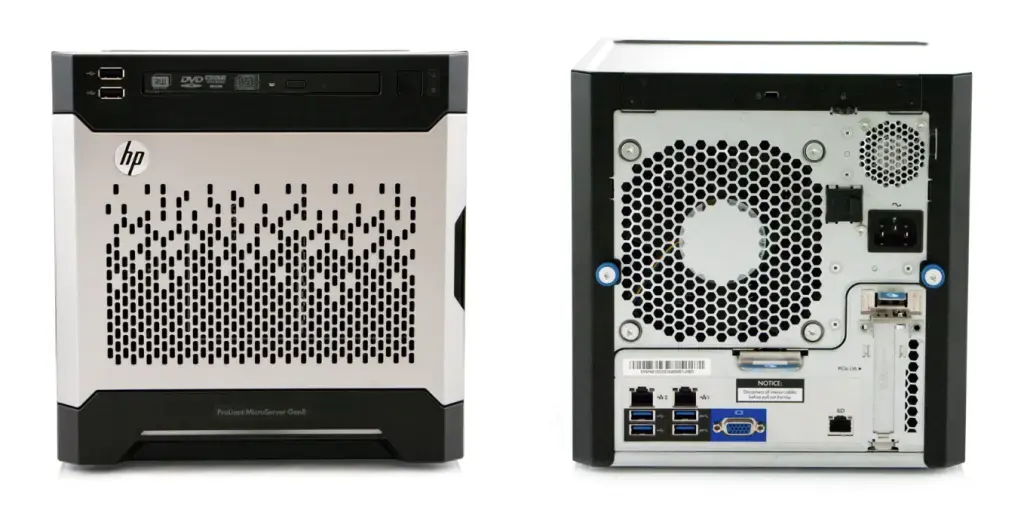
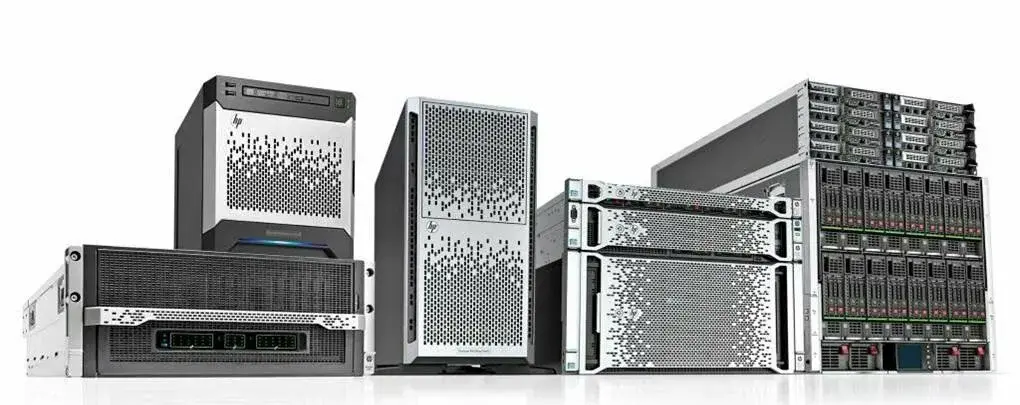
The design of the new MicroServer Gen8 moved closer to its bigger ProLiant DL/ML siblings, leaving no doubt that this is a server—not a PC. The chassis became shorter and slightly wider, approaching a cube-like shape — 23.24 × 23 × 24.5 cm. And it has to be said: this design and compact form factor made it stand out immediately when it hit the market in late 2013.
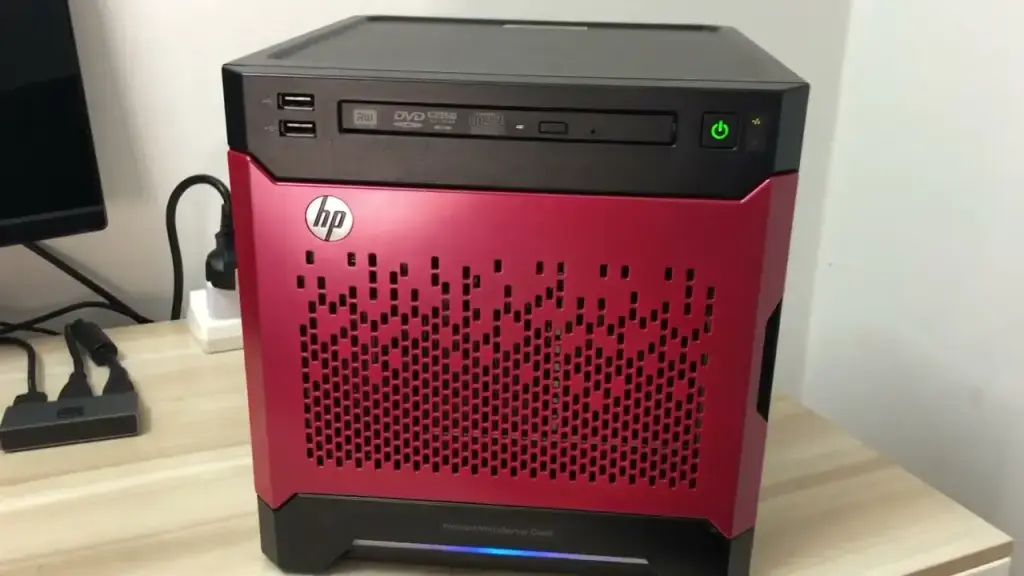
You could also buy a colored front panel: red, blue, or black
A curious detail: the MicroServer Gen8 “cubes” were designed with a shallow recess on top and feet on the bottom. This allowed them to be stacked on top of each other, forming entire towers. HP even released network switches with the same feet-and-recess design. In the end, you could build a neat tower of servers and switches—and it looked seriously cool.
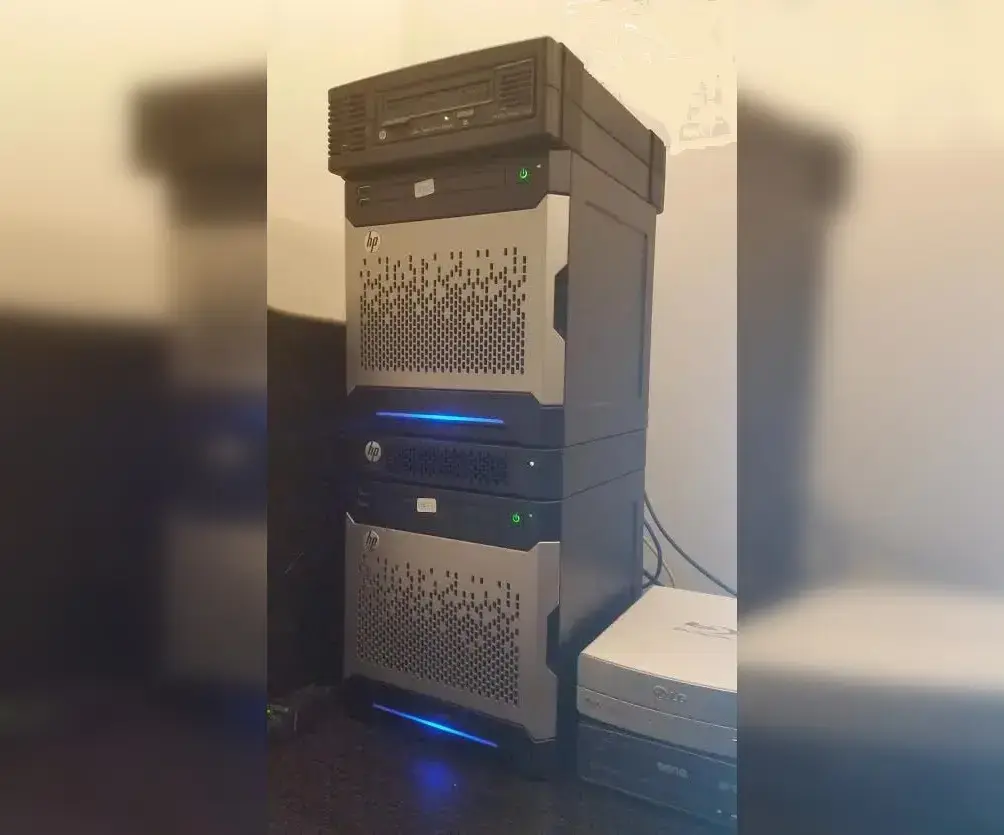
“Tower”
Most importantly, HP offered it at still-affordable (by enterprise standards) pricing. The base configuration of the MicroServer Gen8 started at $308 before tax (no optical drive, Celeron G1610T). The version with an HP DU8A4 drive and a Pentium G2020T came in at $355.
It was a real triumph: a beautiful, compact (smaller than a typical desktop), quiet (quieter, too), affordable, and reasonably powerful server for a small office, branch location, or home—anywhere a full rack-based IT setup with dedicated cooling and server rooms wasn’t practical or necessary.
Admins loved it for its upgradability—you could buy the bare minimum and later swap in a better CPU, add SSD storage instead of the optical drive, and so on. People got creative.
The MicroServer Gen8 was built on what was then a modern platform: socket 1155 with the Intel C204 chipset. Integrated graphics came from the legendary Matrox G200.
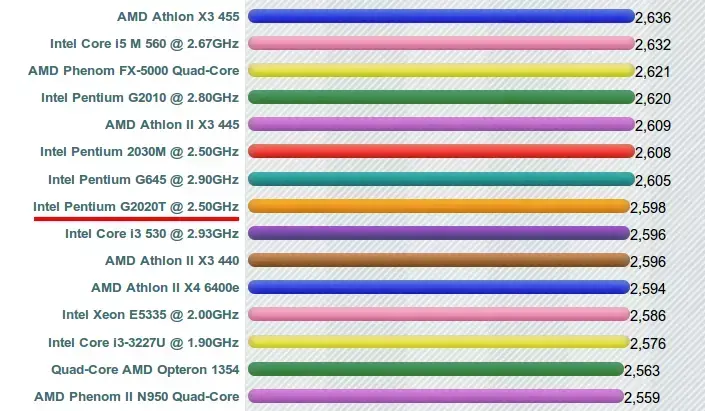
There were three CPU options (the Xeon version came later): Intel Celeron G1610T (2.3 GHz / 2 cores / 2 MB / 35 W), Pentium G2020T (2.5 GHz / 2 cores / 3 MB / 35 W), and later the Xeon E3-1220Lv2 (2.3 GHz / 2 cores / 3 MB / 17 W). Memory: 2 slots, up to 16 GB DDR3 UDIMM.
It retained four LFF SATA bays (up to 4 × 3 TB officially). Bays 1 and 2 supported SATA 6.0 Gb/s, while bays 3 and 4 supported SATA 3.0 Gb/s. No official hot-swap support, but it did include proper drive trays—something that was unfortunately dropped in later generations.
There was also a built-in hardware RAID controller (HP Dynamic Smart Array B120i, RAID 0/1/10), with the option to upgrade for additional RAID levels or use software RAID. Add ECC memory to the mix—and suddenly, this was “proper server” territory.
HP RAID controllers weren’t cheap, but you could install third-party options like the 3WARE 9650SE-8LPML with write cache and battery backup. It connected internally via HBA, significantly boosting write speeds and enabling hot drive replacement.
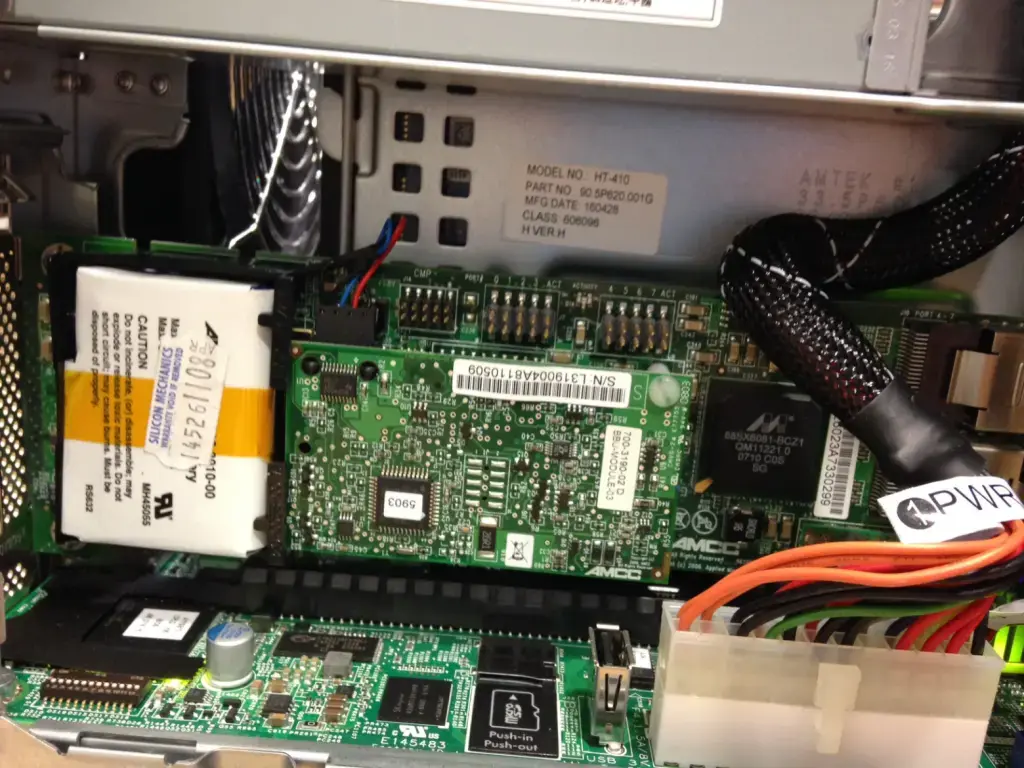
Installed 3WARE 9650SE-8LPML inside MicroServer Gen8, around $60 on eBay in 2016
But the most important upgrade was the built-in iLO 4 management system, straight from the enterprise world, complete with a dedicated gigabit port. In Gen7, you had to buy a separate module, which was slower, less capable in monitoring, and took up a PCIe slot. iLO 4 was a major step forward.
Up front: two USB 2.0 ports. During initial setup, you’d typically plug in a keyboard and mouse. Once everything was configured and remote access via iLO was enabled, those ports became general-purpose—external drives, printers, whatever you needed.
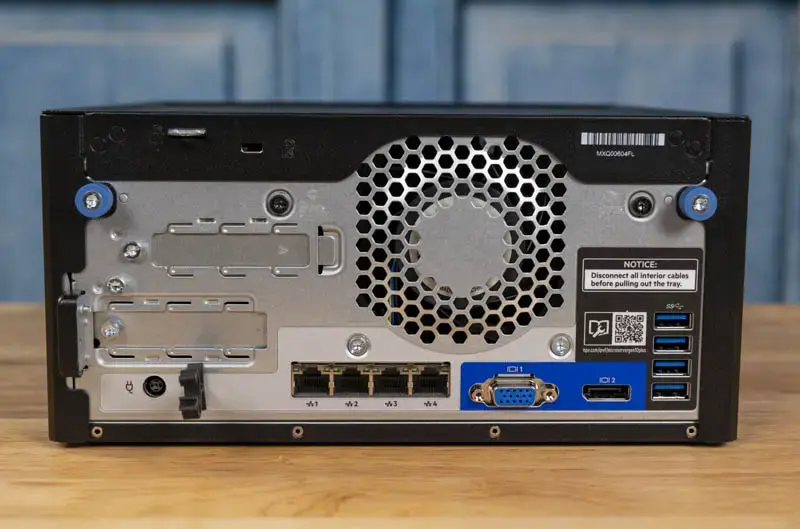
Everything else moved to the back: two more USB 2.0, two faster USB 3.0, and two shared gigabit Ethernet ports (HP Ethernet 1Gb 2-port 332i Adapter)—another reason Gen8 became so popular.
The only thing admins really wanted—and never got—was the option to buy a completely barebones unit: no CPU, no RAM, no storage. Did HP listen? No.
So, on to the third generation: what HPE calls Gen10.
“Third time’s the charm” (and admins were hoping so) — MicroServer Gen10 arrives
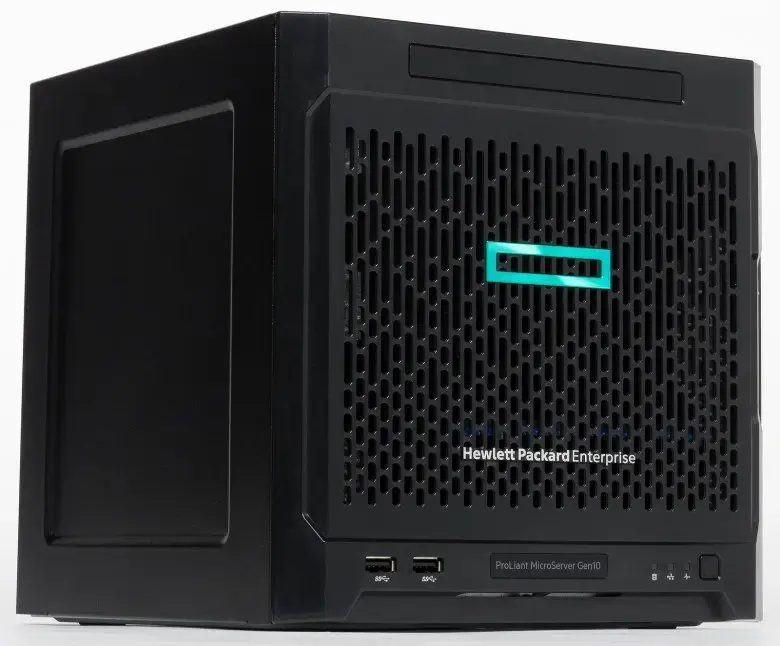
In 2017, the long-awaited HPE ProLiant MicroServer Gen10 was released. By then, HP had split into HPE, skipped Gen9 entirely, and labeled this as the next generation. This is where the criticism usually begins.
Technically, the update wasn’t bad—but some odd decisions really disappointed admins. The story was predictable: everyone loved Gen8, and once it disappeared from the market, second-hand prices started climbing. People expected a Gen9 successor—but got Gen10 instead, and many saw it as a step backward. That only drove Gen8 prices even higher.
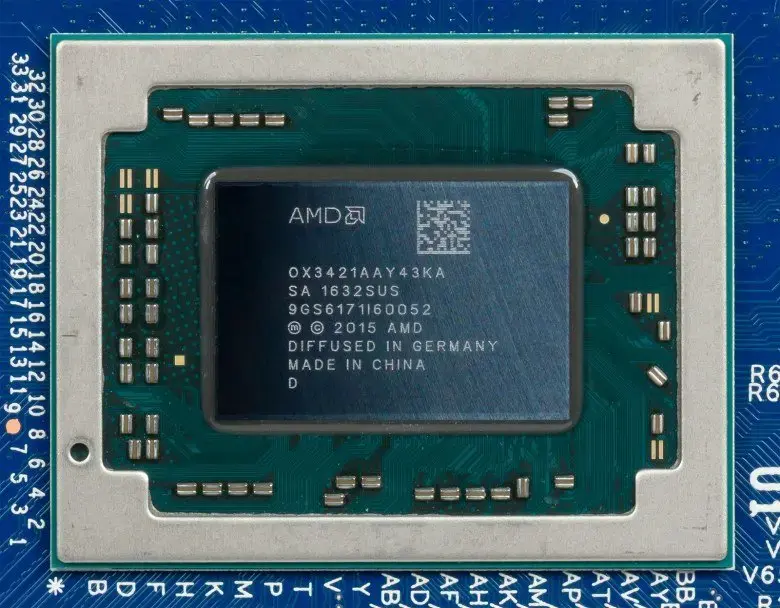
First, instead of Intel CPUs, the MicroServer switched back to AMD with the then-new Opteron X3000 series (X3216, X3418, X3421). These were APUs with integrated Radeon R7 graphics. Sounds fine—except they were soldered onto the motherboard.
This is the most criticized decision: all three CPU options had modest performance, and none could be upgraded.
Second, the design became more minimalistic: a matte black tower with clean front perforation. One might wonder if the engineers took inspiration from NeXT-era hardware.
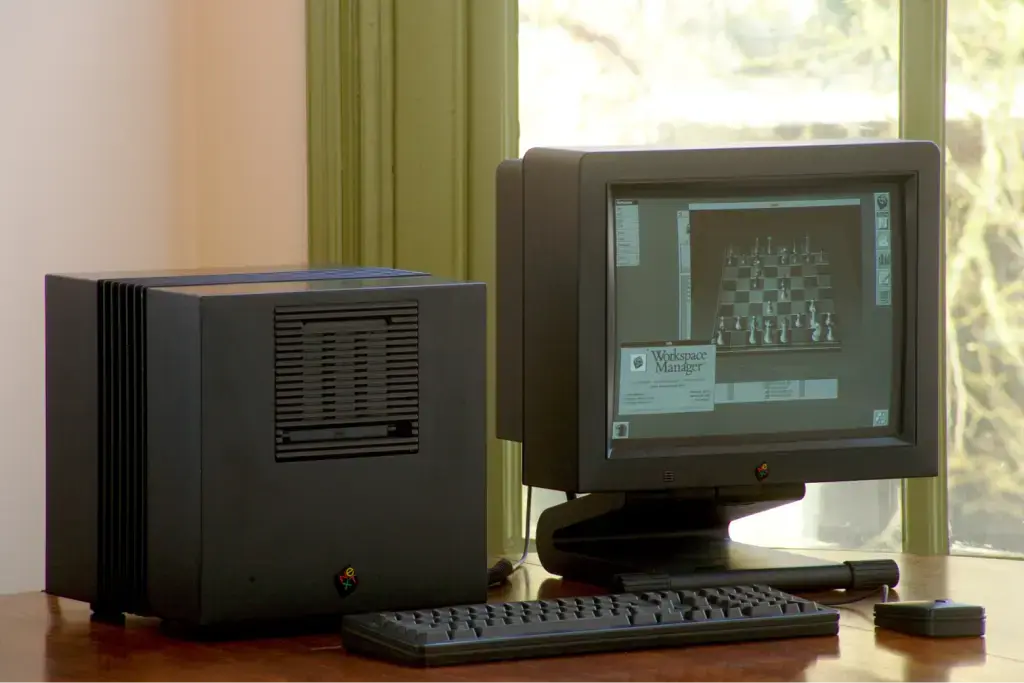
A creation from Steve Jobs’ time away from Apple
Not bad visually, but slightly larger than Gen8 (235 × 230 × 254 mm). On top, there was still space for a slim optical drive or a SATA SSD boot drive—but only if you bought an additional mounting kit.
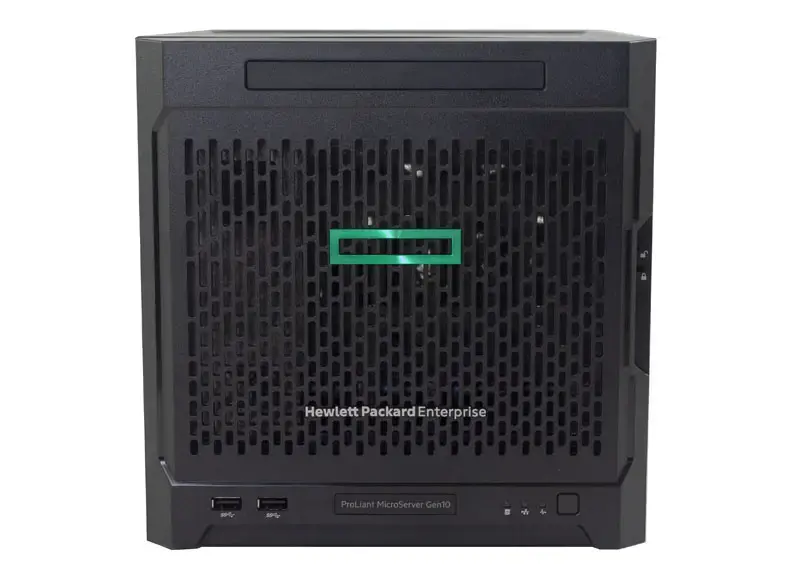
The front panel now featured 2 × USB 3.0 and a Kensington lock slot. The old lockable door? Gone. Now you had to remove the panel.
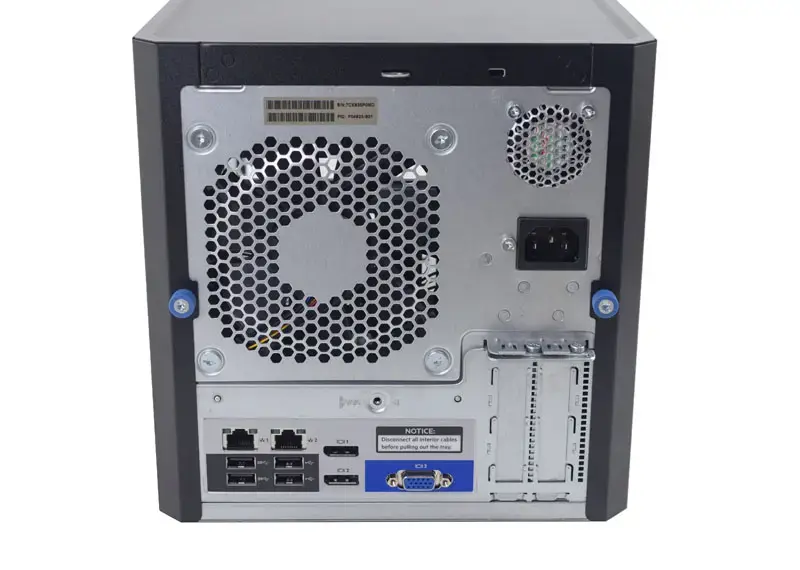
On the back: 2× USB 3.0, 2× USB 2.0 (no color coding), VGA, 2 × DisplayPort 1.2 (4K supported), power input, two low-profile PCIe 3.0 slots, and dual gigabit LAN via Broadcom NetXtreme BCM5720. Power supply: 200 W, with a single system fan.
The familiar four-bay LFF drive cage remained (officially up to 4 TB per drive, though larger drives worked). Still no official hot-swap, but doable at your own risk.
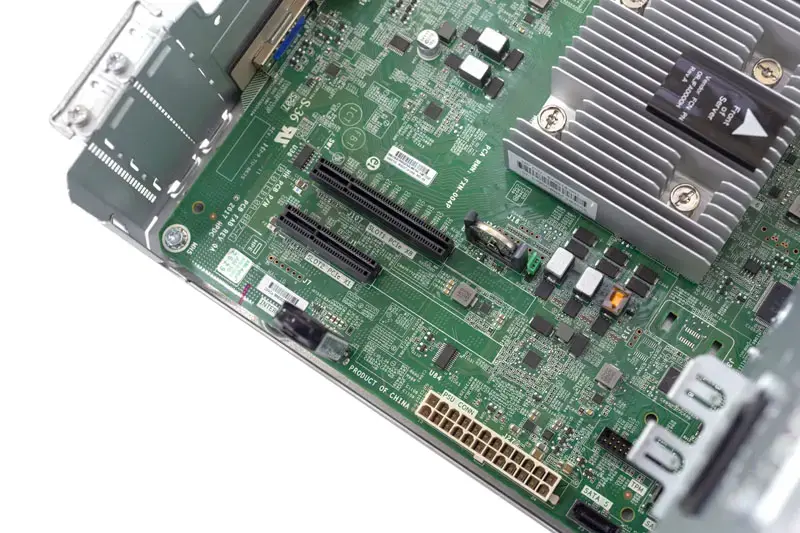
The onboard controller was a Marvell 88SE9230 (SATA 6 Gb/s, RAID 0/1/10). RAID 5 required an optional controller or software RAID.
Memory got an upgrade: DDR4 UDIMM, up to 32 GB, ECC supported. But unlike Gen8—which happily ran third-party ECC modules—Gen10 became picky.
Officially, standard DDR4 ECC UDIMM was supported. In reality, the server often refused to boot with non-HPE modules, even if specs matched. Only HPE SmartMemory from the compatibility list was guaranteed to work. Everything else? At your own risk.
PCIe slots were also… odd. There was a PCIe 3.0 x8 slot (with an open-ended connector), and an x4 slot that was electrically only x1. You could install larger cards—but they wouldn’t run at full speed.
If that x1 slot had been at least x4, upgrade potential would’ve been fantastic. As it stands, bandwidth was too limited for fast NICs, NVMe, or most expansion cards.
And finally—the biggest complaint: no iLO.
Gen7 required a separate module, Gen8 had iLO 4 built-in with a dedicated port. Gen10? Nothing. No option to add it.
HPE justified this by positioning the MicroServer as a home/office solution rather than a data center product. The community didn’t buy that argument.
The server wasn’t a total failure—it was still reasonably priced (starting around $400) and handled tasks well: gateway, web server, mail server, firewall, OpenVPN, NAS—you name it.
But overall, Gen10 felt like a compromise—and a downgrade compared to the beloved Gen8.
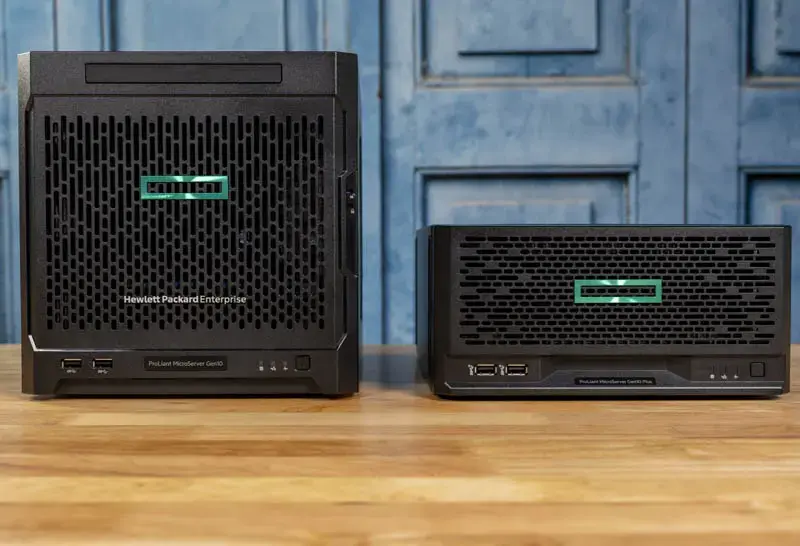
HPE ProLiant MicroServer Gen10 Plus — you gave up Intel and iLO? And where did that lead you? Right back here
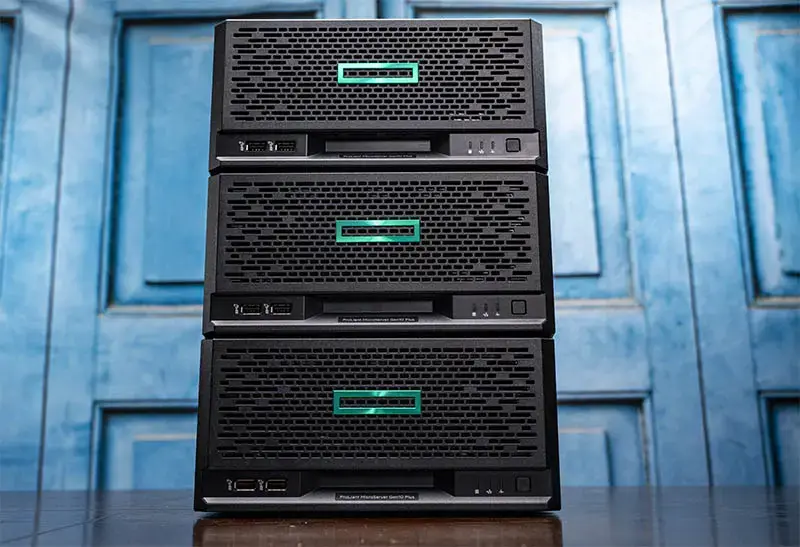
You could still stack them into neat towers
There’s a simple formula: take everything away, then give it back—and people will be happy. HPE clearly leaned into that.
When the Gen10 Plus launched in late 2020, it was well received at first. Reviews were positive—until the price was revealed.
The server became half as tall (118.9 mm vs 235 mm), while still fitting four LFF drives (now horizontally mounted).
Front: 2 × USB 3.2 Gen2 (up to 10 Gb/s).
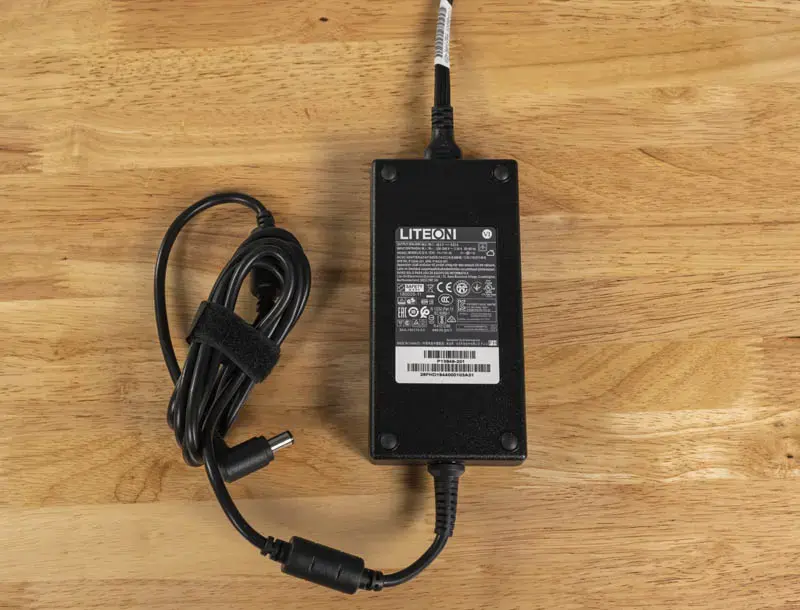
Unfortunately, the power supply became external. At least there’s a retention clip to prevent accidental unplugging.
Admins were heard—iLO returned, now version 5. But with a catch: to unlock full functionality, you had to buy an additional iLO Enablement Kit (~$70–100).
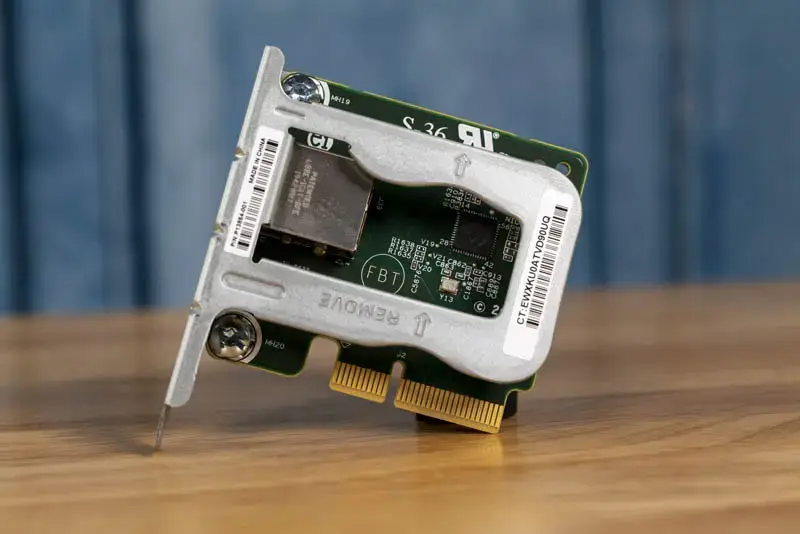
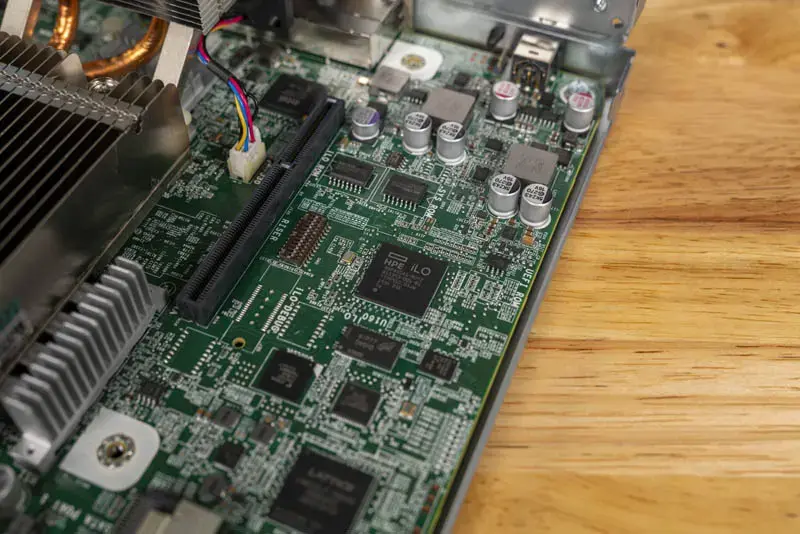
The iLO controller is physically present on the motherboard—but limited by default. No full remote console, no advanced monitoring, and no dedicated port without the add-on.
In other words: pay extra to get what used to be included.
On the bright side, Intel CPUs returned (LGA1151): Pentium G5420 or Xeon E-2224G. Performance was on a completely different level compared to Gen10’s AMD chips.
Memory: up to 32 GB ECC.
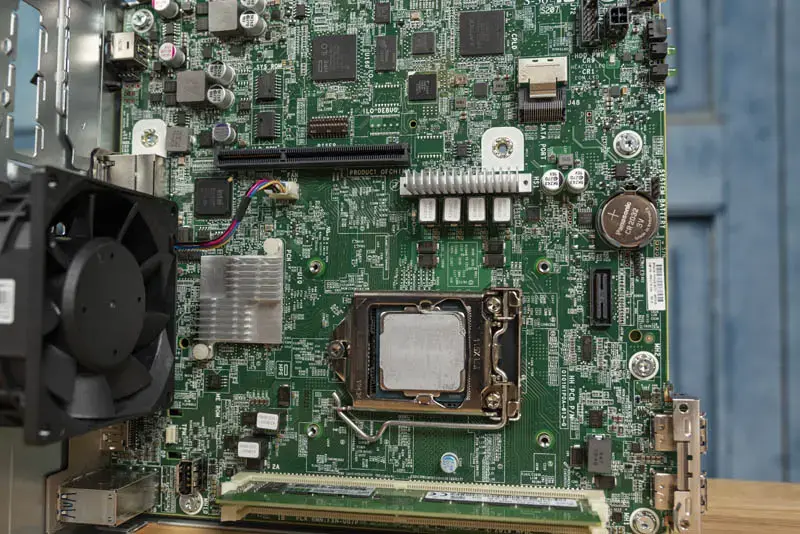
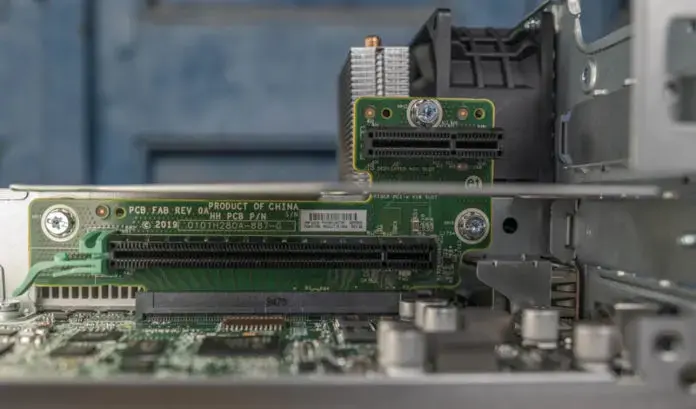
But now there’s only one PCIe slot (3.0 x16 via a riser). Even the iLO add-on uses it.
Networking improved: 4× 1GbE (Intel i350 AM4).
Overall, a solid update—but pricing became the issue. Entry-level configs started around $500–600, while realistic builds reached $1500–2000. And with HPE’s strict hardware compatibility lists, using cheaper third-party components was difficult or impossible.
Many admins and enthusiasts simply stopped buying MicroServers.
HPE ProLiant MicroServer Gen11 — “in for a penny, in for a pound”
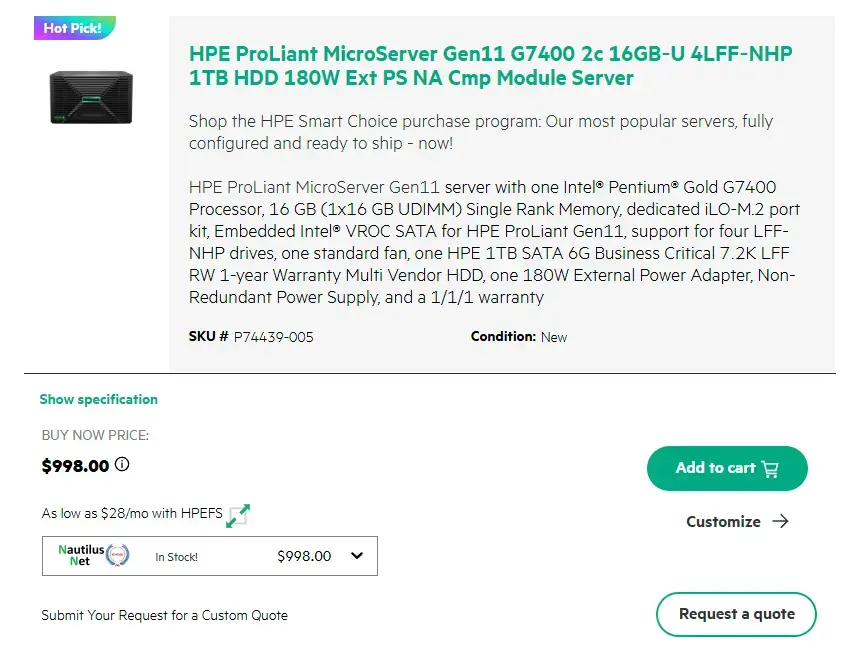
Rather than a full review, let’s look at it from a buyer’s perspective.
By mid-2025, the base SKU starts at $998—nearly double Gen10 Plus.
CPU: Pentium G7400 (entry-level, 2 cores). Enough for basic tasks—file sharing, light workloads—but nothing more.
Memory: 16 GB single-channel. That’s a ~50% bandwidth penalty in a $1000 server—especially painful for virtualization or databases.
Storage: a single 1 TB SATA drive, no hot-swap. In 2025, at this price, that’s underwhelming.
M.2 support requires an additional kit.
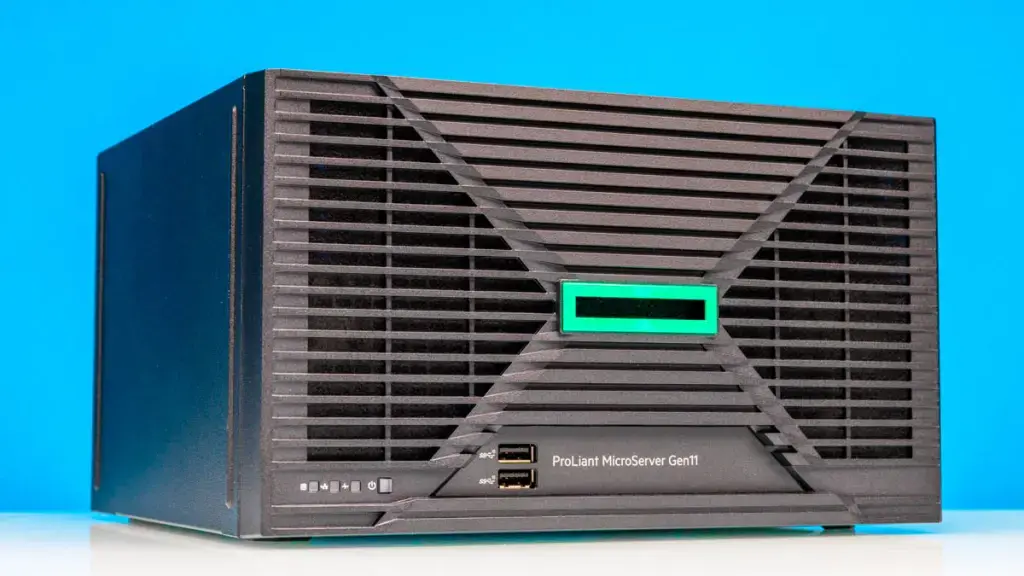
RAID is software-based (Intel VROC). Acceptable, but far from ideal.
Power supply: external 180 W. No redundancy.
Networking: 4× 1GbE. At this price point, 2.5/10GbE would be expected.
A properly configured unit (Xeon, 64 GB RAM, 4× 4 TB drives) reaches ~$2350.
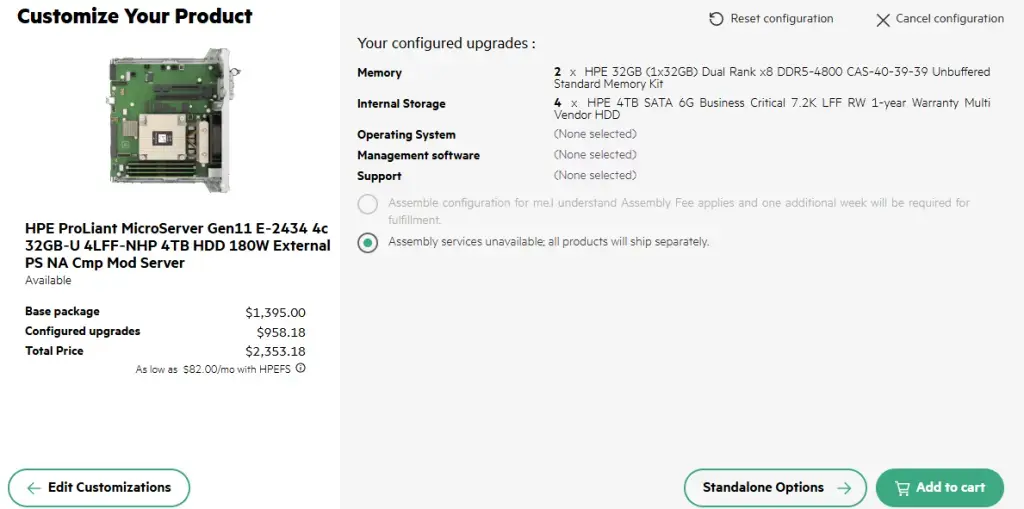
Expert note: For around $1000, you can build a compact server or NAS with a Ryzen 5/7 or Intel i5/i7, 32–64 GB RAM, NVMe storage, and a proper RAID controller—or pair a mini PC with a Synology/QNAP NAS and get far more flexibility.
The only real reasons this lineup still sells are HPE’s support, warranty, ecosystem, and iLO—mainly for corporate customers already invested in HPE infrastructure.
HPE isn’t really selling hardware anymore—it’s selling the brand and ecosystem.
Requiem
The HPE MicroServer was once a cult favorite: compact, affordable, and packed with enterprise features—four drives, ECC memory, easy access, and remote management via iLO. Neither NAS systems nor consumer PCs offered that combination.
Gen8 was the true hit. It felt like HPE had struck gold. All they needed to do was iterate and keep prices reasonable.
Instead, they removed key features, locked down upgrades, forced proprietary components, and raised prices significantly. By the time some features returned, the main advantage—affordability—was gone.
Even the naming got confusing: Gen10 Plus, Gen10 Plus V2… and no Gen9 at all.
Today, some admins still buy used Gen8 or Gen10 Plus units for home labs or small office tasks. Others go for NAS solutions, mini PCs, or custom-built Mini-ITX servers.
Still, the MicroServer deserves credit—it helped create the market for compact servers for enthusiasts and small businesses.
There’s still demand for this idea. Cloud services won’t fully replace on-prem hardware—having your own box, with physical access, still matters.
But it’s unlikely HPE will deliver an affordable option again. That space will be taken by those willing to actually listen to users.