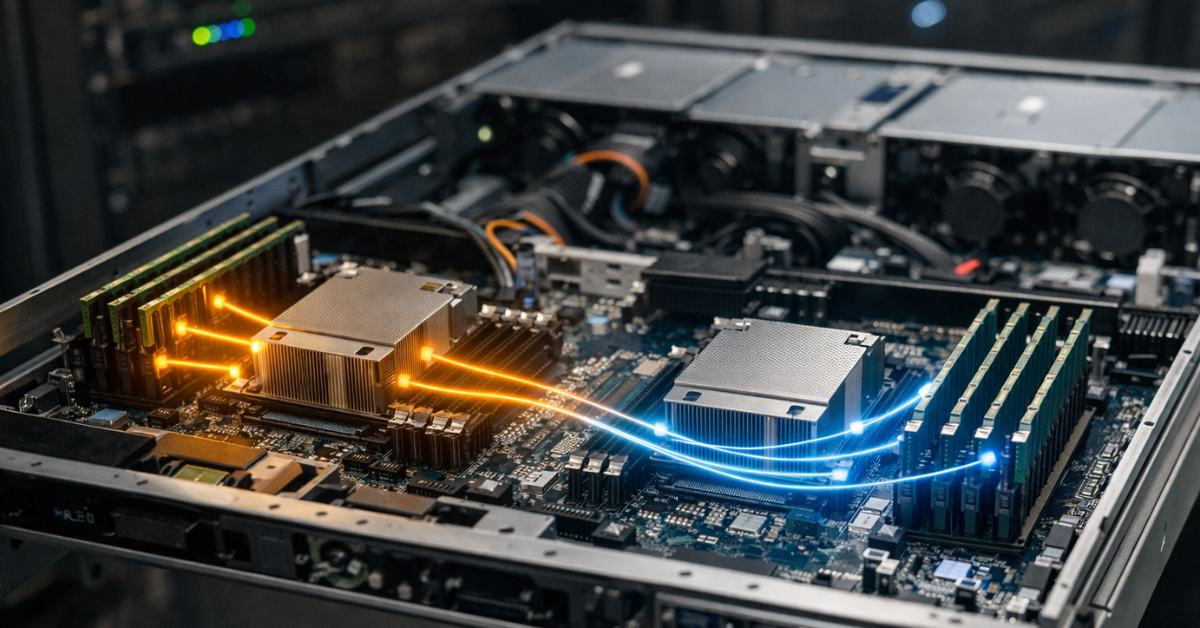
On server hardware, NUMA is often remembered too late: when CPUs are already purchased, virtual machines are deployed, the database is under load—and performance behaves differently than the specifications promised. Formally, everything looks fine: many cores, plenty of memory, a modern platform. But under load, odd behavior appears—latency fluctuates, scaling “breaks” past a certain point, and a large virtual machine performs worse than expected.
The reason is often that computation and memory in the system are not evenly distributed. That is exactly what NUMA describes.
What NUMA Is
NUMA, or Non-Uniform Memory Access, is an architecture where memory access time is not the same for all processors. A system has NUMA nodes: each node has its own compute resources and its own “closest” memory. Any core of any CPU can still access all the memory in the server, but access to local memory will be faster than to remote memory. The Linux documentation directly describes ccNUMA this way: all memory is visible to all CPUs, but access time and effective bandwidth depend on the distance between the node where the CPU runs and the node where the memory resides.
This is the key principle to keep in mind: memory in a NUMA system is shared, but not equidistant.
In practice, a NUMA node often corresponds to a single CPU socket—but not always. In modern server platforms, even a single physical processor can be split into multiple NUMA domains depending on internal topology or BIOS configuration. So the logic “one CPU = one NUMA node” is a useful approximation, but not universal.
Why NUMA Exists
NUMA did not emerge because vendors wanted to complicate administrators’ lives. It is a response to scaling challenges. As the number of cores and sockets grows, building a system where every core has equally fast access to all memory becomes too complex and expensive. Bottlenecks arise in shared buses, memory controllers, interconnects, and resource contention.
NUMA allows memory and compute to scale more realistically: some cores have local memory with lower latency and better effective bandwidth, while access to remote memory still exists—but through inter-node interconnects. The Linux kernel explicitly notes that vendors use this architecture for scalable memory bandwidth, and the best results are achieved when most memory accesses go to local memory or the nearest node.
In other words, NUMA is not a flaw—it is a trade-off for performance growth in large systems. But this trade-off requires discipline: it’s not just the number of cores and the amount of RAM that matters, but also where code runs and where its data resides.
How NUMA Affects Performance

NUMA impact usually manifests in three dimensions: latency, bandwidth, and predictability.
Latency is straightforward: accessing remote memory takes more time. For latency-sensitive workloads, this is already a problem. But more importantly, NUMA affects not just average response time, but also tail latency—the infamous p95, p99, and beyond. A service may look fine on average but occasionally produce spikes because threads execute on one node while pulling data from another.
Bandwidth behaves similarly. Local access typically delivers better effective throughput, while heavy cross-node traffic creates additional pressure on interconnects. This is especially visible in memory-bound workloads: large databases, in-memory systems, analytics, JVM applications with large heaps, packet processing systems, and dense virtualization.
Predictability is even more interesting. Even if the server is moderately loaded, the scheduler may migrate threads across cores and NUMA nodes, while memory stays where it was originally allocated. The OS tries to minimize migrations, but it does not always operate directly on the application’s NUMA footprint; under imbalance, tasks may move between nodes, creating remote memory access.
This is why NUMA matters most not where “CPU just computes,” but where code actively works with memory and depends on latency stability.
When NUMA Matters (and When It Doesn’t)
NUMA should not be demonized. There are many scenarios where its impact is limited and not worth overthinking.
Usually, the problem is minor if you have:
- a small virtual machine that fits entirely within one node;
- an application with a small working data set;
- a moderate number of threads;
- a workload that caches well in CPU caches;
- a service that is more CPU-bound than memory-bound.
But there is also the opposite category. NUMA becomes critical when:
- a virtual machine spans multiple NUMA nodes;
- a database maintains a large buffer pool;
- an application creates many worker threads and actively shares data between them;
- heavy VMs are densely consolidated on a single host;
- there are latency-sensitive services where tail latency matters;
- the server is used for NFV, storage stacks, analytics engines, JVM/.NET.
A practical rule: the more your workload depends on memory and the larger it is, the more attention you should pay to NUMA.
NUMA Sensitivity by Workload

| Workload Type | NUMA Sensitivity | Why |
|---|---|---|
| Small web application | Low or medium | Often bottlenecked by network, DB, or external services rather than memory |
| PostgreSQL / SQL Server | High | Large memory pools, parallel queries, latency sensitivity |
| Redis / in-memory cache | High | Data resides in RAM, extra latency is immediately visible |
| Elasticsearch / analytics | High | Heavy memory usage, parallel execution, bandwidth pressure |
| General-purpose virtualization | Medium or high | Depends on VM size and consolidation density |
| HPC / scientific computing | Medium to very high | Depends on computation patterns and data locality |
| Kubernetes worker | Medium | Not always critical by itself, but depends on specific pods/workloads |
What Breaks Performance in NUMA Systems
The most common mistake is thinking NUMA issues arise only in “bad” configurations. In reality, degradation can appear even without obvious misconfiguration.
The first issue is mismatch between compute and memory. A thread runs on one node, but its memory was allocated on another. Even with free CPU resources, such a workload pulls data across interconnects.
The second issue is task migration. Linux tends to allocate memory locally: memory is allocated on the node where the allocating CPU runs. This works well until the task moves to another node. If it does, memory may remain “in the wrong place.”
The third factor is the first-touch policy. Simply put, not only memory size matters, but also who accessed it first. If memory was initialized by one set of threads but heavily used by another, locality may be worse than expected.
The fourth factor is automatic balancing. Linux includes automatic NUMA balancing: the system may move memory to nodes that access it more frequently. The kernel documentation explicitly states that memory is automatically migrated to frequently accessing nodes. But this is not magic or free optimization—it has a cost and does not fix fundamentally poor workload topology.
The fifth factor is the hypervisor and abstraction layers. If containers run inside a large VM that is already poorly aligned with NUMA, orchestration will not fix the issue. It will operate on top of suboptimal memory and scheduling.
NUMA in Virtualization

NUMA often has a stronger impact in virtualization than on bare metal. This is because two topologies appear: the physical NUMA topology of the host and the virtual topology of the guest. If they are poorly aligned, performance losses can be significant.
Red Hat states clearly: the best performance is usually achieved when a guest fits within a single NUMA node; resources should not be unnecessarily stretched across nodes. It also recommends using numastat to monitor per-node memory statistics.
In practice, this means the following. A VM with 8 vCPU and 32 GB RAM often fits comfortably within one node. But a VM with 48 vCPU and hundreds of GB RAM almost certainly spans multiple nodes. If the hypervisor exposes a poor vNUMA topology or places vCPU and memory asymmetrically, performance depends not only on how many cores are allocated, but also how they are placed.
This is why a larger VM is not always better. Several smaller, well-aligned instances may deliver more stable performance than a single large one.
NUMA and Databases
Databases are especially sensitive to NUMA: they rely heavily on memory, parallelism, large caches, and latency predictability. For OLTP and analytics, not only CPU frequency matters, but also how locally threads, buffers, schedulers, and memory are placed.
Microsoft explicitly defines a supported limit of 64 logical cores per NUMA node for SQL Server and warns that exceeding this may cause issues, including failure to start the Database Engine. It also describes platform-level options like SNC and NPS to adjust NUMA topology.
This highlights that NUMA is not theoretical for databases. When sizing a DB system, you must consider not just total cores and RAM, but also their distribution across nodes.
How to Identify NUMA Issues

NUMA problems do not have a single “magic” symptom, but there are common signs:
- powerful server shows unstable performance without clear CPU bottlenecks;
- tail latency increases while average metrics look fine;
- scaling stops improving after a certain number of cores;
- a large VM performs worse than several smaller ones;
- similar setups behave differently depending on placement;
- CPU utilization looks normal, but throughput is below expectations.
Typically, you need to check host topology, CPU and memory distribution, affinity/pinning, guest NUMA topology, and real per-node statistics.
Symptoms and What to Check
| Symptom | Possible NUMA Cause | What to Check |
|---|---|---|
| High p95/p99 | Remote memory access | Node topology, memory distribution |
| Poor scaling | Cross-node contention, migrations | Affinity, pinning, CPU topology |
| Unstable large VM | Misaligned vCPU and RAM | vNUMA, VM placement |
| Low throughput | Loss of locality, interconnect pressure | NUMA stats |
| Different results on similar servers | Different BIOS NUMA configs | SNC/NPS, NUMA exposure |
What You Can Do in Practice
The most underrated step is choosing the right system size for your workload. Sometimes a single-socket system is better than a dual-socket one if the workload does not require massive scale.
Second, avoid oversizing VMs unnecessarily. If a VM fits in one NUMA node, fewer surprises occur. If not, make topology explicit and predictable.
Third, be careful with BIOS options like SNC or NPS. They can help or harm depending on the workload.
Fourth, control affinity and memory placement where justified. Not everything needs pinning, but for databases and latency-sensitive workloads it often pays off.
Fifth, do not rely entirely on the OS to fix everything. While modern OSes are NUMA-aware, they cannot compensate for fundamentally poor alignment between hardware, hypervisor, and application.
Common Myths
- “NUMA matters only for HPC.” In reality, it matters for virtualization, databases, analytics, and memory-heavy services.
- “If average performance is fine, everything is fine.” Not true—NUMA affects tail latency.
- “More cores always means better.” Not necessarily—large cross-node VMs can perform worse.
- “Automatic NUMA balancing solves everything.” It helps, but does not replace proper design.
Conclusion
NUMA is not an exotic detail—it is a fundamental property of modern servers. The larger the system and the more memory-intensive the workload, the more important NUMA becomes.
The key takeaway: it’s not just how many cores and how much memory you have, but how they are arranged. Local memory is faster than remote, and good performance on NUMA platforms starts with alignment between hardware, hypervisor, OS, and application.
Before buying hardware or deploying large VMs, check: how many NUMA nodes exist, whether your workload fits in one node, how CPU and memory are distributed, and how sensitive your workload is to tail latency.