When choosing a GPU for LLMs, A100 most often remains a rational option for pilots, fine-tuning and moderate inference. H100 is worth choosing when speed, FP8 and high utilization matter, while H200 is the better fit when the project is limited by GPU memory capacity and bandwidth. Put simply: A100 is about a reasonable budget, H100 is about performance, and H200 is about large models, long context and dense inference.
A comparison of NVIDIA A100, H100 and H200 should not be reduced to a single line such as “which one is faster”. Large language models depend on several factors at once:
- how much GPU memory is available on one GPU;
- how quickly the GPU can read data from memory;
- whether the card supports modern compute formats;
- whether multiple GPUs can be combined in one server;
- whether the server has enough power and cooling;
- how much not only the purchase, but also operation will cost.
That is why the same card can be a good choice in one scenario and a poor choice in another. For fine-tuning a medium-sized model, A100 may be more than enough. For training or heavy inference, H100 will provide a noticeable boost. For large models with long context, H200 is often more interesting than H100 not because it is “newer”, but because it has more and faster memory.
How to choose in one minute
A100 is worth considering if:
- the budget is limited;
- you need a mature and well-supported platform;
- the project is still at the experimental stage or has only just moved beyond it;
- you plan fine-tuning, model testing or moderate inference;
- you can buy a refurbished server or GPU;
- the entry price matters more than maximum speed.
H100 is a better fit if:
- you need to accelerate training and fine-tuning of modern models;
- high-load inference matters;
- your stack can work with FP8;
- the project needs high performance per GPU;
- the server platform is designed for dense GPU configurations.
H200 makes sense if:
- the model, context or batch is limited by GPU memory;
- you need inference for large LLMs;
- you use RAG with large documents;
- dense processing of a large number of requests matters;
- H100 is already insufficient in terms of memory, not just speed.
To select ready-made infrastructure for such workloads, it is worth looking not only at individual GPUs, but also at servers with NVIDIA GPUs, because in LLM projects the card almost never exists separately from the chassis, power, cooling, network and storage.
Why LLMs depend on more than teraflops
Typical GPU comparisons often emphasize peak performance. For LLMs, this is useful, but it is not the full picture. A large language model constantly works with huge amounts of data: weights, intermediate computations, attention cache, input tokens and request batches.
As a result, the real choice often comes down not to the question “which GPU is the most powerful”, but to more practical questions:
- Does the model fit into memory?
- Can the required context be kept?
- Is there enough memory bandwidth?
- How efficiently are multiple GPUs used?
- How much does one useful result cost: an experiment, a request, a batch or an hour of training?
GPU memory capacity
GPU memory is one of the key parameters for LLMs. It stores:
- model weights;
- attention cache;
- intermediate training data;
- batch data;
- framework service structures;
- part of the data for distributed execution.
The larger the model and context, the faster the task runs into memory limits. For example, during inference, there may be enough compute power, but the long context and large batch may no longer fit into the available capacity. In that case, a faster GPU with less memory is not always better.
A100 is available in 40 and 80 GB versions. H100 is listed in NVIDIA's official specifications for SXM/NVL with 80 and 94 GB of memory. H200 already offers 141 GB of HBM3e, and this is its key difference for LLM scenarios.
Memory bandwidth
Memory bandwidth shows how quickly a GPU can read from and write to its own memory. For LLMs, this is critical: the model constantly accesses weights and cache, especially during text generation and when working with long context.
To simplify, memory capacity answers the question “will the task fit”, while memory bandwidth answers “how quickly will the GPU be able to work with it”.
According to NVIDIA's official data:
- A100 80GB has memory bandwidth of more than 2 TB/s;
- H100 SXM has 3.35 TB/s, and H100 NVL has 3.9 TB/s;
- H200 has 4.8 TB/s.
That is why H200 is especially interesting in tasks where the GPU does not simply “compute”, but constantly moves large amounts of data through memory: large-scale inference, batch generation, long context, RAG, and multiple users or services on one platform.
Compute formats
For LLMs, what matters is not only “raw” power, but also the format in which computations are performed.
The most common options are:
- FP32 — high precision, but high memory and compute consumption.
- FP16/BF16 — a common option for training and fine-tuning.
- FP8 — a more compact format, especially important for H100 and H200.
- INT8 and other quantization options — often used for inference when memory consumption needs to be reduced and responses need to be accelerated.
FP8 does not mean that every task will automatically become faster and cheaper. Compatible libraries, proper configuration and model quality checks are required. However, for modern LLM workloads, FP8 support in H100 and H200 is a serious advantage over A100.
Connections between GPUs
Large models are often not limited to one card. Several GPUs can work in one server or across several nodes. In that case, the speed of data exchange between them becomes important.
Three important concepts appear here:
- PCIe — the standard bus for connecting devices inside a server.
- NVLink — a faster connection between GPUs.
- NVSwitch — a technology for dense multi-GPU systems where several cards need to exchange data quickly with each other.
For single-instance inference of a small model, the interconnect may not be the main factor. But for training, distributing a model across several GPUs, or serving large models, communication between cards becomes one of the bottlenecks.
A100, H100 and H200 specification comparison
| Parameter | NVIDIA A100 | NVIDIA H100 | NVIDIA H200 |
|---|---|---|---|
| Architecture | Ampere | Hopper | Hopper |
| Typical memory | 40/80 GB | 80 GB SXM, 94 GB NVL | 141 GB |
| Memory type | HBM2/HBM2e | HBM3 / depends on the version | HBM3e |
| Memory bandwidth | more than 2 TB/s for A100 80GB | 3.35–3.9 TB/s for SXM/NVL | 4.8 TB/s |
| FP8 | no | yes | yes |
| GPU partitioning into instances | up to 7 instances | up to 7 instances | up to 7 instances |
| Main role | mature and often more economical platform | high speed for LLM workloads | large models, long context, dense inference |
| Where it is especially relevant | pilots, fine-tuning, moderate inference | training, fine-tuning, fast inference | RAG, batch generation, memory-intensive tasks |
This table is useful as a starting point, but the choice should not be an abstract “A100 versus H100 versus H200”. It should be a specific version and a specific server.
For example, H100 SXM, H100 NVL and H100 PCIe are not the same in terms of memory, power, cooling and interconnect. H200 also reveals its potential only in a platform designed for its power consumption, airflow and dense layout.
If the task is to choose not only the card, but also compatible hardware, it makes sense to look at the catalog of NVIDIA GPUs for AI and neural networks together with server platforms, not separately.
A100 for LLMs: when it is still rational
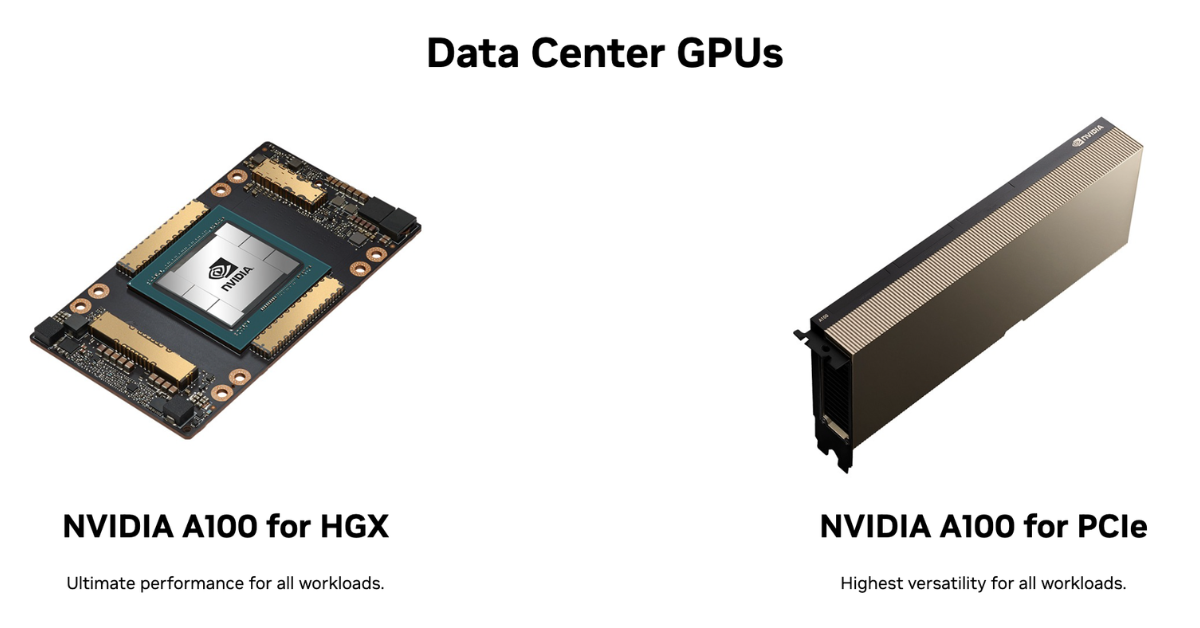
Image source: NVIDIA
NVIDIA A100 no longer looks like the newest card compared with H100 and H200, but that does not make it useless for LLMs. In practice, A100 remains a strong option where mature infrastructure, predictable compatibility and a more reasonable price are needed.
Strengths of A100
A100 is suitable for many tasks that do not require the maximum performance of the Hopper generation:
- model fine-tuning;
- inference for medium-sized models;
- experiments with architectures;
- research tasks;
- corporate ML pipelines;
- testing RAG systems;
- training models of moderate size;
- sharing a GPU between several workloads.
A separate advantage is ecosystem maturity. Drivers, frameworks, server configurations, monitoring and operational practices are already well tested for A100. For a team that is only building LLM infrastructure, this may be more important than maximum speed.
Where A100 can be the best choice
A100 is especially appropriate if a project needs to start without an excessive budget. For example:
- a company is launching an internal assistant;
- a team is testing several open models;
- the load is not yet constant;
- validating the hypothesis matters more than immediately building an expensive cluster;
- the model fits into 40 or 80 GB of memory;
- there is no need for FP8;
- refurbished equipment can be used.
In such scenarios, A100 can provide the best balance between price and value. Buying H100 or H200 is justified only when the acceleration really reduces the cost of experiments, the cost per request or the risk of downtime.
Limitations of A100
The main limitations of A100 for modern LLMs are:
- no FP8;
- lower memory bandwidth than H100 and H200;
- less GPU memory headroom compared with H200;
- more difficulty with very long context;
- faster emergence of limitations as batch size and model size grow.
A100 should not be chosen “out of habit” if the project is already designed for heavy inference of large models, long context and high user density. But if the task is moderate and the budget matters, A100 can still be the most sensible option.
H100 for LLMs: where the real gain appears
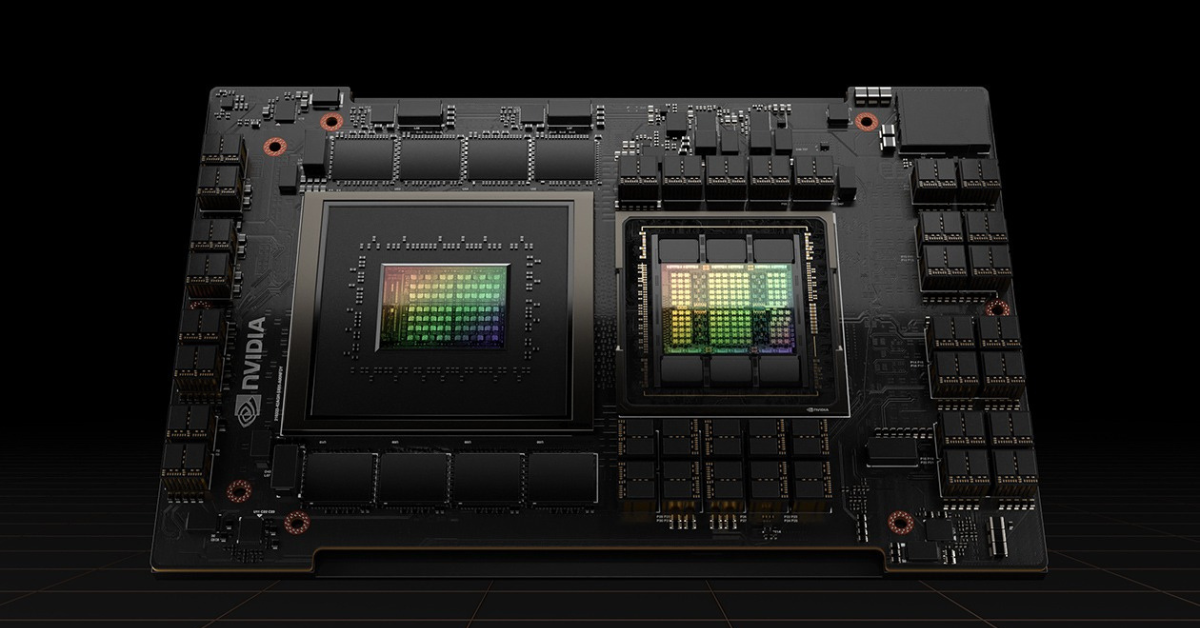
Image source: NVIDIA
H100 is a different class of accelerator for LLMs. Its advantage is not only that it is newer than A100. The key points are the Hopper architecture, FP8 support, high memory bandwidth and better suitability for modern AI pipelines.
Why H100 is faster in LLM tasks
H100 shows its strengths best when the workload actually uses its capabilities:
- training and fine-tuning large models;
- inference with a high request rate;
- large batches;
- modern libraries with FP8 support;
- distributed operation of several GPUs;
- optimized frameworks for transformers.
If the team uses a modern stack and knows how to work with newer GPUs, H100 can reduce experiment time and accelerate the path to production. This is important not only for the technical team, but also for the business: faster training, faster hypothesis validation and faster model updates.
For ready-made configurations, you can look at servers with NVIDIA H100 GPUs, but when choosing, it is important to check not only the card itself, but the entire platform: CPU, memory, slots, cooling, power supplies and network interfaces.
When H100 is better than A100
H100 usually outperforms A100 if:
- the model is larger;
- the batch is larger;
- high inference speed is required;
- fine-tuning time must be reduced;
- FP8 is used;
- there is high constant utilization;
- the infrastructure is designed for several GPUs.
H100 looks especially strong in production scenarios where acceleration turns into money. If the GPU is loaded most of the time, a more expensive card can pay for itself through higher performance and a lower cost per request.
When H100 may be excessive
H100 is not always justified. It may be excessive if:
- the model is small;
- there are few requests;
- the project is at an early pilot stage;
- the team has not yet optimized the code;
- the bottleneck is in storage, the network or the application logic;
- the server platform does not allow the GPU to reveal its potential.
A common mistake is buying H100 when the real problem is not the GPU. For example, if data is fed slowly from storage or the model is poorly optimized, moving from A100 to H100 may not produce the expected effect.
H200 for LLMs: when memory is decisive
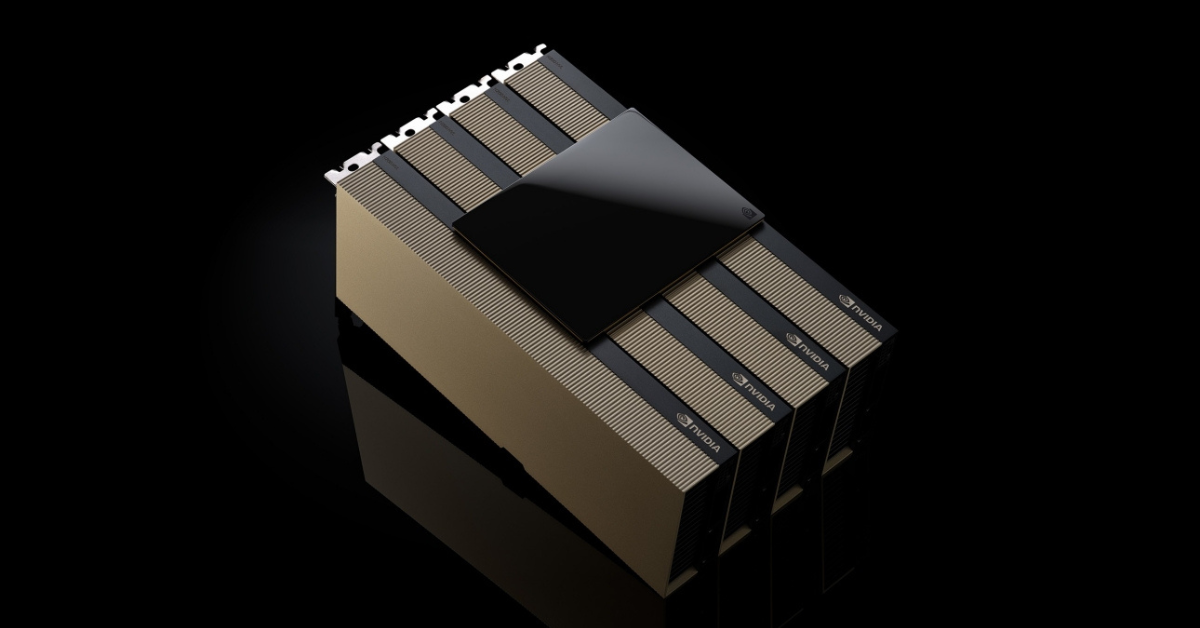
Image source: NVIDIA
H200 is often perceived as an “even more powerful H100”, but it is more accurate to look at it differently. This is a GPU where the main emphasis is on a larger memory capacity and higher memory speed.
H200 has 141 GB of HBM3e memory and 4.8 TB/s of bandwidth. NVIDIA also states that H200 supports FP8 and SXM/PCIe form factors depending on the version.
Why 141 GB matters for LLMs
A large memory capacity helps not only to “run a larger model”. It affects the entire operating scenario:
- more weights can be kept on one GPU;
- long context becomes easier to handle;
- the batch can be increased;
- there is more room for the attention cache;
- serving several request streams becomes easier;
- there is less chance that the model will have to be awkwardly split across cards.
This is especially important for inference with large models. Training often requires a multi-GPU system anyway, but in inference, additional memory on one GPU can greatly simplify the architecture and increase serving density.
Where H200 is especially strong
H200 is worth considering for tasks where H100 is already limited by memory:
- inference for large LLMs;
- RAG with large documents;
- processing large batches;
- corporate assistants with a long dialogue history;
- several models or services on one GPU platform;
- scenarios where it is important to serve more requests within the same rack footprint.
RAG is worth highlighting separately. In such systems, the model does not simply generate an answer; it receives additional fragments of documents, instructions, history and context. The longer the context, the higher the memory requirements. That is why H200 can be valuable not “for show”, but as a way to reduce limitations when working with large input data.
When H200 is not needed
H200 should not be chosen automatically. It can be unjustifiably expensive if:
- the model is small;
- the context is short;
- the load is rare;
- inference is not limited by memory;
- the project is only testing a hypothesis;
- the server is not designed for this GPU;
- the economics of the project have not been calculated.
If A100 or H100 already covers the task with headroom, H200 may not deliver a proportional benefit. It should be chosen when calculations show that the additional memory and bandwidth really reduce the number of servers, speed up processing or lower the cost per request.
What to choose for different LLM scenarios
| Scenario | A100 | H100 | H200 | What to consider |
|---|---|---|---|---|
| Training an LLM from scratch | Suitable to a limited extent, more often for moderate models | Strong choice | Strong choice if memory matters | The whole platform matters, not just one GPU |
| Fine-tuning | Often rational | Faster and more efficient | Useful for large models and long context | Look at the fine-tuning method and model size |
| Inference | Good budget option | High speed | High density and memory headroom | Calculate the cost per request |
| RAG | Sufficient for moderate context | Good | Better with long context | Storage and the vector database also matter |
| Batch inference | Suitable for moderate batches | Good | Especially good for large batches | Memory and its speed often decide |
| Shared GPU platform | Relevant due to GPU partitioning | Higher performance | More memory for dense scenarios | Isolation, monitoring and limits are needed |
| Pilot project | Often the best option | May be expensive | Usually excessive | Entry price and flexibility matter more |
| High-load production | Depends on the model | Often justified | Justified for large LLMs | TCO and SLA must be calculated |
This table does not replace testing. The final choice depends on the model, context length, weight format, batch size, framework, latency requirements and available server platform.
Form factor and platform: where mistakes often happen
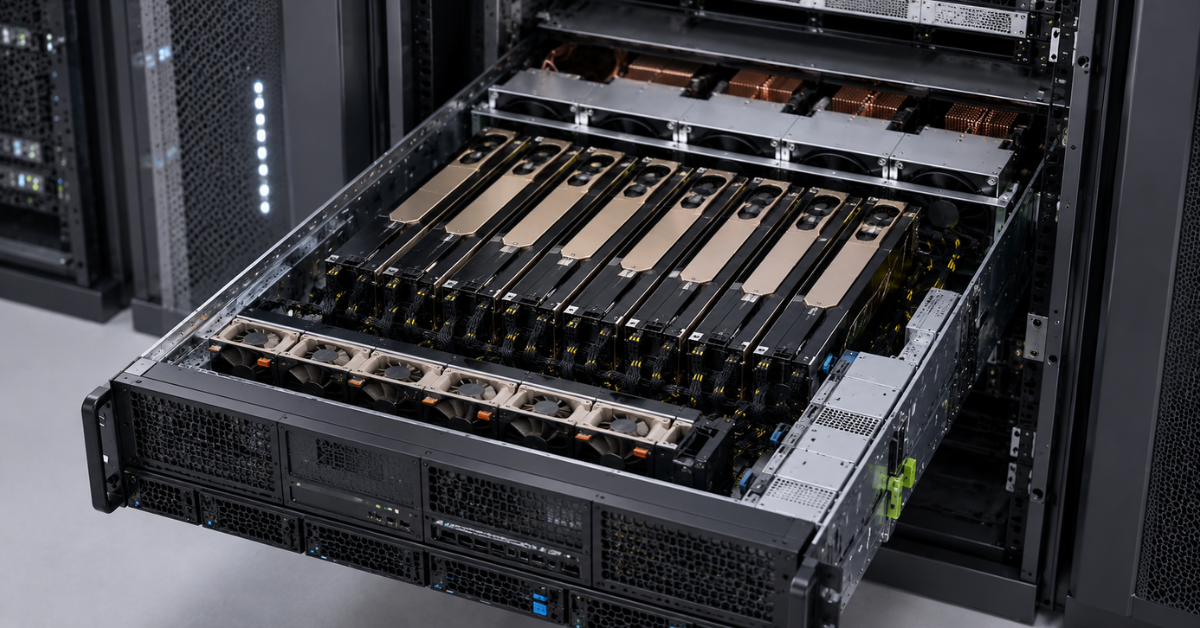
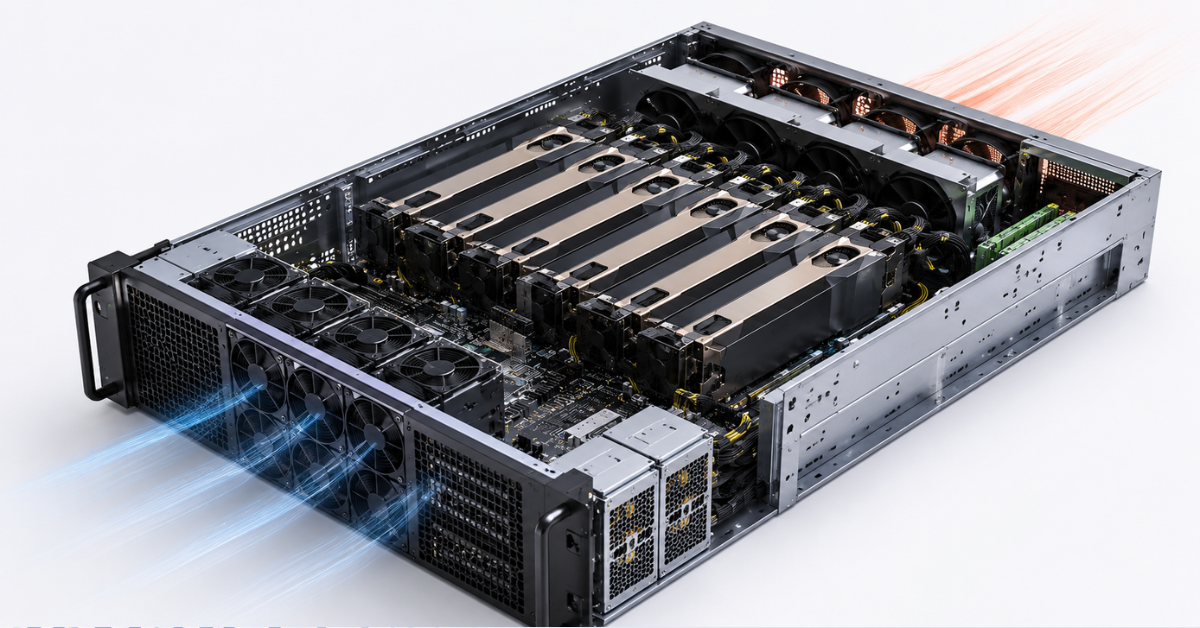
One of the riskiest approaches is to choose a GPU by specifications and only then look for a place to install it. For H100 and H200, this is especially dangerous: different versions of the cards require different servers, power, cooling and interconnects.
PCIe
PCIe cards are easier to integrate into standard servers. This is usually a more flexible path if you need to install one, two or several GPUs without moving to a specialized HGX/DGX platform.
Advantages of PCIe:
- wider server choice;
- simpler upgrades;
- clearer maintenance;
- easier search for compatible configurations;
- suitable for many inference tasks.
Limitations:
- lower density compared with SXM platforms;
- fewer opportunities for fast GPU-to-GPU connections;
- not always the best option for training large models;
- cooling must be checked carefully, especially for passive server cards.
SXM
SXM is not an “ordinary card” that can be installed in any server. It is a format for dense GPU systems where several accelerators work as a single platform.
Advantages of SXM:
- high GPU density;
- better connectivity between cards;
- suitable for 4/8-GPU systems;
- performs well in training and heavy LLM workloads.
Limitations:
- a specialized chassis is required;
- upgrades are more complicated;
- power requirements are higher;
- cooling requirements are higher;
- the entry cost is usually higher.
NVLink and NVSwitch
NVLink accelerates data exchange between GPUs. NVSwitch helps build dense systems where several cards need to exchange data quickly inside one server. In DGX H100/H200, for example, eight GPUs are used; the H100 version provides 640 GB of total GPU memory, while the H200 version provides 1128 GB. The system also includes NVSwitch and powerful server infrastructure. More details are available in the NVIDIA document.
This is important for:
- training large models;
- distributing a model across several GPUs;
- high utilization of one server;
- tasks where latency between GPUs affects the final speed.
For small-scale inference, NVLink may not be the main factor. But if the model does not fit on one card or the workload is designed for multiple GPUs, saving on interconnects is risky.
Power and cooling
Before buying a GPU server, you need to check not only whether the card “fits”, but the entire operating environment.
Minimum checklist:
- Does the server support the required GPU form factor?
- Are the power supplies sufficient for peak load?
- Is the chassis designed for passive server GPUs?
- Is there enough airflow?
- Does the BIOS support the required cards?
- Are the required risers, cables and bridges available?
- Are the required driver versions supported?
- Is there enough rack space?
- Is there power headroom in the server room?
- How quickly can the card be replaced in case of failure?
H100 and H200 in heavy configurations are no longer just a matter of “buying a graphics card”. This is GPU platform design.
TCO: why the fastest GPU is not always the most cost-effective
In LLM infrastructure, the price of the card is only one part of the cost. Sometimes a more expensive GPU turns out to be more cost-effective because it processes more requests. Sometimes the opposite is true: an expensive card sits idle, while the project could comfortably run on A100.
What total cost of ownership includes
When calculating TCO, you need to account for:
- GPU cost;
- server cost;
- processors and system memory;
- network;
- storage;
- rack space;
- power;
- cooling;
- warranty;
- service;
- downtime;
- engineering work;
- expected service life.
If you calculate only the GPU price, the choice will almost always be distorted. For a business, what matters is not the price of the card itself, but the cost of a useful result.
Refurbished and availability
A100 is often interesting specifically in refurbished scenarios. For a pilot, internal platform or moderate inference, this can be more reasonable than immediately buying H100 or H200.
However, it is important to check:
- equipment condition;
- warranty;
- compatibility with the server;
- origin of the card;
- replacement terms;
- supplier reputation.
For some projects, a refurbished A100 can deliver more value per unit of budget than a new H100. This is especially true if the team is not yet sure about the load and is not ready to build expensive infrastructure immediately.
Cost of downtime
A cheap configuration becomes expensive if it often sits idle or takes a long time to repair. For a production LLM service, the following are important:
- spare components;
- warranty;
- clear SLA;
- monitoring;
- the ability to replace the GPU quickly;
- predictable supply;
- support from the supplier.
If the service generates revenue or is critical for internal processes, downtime can cost more than the difference between A100 and H100.
GPU density per rack unit
H100 and H200 can be more cost-effective than A100 if they allow more requests to be served within the same rack, power and cooling footprint. This is especially important in data centers where the following are limited:
- rack space;
- available power;
- thermal budget;
- number of servers;
- network ports.
However, high density pays off only with high utilization. If the GPU works only a few hours a day, an expensive configuration may not make sense.
How to make a decision without guessing
A good GPU choice starts not with a specification table, but with a description of the task.
The process may look like this:
- Define the scenario: training, fine-tuning, inference, RAG, batch processing, shared platform.
- Assess the model: size, weight format, context length.
- Calculate how much memory will be needed for weights, cache and batch.
- Check whether the task fits into one GPU.
- If it does not fit, evaluate quantization, model partitioning or moving to a GPU with more memory.
- Understand what matters more: response latency or the number of requests per unit of time.
- Check whether a multi-GPU setup is needed.
- Choose the form factor: PCIe, SXM, NVL.
- Check server compatibility.
- Calculate total cost of ownership.
- Test the real model on a similar configuration.
At this stage, it is useful to look not only at GPUs, but also at servers with NVIDIA GPUs, because final performance depends on the whole platform.
Common mistakes when choosing a GPU for LLMs
The most common problems appear not because the card is bad, but because it is chosen incorrectly for the task.
Mistakes to avoid:
- looking only at peak performance;
- not calculating GPU memory needs;
- forgetting about long context;
- not accounting for the attention cache;
- assuming that every H100 is the same;
- confusing PCIe, SXM and NVL;
- buying a GPU without checking server compatibility;
- underestimating power and cooling;
- calculating the card price, but not downtime;
- choosing H200 where A100 is enough;
- choosing A100 where the project already requires FP8 and high density;
- not testing the real model before procurement.
It is also worth mentioning “future headroom”. It is useful if load growth is clear. But if the project does not know which model will be used and how many requests there will be, an overly expensive GPU can become frozen budget rather than an investment.
What to choose in the end
A100, H100 and H200 do not fully replace one another. Each card has its own rational zone.
A100 is a good choice for pilots, fine-tuning, moderate inference and budget-conscious LLM projects. It is especially interesting when availability, platform maturity and a lower entry cost matter.
H100 is the choice for projects that need high speed, a modern stack, FP8 and serious constant load. It is well suited for training, fine-tuning and high-performance inference, provided the server platform can reveal its capabilities.
H200 is an option for scenarios where memory becomes the main limitation: large models, long context, RAG, large batches and dense inference. Its advantage is especially noticeable where 80–94 GB is already not enough, and 141 GB gives more freedom in service architecture.
The best GPU for an LLM is not the newest or the most expensive one. The best one is the GPU that fits your model into memory, provides the required speed, is compatible with the server and pays off in your scenario.