HTAP — The Third Path
In the previous article, we broke down the difference between OLTP and OLAP, and you may have reasonably wondered: is there an alternative that combines the best of both worlds?
Yes, there is.
Businesses need real-time transactions and analytics at the same time — which is exactly why HTAP systems (Hybrid Transactional/Analytical Processing) emerged.
HTAP can be viewed as a fusion of both approaches within a single solution. The workload is mixed: alongside thousands of small transactional operations, you’re running fairly heavy analytical queries. Scalability depends on the specific implementation — some systems lean more toward transactions, others toward analytics.
The infrastructure differs as well. Classic OLTP is built around a DBMS with caching and replication. OLAP typically assumes a separate data warehouse or an MPP cluster. HTAP, on the other hand, combines these capabilities either within a single system or through tightly integrated engines under the hood.
But it’s always a compromise.
Analytics won’t be as fast as in a pure MPP system, and transactions won’t be as battle-tested as in traditional OLTP.
HTAP is Knuckles the Echidna from the Sonic universe. He can run fast and dig hard — combining Sonic’s speed (OLTP) with raw power (OLAP). At the same time, Knuckles isn’t as fast as Sonic, and he’s not the absolute strongest either.
|
Category |
Description |
|
How it works |
Transactional and analytical workloads run within the same system. Typically implemented via separate storage formats (row-based for transactions, columnar for analytics) or separate engines under the hood. |
|
Examples |
SAP HANA, TiDB, PostgreSQL + Timescale, SingleStore |
|
Pros |
No need for a separate OLAP cluster. Real-time analytics alongside transactions. Ideal for real-time dashboards and triggers. Less infrastructure compared to separate OLTP + OLAP stacks. |
|
Cons |
More complex to administer than classic OLTP. Usually slower than specialized OLAP systems for heavy queries. Expensive licensing (e.g., SAP HANA). Not all workloads are equally optimized. |
|
When to use |
Real-time analytics and transactions in one stack: fintech (instant fraud detection), online gaming (behavior analytics), IoT (real-time event processing), e-commerce (live recommendations). |
So what’s the takeaway?
If you’re running a typical online store or a standard corporate CRM, a classic OLTP setup with periodic data exports to OLAP is more than enough. HTAP would likely be overkill.
When analytics must happen here and now — finance, security systems, online gaming, IoT — HTAP allows you to merge two stacks into one.
If we’re talking truly massive data volumes (petabytes), HTAP won’t cut it. Separate OLTP and OLAP systems remain the better choice.
HTAP’s main advantage is reducing the amount of hardware required. The trade-off: higher cost and more complex administration.
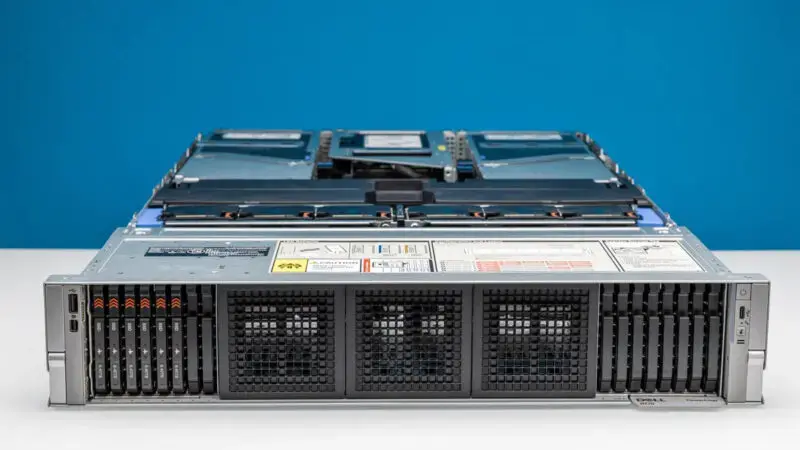
From Architecture to Hardware: Key Configuration Principles for Dell PowerEdge R770
And now — hardware.
First, balance and workload-driven configuration are critical. A common mistake in designing OLTP or OLAP systems (or servers in general) is overinvesting in a single component — top-tier CPUs or ultra-fast NVMe storage, for example.
When you overemphasize one area, you often strangle the system elsewhere, creating bottlenecks: narrow bandwidth, insufficient memory, a weak RAID controller without cache, and so on.
A proper configuration must be balanced across the entire chain:
CPU — RAM — Storage — Network.
CPUs
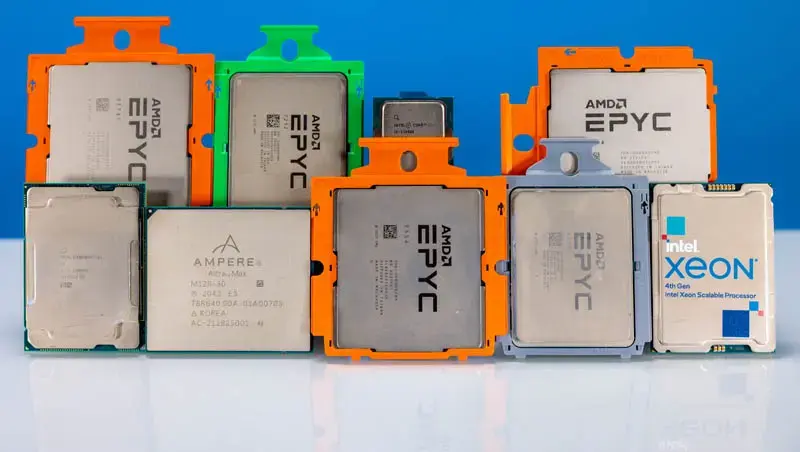
For OLTP, the primary focus is high clock speed and strong IPC (instructions per cycle), along with minimal latency in the CPU–memory–NVMe chain. That means fast PCIe 5.0 lanes and DDR5 at 4800 MHz or higher. This combination allows extremely fast single-transaction processing.
Modern infrastructure often requires more cores as well, so aim for a balance between frequency and core/thread count.
Good options include Intel Xeon Scalable 4th gen (Sapphire Rapids), 5th gen (Emerald Rapids), Xeon 6 (Sierra Forest — E-core and Granite Rapids — P-core), as well as AMD EPYC 7003 / 8004 / 9004 / 9005.
For OLTP, 1–2 sockets per node are typically sufficient. There’s no strict requirement for dual-socket systems — high-core-count EPYC chips can handle serious workloads alone.
Look at price per core, peak frequency, and ideally DDR5 and PCIe 5.0 support (assuming your server platform supports them). If budget is tight, DDR4 and PCIe 4.0 are still viable — especially if you’re not pushing millions of transactions per second.
For OLAP (large dataset aggregation, complex SQL, parallel processing), core count and memory bandwidth are the priority. Many engines are optimized for parallelism.
Expert note: when selecting CPUs, don’t just count cores. Pay attention to NUMA topology (Non-Uniform Memory Access). The more independent NUMA nodes in a system, the higher the risk of inter-socket latency.
When a core from one NUMA node accesses memory physically attached to another node, performance drops significantly due to interconnect latency (Intel UPI or AMD Infinity Fabric).
In practice, a server with a technically less powerful CPU but a single NUMA domain (for example, a single-socket AMD EPYC with a more unified design) can outperform multi-socket systems in latency-sensitive applications such as databases or virtualization.
For latency-critical workloads, fewer NUMA nodes with fast local memory are often the better choice.
AMD EPYC leads in core density, though some OLAP engines (e.g., Microsoft SQL Server, SAP HANA) have historically been optimized for Intel due to AVX-512 and tighter integration — though this is becoming less relevant with newer EPYC generations.
For OLAP, multi-socket servers are standard. Start with 16–24 cores per socket; large systems may require 64+ cores per socket.
Memory (RAM)
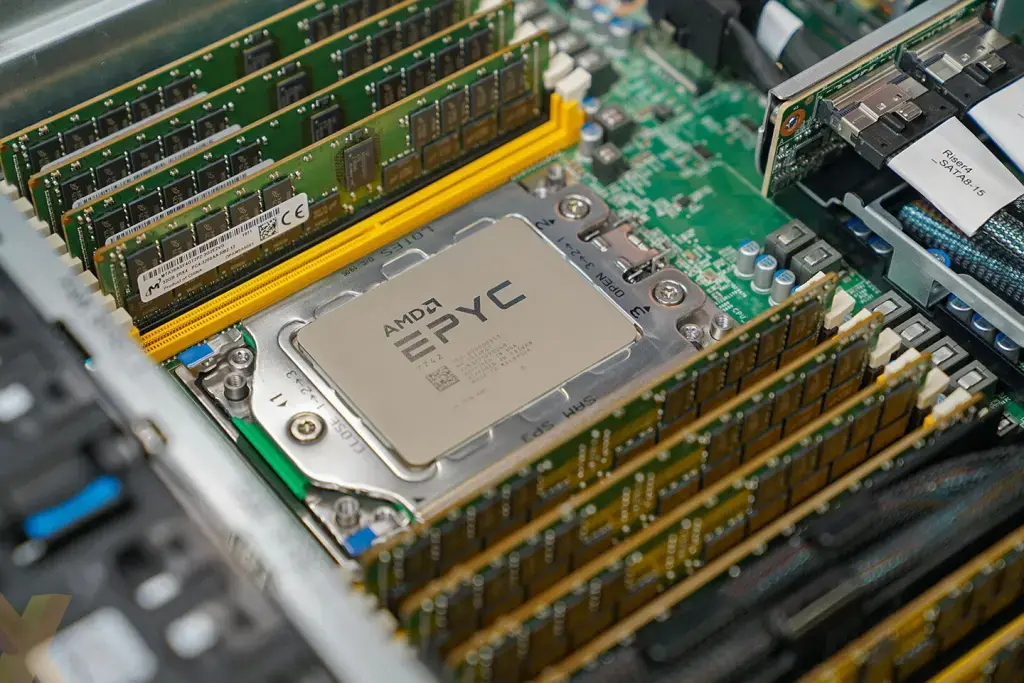
For OLTP, memory should cover all hot data plus index buffers whenever possible. This dramatically reduces I/O latency — even the fastest NVMe drive is magnitudes slower than RAM.
Some databases (PostgreSQL with proper tuning, for example) leverage cache extremely efficiently. You don’t want your system constantly paging from slower storage.
For a mid-sized online store, start at 64 GB, though 128–512 GB per node is more realistic. Serious payment systems typically require 512 GB–1 TB and beyond.
If the budget is limited, don’t cut memory allocated for hot data and indexes. It’s better to downgrade CPU or storage than to starve RAM.
In OLAP, memory is less about holding hot data and more about handling large scans, joins, and sorts efficiently. The more memory, the better: 256 GB per node for entry-level MPP clusters; 1–4 TB per node for heavy analytics.
Memory bandwidth matters just as much as capacity. Analytical workloads are often bottlenecked by memory throughput rather than CPU frequency.
AMD EPYC (Genoa, 9004) supports up to 12 DDR5 channels, delivering roughly 460–480 GB/s per socket at DDR5-4800 (even higher at 5200/5600). Intel Xeon Scalable 4th gen (Sapphire Rapids) supports 8 DDR5 channels (~300–350 GB/s), with newer generations going further.
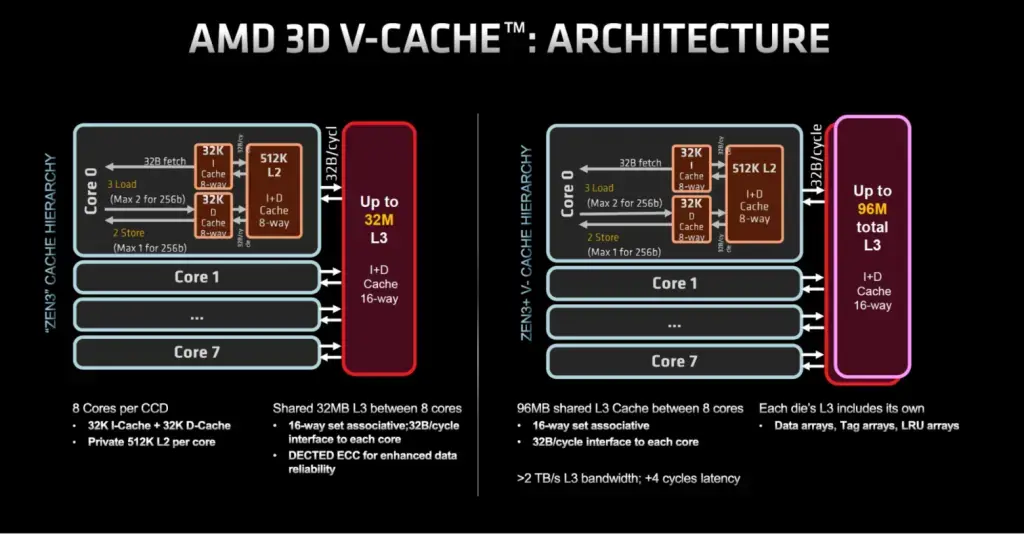 Large L3 cache and careful NUMA tuning are also crucial. Standard EPYC 9004 processors offer hundreds of megabytes of L3 cache; 3D V-Cache variants reach up to 1152 MB per socket.
Storage
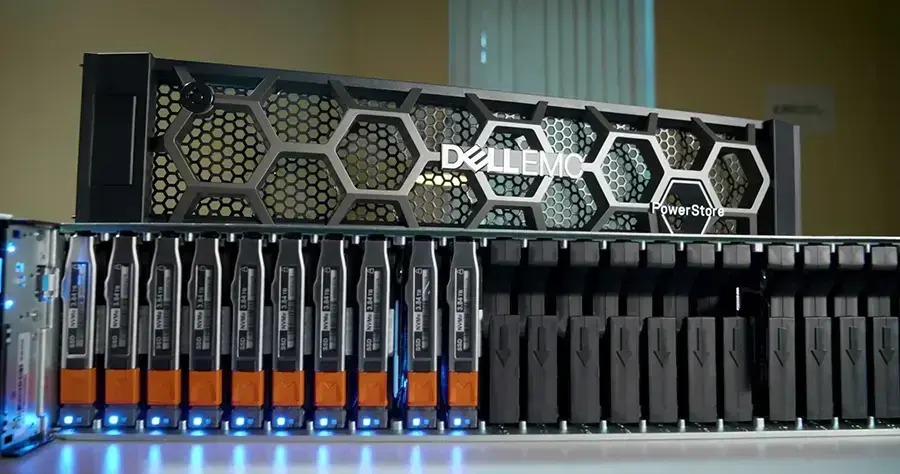
NVMe is the standard for both OLTP and OLAP. SATA/SAS SSDs are gradually moving to secondary roles.
For OLTP (online stores, payment systems, CRM), priority goes to low latency and high random IOPS, since transactions involve small-block reads and writes (4–16 KB). RAID 1 or RAID 10 is preferred.
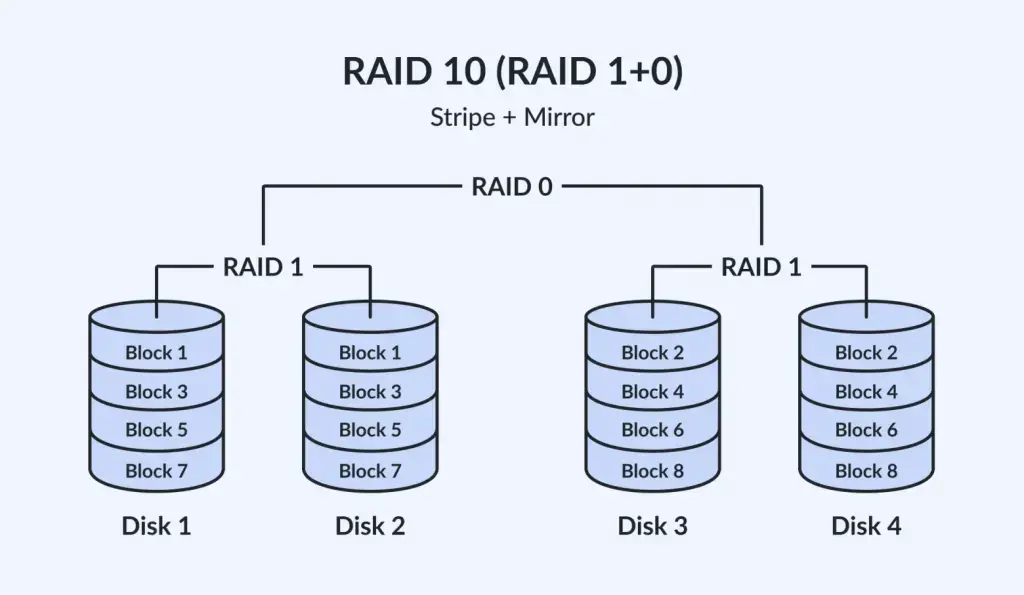
Forget RAID 5 for production transactional databases — the write penalty and degraded-mode performance are painful. If budget is constrained, RAID 6 is preferable to RAID 5, but for mission-critical systems, mirrors or RAID 10 remain the gold standard.
Choose NVMe (PCIe 4.0/5.0) for low latency and high IOPS.
Mid-sized e-commerce: 1–4 TB (2–4x NVMe/SATA SSD).
Payment systems: 4–16 TB.
Do not cheap out on storage performance.
For OLAP (data warehouses, ClickHouse, Snowflake), priority shifts to capacity and sequential throughput. Queries operate on gigabytes or terabytes at a time.
Latency is less critical than throughput and capacity. A hybrid approach works well: NVMe (1–4 TB for hot data) plus HDD (10–40 TB for cold data). HDDs remain very relevant here.
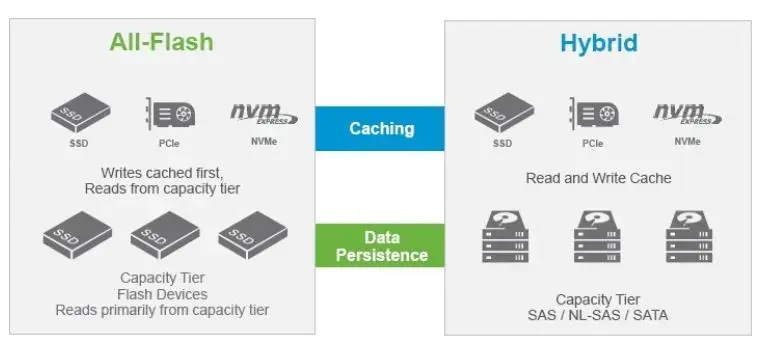
Entry-level MPP clusters start at 8–32 TB per node; heavier workloads require 32–100 TB. RAID 6 or ZFS (or similar) is recommended.
For large-scale analytics in production, ZFS with NVMe cache is common — preserving performance while handling large storage pools.
Shared-disk/SAN setups require high-performance NVMe arrays with NVMe-oF and high-speed FC or NVMe-RDMA. Expensive, yes — but effective for high-end clusters with dozens of nodes.
In most cases, however, local storage plus replication is simpler and more cost-effective.
Network
The network is a critical element of any high-load system.
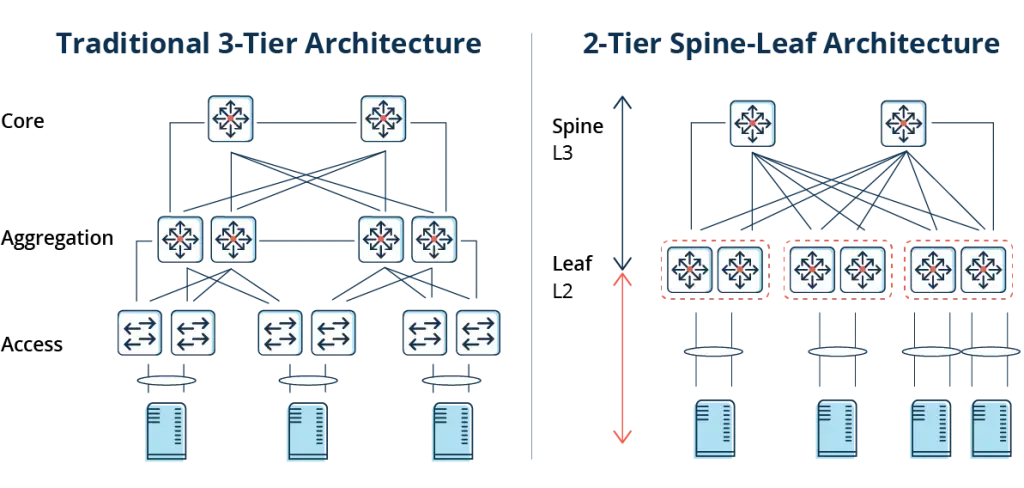
A single top-of-rack switch in a star topology is a dead end for clusters. Use a leaf-spine architecture with low-latency links.
Leaf-spine connects servers to leaf switches, which in turn connect to spine switches. This provides high throughput (10–100+ Gbps), low latency, and scalable east-west traffic.
For OLTP, low latency and stability are essential. Slow or congested networks will bottleneck even the fastest database.
10 Gbps is sufficient for many online stores and CRM systems. Large financial or telecom projects aiming for minimal latency should consider 25/40/100/200/400 Gbps.
Redundancy is mandatory: configure LACP, use dual switches and redundant links. Even 30 minutes of downtime can cost more than upgrading to a fully redundant network.
For OLAP and MPP clusters, high bandwidth is critical. Nodes exchange massive data volumes during distributed queries.
Minimum: 40–100 Gbps per node.
10 Gbps is suitable for demos, not production analytics.
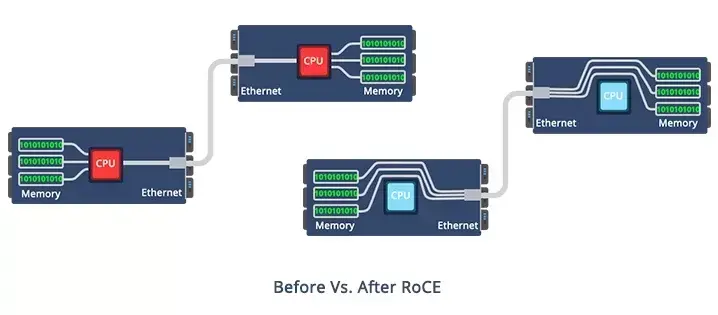
Technologies like RoCE (RDMA over Converged Ethernet) reduce CPU overhead and accelerate in-memory analytics. However, RoCE requires careful lossless Ethernet configuration (PFC, ECN). Sometimes InfiniBand is simply easier.
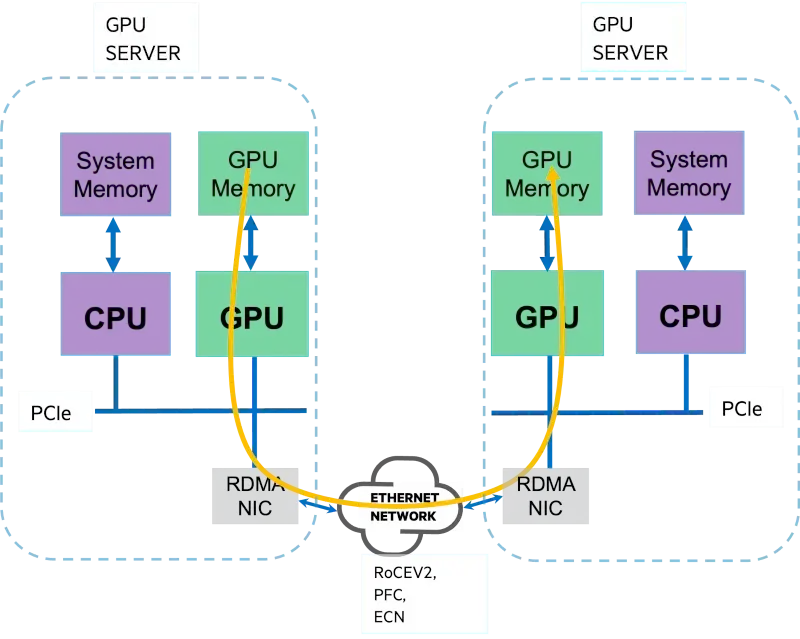
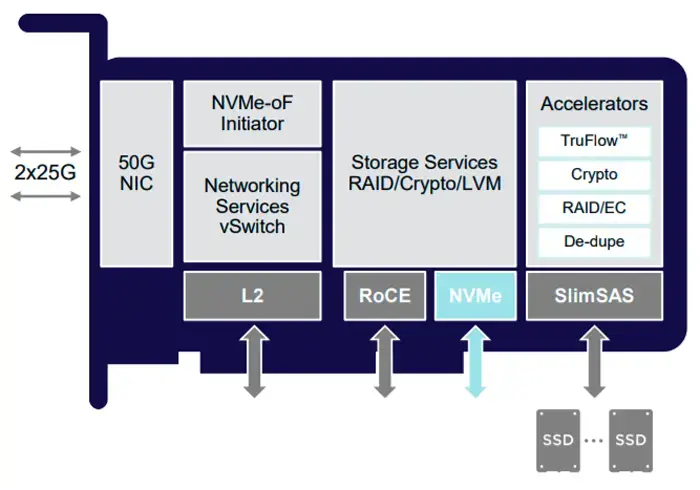
Also consider SmartNICs/DPUs for traffic offloading, encryption, and NVMe-oF/RDMA handling — they reduce CPU load and stabilize latency.
If GPUs or FPGAs are part of the plan, design PCIe slots, lane distribution, and cooling in advance. A few accelerator cards can quickly turn a rack into a furnace.
Server Options
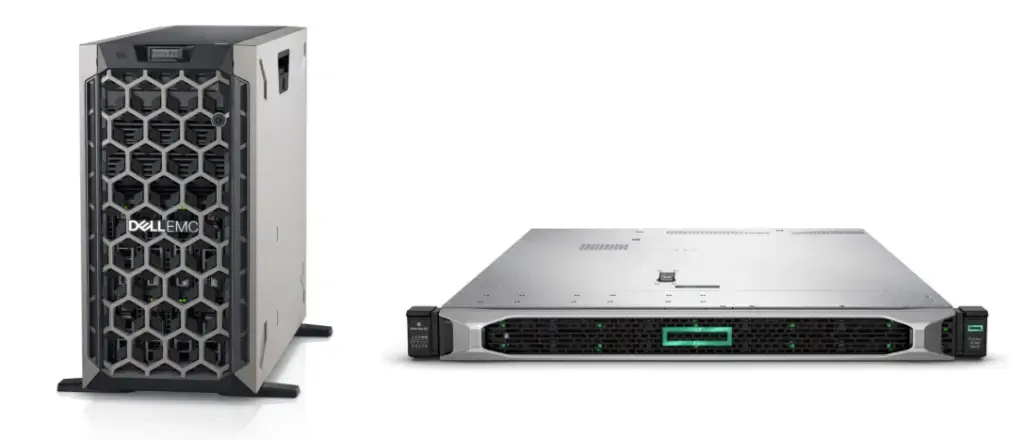
For budget-conscious setups, Intel Xeon Scalable 2nd gen systems still perform adequately for SMB workloads, and refurbished servers are affordable.
Entry-level dual-socket options:
Dell PowerEdge T440 (tower) and HPE ProLiant DL360 Gen10 (1U rack). Supermicro and Lenovo may offer slightly cheaper alternatives.
With a larger budget, consider Dell R450 or DL360 Gen10 Plus (PCIe 4.0, Scalable 3rd gen).
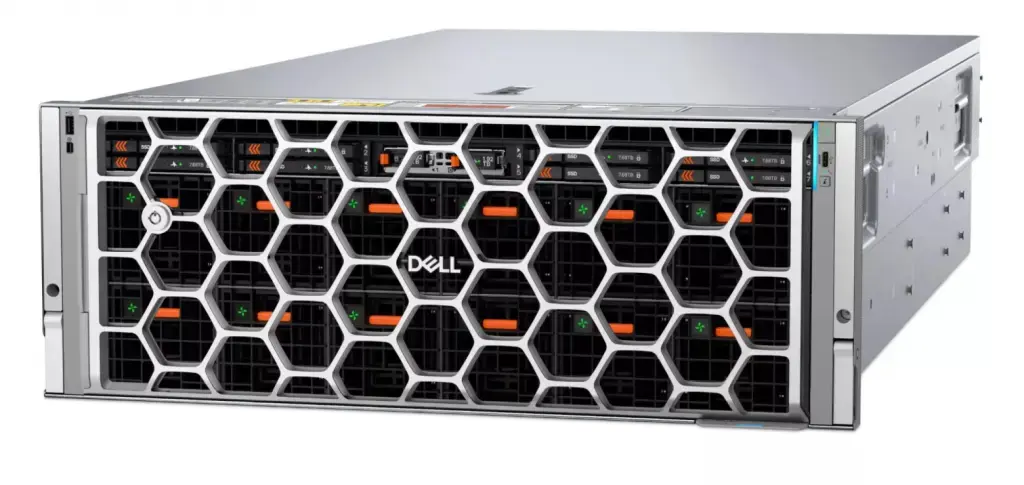
For modern deployments, Dell’s current lineup includes 16th and 17th generation PowerEdge platforms:
PowerEdge R760 (16th gen) — a versatile platform for compute- and storage-heavy workloads.
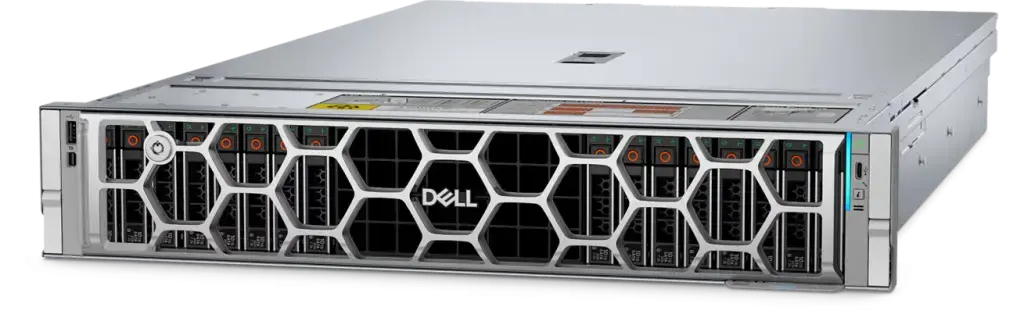
PowerEdge R770 (17th gen) — newer, memory-focused, supports Intel Xeon 6 and AMD EPYC 5, with expanded NVMe capabilities.
These systems suit both OLTP (fast NVMe, large memory) and OLAP (higher core counts and storage).
For specialized AI/HPC:
Dell PowerEdge XE8712 — designed for NVIDIA GB200 (Grace CPU + GPU) workloads.
Dell PowerEdge XE9780 / XE9785 (and XE9680) — 2U/4U servers with NVIDIA GB300 Blackwell GPUs.
HPE’s latest generations are Gen11 and Gen12. The ProLiant DL380 Gen11 remains the flagship general-purpose dual-socket server. Gen12 targets denser AI/GPU configurations and newer CPUs.
 DL325 and DL345 support 5th gen AMD EPYC and up to 6 TB RAM, making them excellent for OLAP and in-memory analytics.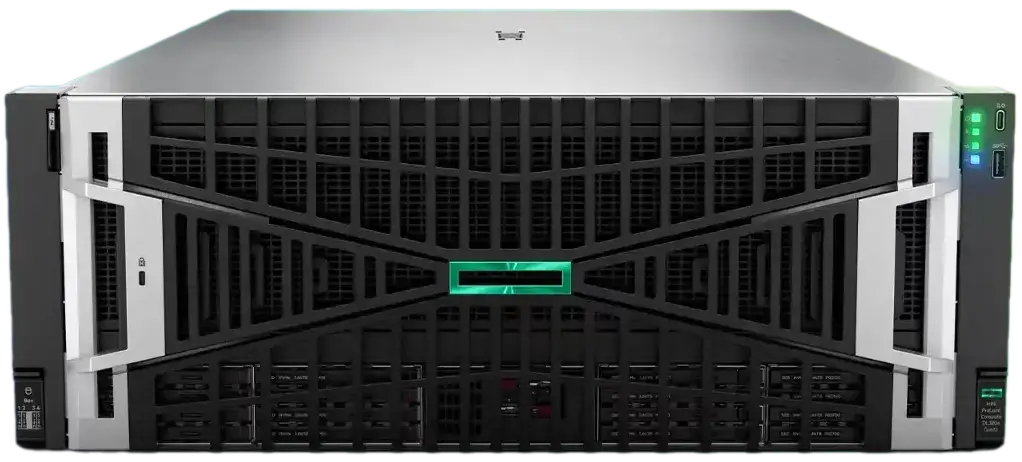
For dense GPU builds, HPE DL380a Gen12 supports up to 8 RTX PRO 6000 Blackwell GPUs — ideal for AI-heavy analytics.
Final Thoughts
This turned into a long read, and there’s still more to cover.
If you have questions — drop them in the comments. And if something goes beyond my expertise, I’m sure LinkedIn will supply the right experts.