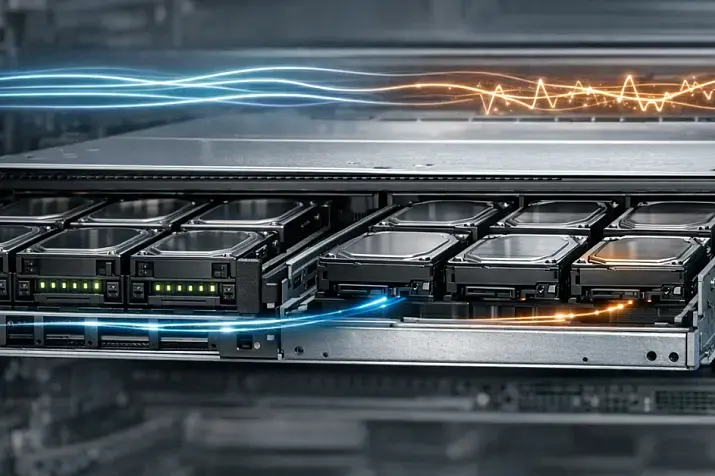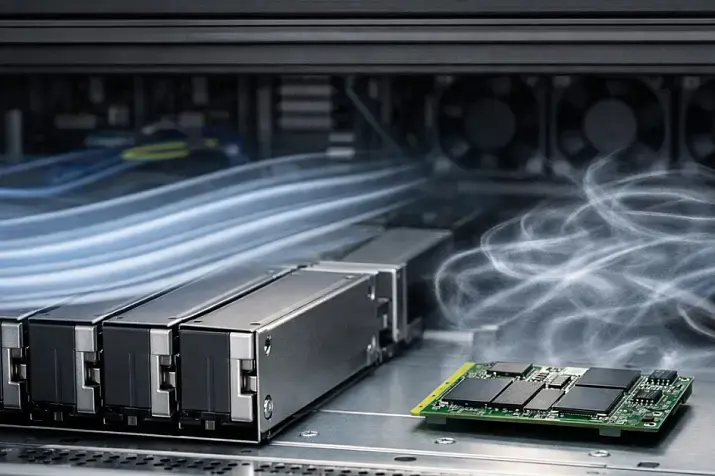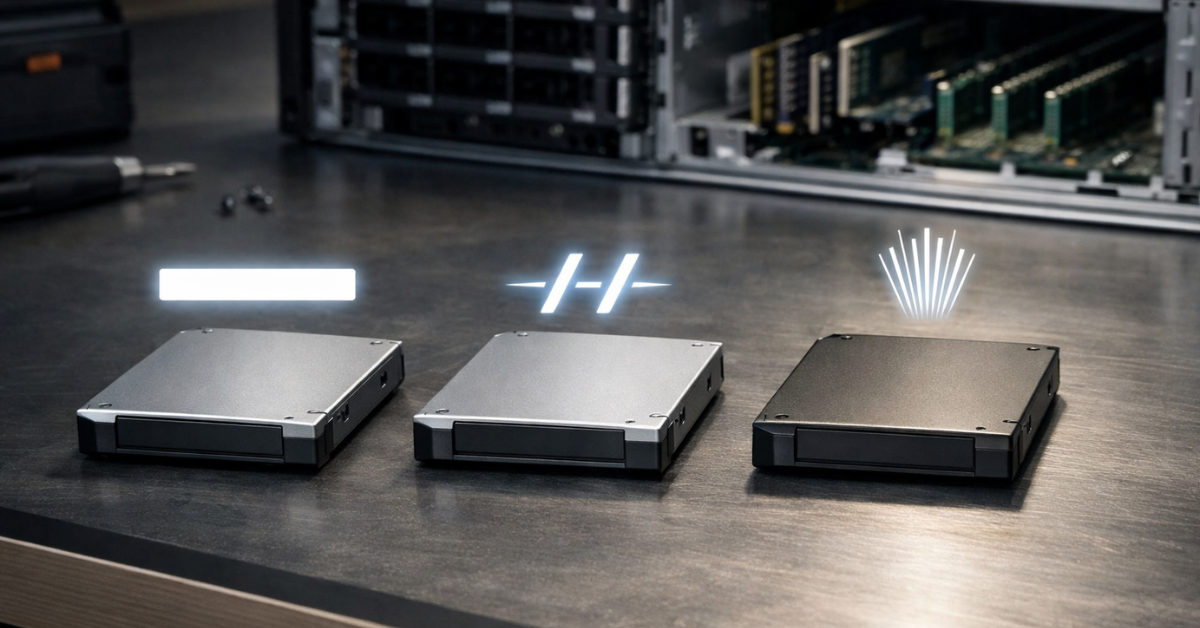
*Storage systems — in this context, a data storage system; don’t confuse it with a storage network.
Choosing a storage interface is not “which drive is faster,” but which stack (bus + protocol + topology + controllers) will deliver the latency, fault tolerance, and scalability you need for sensible money. Broadly:
- SATA is about price and capacity: “fast enough” for cold/moderate workloads and affordable SSDs/HDDs, but it has ceilings in the protocol and queueing model.
- SAS is about predictable server infrastructure: large shelves, proper hot-swap, multipath/dual-port, and a mature ecosystem of HBA/RAID/expanders.
- NVMe (PCIe) is about minimum latency and maximum parallelism, but it often hits platform limits: PCIe lanes, slots, bifurcation, topology, and cooling.
It’s important to separate concepts from the start: the medium is HDD or SSD. The interface/protocol is SATA/SAS/NVMe (how the host talks to the device and what it connects through).
Quick pick
If…
- You need maximum IOPS and minimal latency (OLTP databases, key-value stores, queues, dense virtualization, high-load services) → look at NVMe (PCIe). The goal is low latency and good p99/p999 “tails” (more on that below).
- You need “two paths to the drive,” multipath, large disk shelves/JBOD, and a typical enterprise storage ecosystem → often SAS (especially for external shelves and HA patterns).
- You need cheap and high-capacity (archives, backups, media, logs, “cold” data) → often SATA (HDD or SSD depending on the task).
- Mixed scenarios → most often the best TCO comes from tiering: NVMe (hot) + SAS/SATA (warm/cold).
Important: NVMe can feel “slow” not because of the SSD, but because you’ve hit a PCIe topology limit: lanes/slots/bifurcation/switches/retimers/NUMA. That’s the most common reason people get disappointed by “spec-sheet speed.”
What exactly we’re comparing: bus, protocol, topology
SATA: Serial ATA + usually AHCI
- SATA is the connection bus, historically tuned for HDDs.
- In most server/PC scenarios, AHCI (the command interface/protocol for the controller) is used on top of SATA.
- SATA has a line-rate ceiling: SATA 6 Gb/s is an interface-level number (spec transfer rate), not a guaranteed “file speed.” The 6 Gb/s figure is defined in SATA Revision 3.0. In practice, usable throughput is lower due to encoding/overheads and controller specifics.
SAS: Serial Attached SCSI (the SCSI model)
- SAS is serial connectivity in the SCSI model world (commands, addressing, domains, infrastructure).
- SAS is strong not because it’s “always faster,” but because it scales better in topology: an expander lets you attach many devices within one SAS domain and build large shelves/JBOD.
- Why a SAS controller can see SATA drives, but a SATA controller can’t see SAS drives: a SAS HBA/RAID works in a SAS domain and supports tunneling SATA devices (simply: “SAS knows how to speak SATA”), while a SATA controller can’t use the SCSI model and SAS PHY, so the compatibility doesn’t work in reverse. Fortunately, you also can’t “accidentally” plug a SAS drive into a SATA port because the connectors are keyed differently.
NVMe: a command set for SSDs + a queue model, most often over PCIe
- NVMe is not a “connector type,” but a protocol/command set and queueing model built for SSD parallelism. The canonical reference is the NVMe Base Specification.
- Most NVMe drives connect over PCIe (in different form factors: M.2, U.2/U.3, EDSFF, AIC).
- There’s also NVMe-oF (over the network), but here it matters mainly as a direction for HA/scaling — without going deep.
Why queues matter more than “spec-sheet MB/s” Sequential MB/s looks great in benchmarks, but production often comes down to random access, thread contention, and how the device holds latency tails (p99/p999). This is where NVMe usually shines.
Performance: where the difference shows up in real workloads
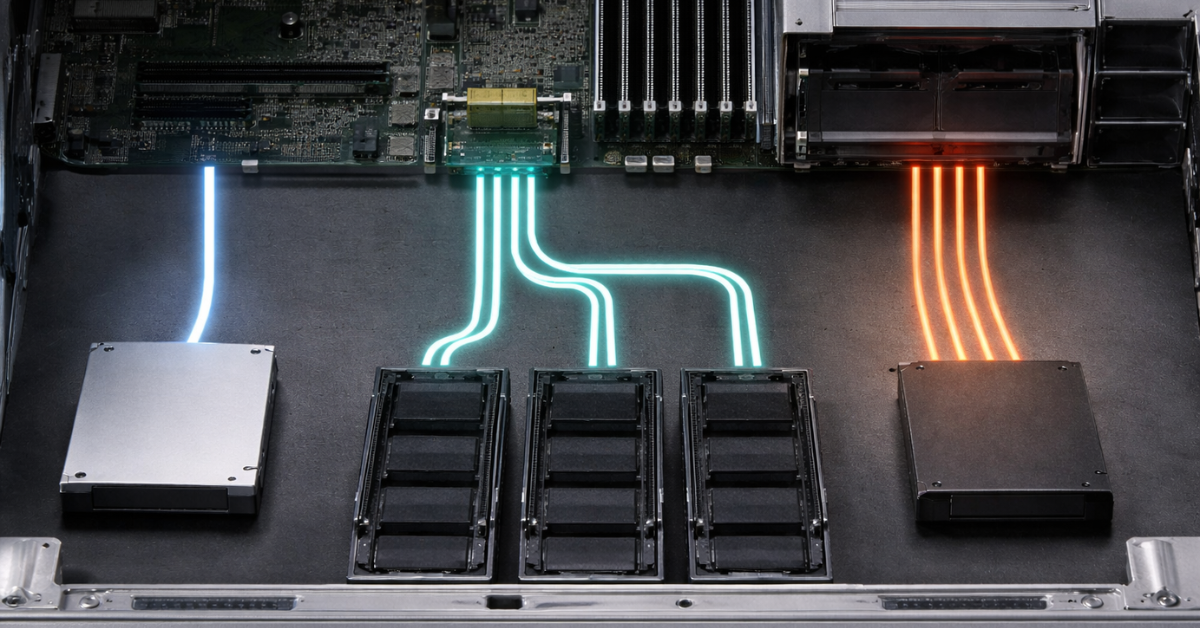
Metrics that actually matter
- Latency: not only the average matters, but also p99/p999 — the “tails.” For databases and virtualization, users suffer not from average latency, but from rare “dips” when some operations suddenly become many times slower.
- IOPS and Queue Depth (QD): QD is the depth of the queue (how many I/O operations are simultaneously “in flight”). NVMe was designed for highly parallel queues, while SATA/AHCI historically scales worse for multi-threaded random I/O.
- Sequential throughput (MB/s): critical for backup/restore, media, and large sequential files. Here SATA can be “enough” if you don’t have strict latency or multi-threaded random-I/O requirements.
Why “NVMe is faster” doesn’t mean “NVMe is always better”
- If the workload is sequential and not latency-critical, NVMe vs SATA/SAS may barely affect the business outcome.
- If the platform is “narrow” (few PCIe lanes, a shared uplink to the backplane, wrong bifurcation), NVMe can behave like “expensive SATA.”
- If what matters most is shelf scalability + multipath, SAS gives a more direct route to HA architectures.
3 practical scenarios
- One database on one server (OLTP): p99/p999 and stable latency are critical → NVMe usually has the biggest impact.
- Many VMs (10–200 virtual machines): I/O contention and QD increase → NVMe often wins, but it’s easy to hit PCIe topology limits and thermal issues.
- Object/backup storage: sequential and capacity dominate → SATA HDD/SSD is often more rational; NVMe is used selectively as write cache/hot tier.
Common mistake: choosing based on “MB/s in the spec” and ignoring latency tails. In production, tails almost always matter more than averages.
Reliability and fault tolerance: the non-obvious advantages of SAS and what NVMe needs
Why SAS is often chosen “for infrastructure,” not “for speed”
- Dual-port: two independent ports on the drive → two access paths (via two controllers/paths), which simplifies multipath (the OS/storage sees multiple paths to the same LUN/drive and calmly survives the failure of one link/controller).
- Expander + large JBOD shelves: SAS topology scales in the number of devices and connection patterns — typical for enterprise.
- Predictable ecosystem: HBA/RAID, firmware, monitoring, validated compatibility matrices.
By interface generation: 24G SAS is the current SAS-4 branch; SNIA has an overview.
NVMe: what you need to make “fast and reliable” real
- PCIe planning: how many CPU lanes you have, how slots/backplanes are wired, whether bifurcation is supported (splitting x16 into multiple x4), where retimers/switches are placed.
- NUMA/sockets: in dual-socket systems, it matters which CPU the NVMe is “attached” to; otherwise you can add extra hops over the inter-socket link (which increases latency).
- HA for NVMe: it’s more often built architecturally — via software replication/clustering, OS-level RAID, or (in more advanced designs) NVMe-oF — rather than “two ports per drive” (as with SAS shelves).
Important: NVMe demands discipline in platform design and cooling. Without it, the “fastest SSD” can easily turn into instability and throttling.
Compatibility and infrastructure

Controllers and adapters
- SATA: onboard SATA or a SATA HBA — usually straightforward, but RAID/hot-swap depends on mode and controller.
- SAS: an HBA (Host Bus Adapter) or a RAID controller; for mixed environments, tri-mode (SAS/SATA/NVMe on one platform) exists, but you must verify support for the specific backplane.
- NVMe: most often “direct to PCIe” (M.2/U.2/EDSFF/AIC), sometimes via a backplane/riser. This is where most lane/topology nuances live.
Backplane / bays / cables
- A 2.5" bay does not guarantee NVMe support. It may be wired for SATA/SAS (in rare cases only SATA) and physically accept the same size drive, but without PCIe lanes reaching the device.
- U.2/U.3/NVMe compatibility depends on what is actually wired to the backplane (SAS/SATA lanes or PCIe lanes) and how the uplink is arranged.
How to verify before buying: ask the vendor/integrator for the backplane diagram or specification: supported drive types, modes (SAS/SATA/NVMe), HBA/riser requirements, and limits on the number of NVMe slots.
Hot swap
- SATA: hot-swap is possible, but depends on controller/mode (and sometimes “works with surprises”).
- SAS: most often this is the “native” scenario for server shelves.
- NVMe: hot-swap is possible, but requires a correct platform (backplane/retimer/firmware/server support). In practice, it’s not always as “simple and consistent” as with SAS shelves.
RAID: hardware vs software
- For SAS/SATA, hardware RAID is often appropriate (especially if you want battery/capacitor-backed cache, familiar operations, and unified monitoring).
- For NVMe, software RAID/replication/clustering is often chosen — to avoid constraining NVMe and running into RAID controller limitations.
Bottlenecks people forget about
- SATA/SAS: port/controller/expander limits and oversubscription (many drives share one uplink).
- NVMe: PCIe slots/lanes, x4/x8/x16 splitting, PCIe generation, topology. For PCIe evolution context, see PCI-SIG (e.g., PCIe 6.0 as a milestone).
Common mistake: “we installed NVMe — but it’s slow.” The root cause is usually that multiple drives share one uplink, bifurcation is misconfigured, or the NVMe sits on “the wrong lanes/the wrong socket.”
Summary comparison
| Parameter | SATA | SAS | NVMe (PCIe) |
| Typical media | HDD, SSD | HDD, SSD | SSD |
| Typical use case | archive, backup, moderate workloads, capacity | shelves/JBOD, enterprise infrastructure, HA patterns | OLTP, VMs, low latency, high IOPS |
| Latency (qualitative) | higher; more dependent on AHCI/queues | often more stable in shelf infrastructure | lowest with the right platform |
| Scaling | by capacity, but limited by the stack | strong scaling in drive count via expanders | strong queue parallelism, but limited by PCIe |
| Path fault tolerance | typically one path | dual-port/multipath is common | often solved architecturally (software/cluster), implementation-dependent |
| Deployment complexity | low | medium | medium/high (PCIe planning) |
| Main pitfalls | interface/queue ceilings, controller modes | HBA/expander/cable incompatibility, assuming “it will just work” | lanes/slots/bifurcation/NUMA/thermals → “NVMe is slow/unstable” |
Economics: how to calculate “cheap/expensive” correctly
To avoid buying “the fastest” and then overpaying for downtime and rework, it helps to think in three metrics:
- $/GB — the cost of capacity. Almost always SATA HDD wins (and among SSDs, SATA is often cheaper than NVMe at comparable capacity).
- $/IOPS — the cost of random operations. Here NVMe often becomes cost-effective when the workload truly hits IOPS/QD limits.
- $/predictability (tail latency) — what predictability costs. If production suffers from p99/p999 (DB timeouts, VM lag, service “stutters”), paying for more predictable storage often pays back faster than it seems.
Plus unavoidable operational considerations:
- Power and cooling: dense NVMe configurations need good airflow, otherwise you’ll get throttling and “floating performance.”
Workload → what to choose
| Workload | Recommendation | Rationale |
| OLTP database | NVMe / hybrid | Latency and p99 matter; NVMe is often reasonable for data/logs |
| Virtualization (10–200 VMs) | NVMe / hybrid | Concurrent random I/O; NVMe helps, but watch PCIe topology |
| VDI | NVMe / hybrid | Peaks and “logon storms” benefit from low latency |
| Backup/restore | SATA or SAS | Often sequential; capacity/cost matter more |
| Archive / cold data | SATA | $/GB and capacity are primary |
| Media (streaming/editing) | SATA/SAS, sometimes NVMe cache | If it’s mostly sequential, SATA/SAS is enough; NVMe as cache |
| Analytics/ETL | hybrid | Hot staging/temporary on NVMe; capacity on SAS/SATA |
| AI dataset cache | NVMe + nearby capacity | NVMe as a fast layer for datasets/cache; bulk storage cheaper |
Practical recommendations by scenario with example configurations
1) Virtualization (10–200 VMs)
Workload: mixed random I/O, thread contention, p99 matters. What to choose: NVMe or hybrid. Why: NVMe handles queue parallelism better and reduces latency.
Example configuration:
- 2–4× NVMe SSDs for the datastore/hot VMs (depending on density).
- SAS/SATA SSD/HDD as a second tier for less critical VMs/templates/backups.
- If you need “hardware” RAID, it’s more often on SAS/SATA; NVMe is done via software RAID/cluster.
Critical requirements: PCIe lanes/slots/bifurcation; NVMe cooling.
2) Databases (OLTP)
Workload: low latency, p99/p999 tails matter. What to choose: NVMe (often a must-have). Why: lower latency, better parallelism.
Example configuration:
- Separate NVMe for WAL/logs (if applicable) + NVMe for data.
- Replication/cluster for HA, rather than relying on “one RAID will save it all.”
Critical requirements: stable thermals (throttling worsens p99), NUMA locality in dual-socket systems.
3) File storage / NAS-like
Workload: often capacity + moderate IOPS; scaling and serviceability matter. What to choose: SAS for shelves/JBOD, or SATA for capacity (depending on HA and infrastructure). Why: SAS is convenient for large disk domains and HA patterns; SATA wins on $/GB.
Example configuration:
- A shelf with a SAS HBA + expander, SAS/SATA drives (depending on required reliability class).
- A small NVMe layer as a cache for metadata/hot files — if acceleration helps.
Critical requirements: compatibility of HBA/expander/cables and a plan for drive-count growth.
4) Backup/archive/logging
Workload: mostly sequential writes/reads; capacity and price are primary. What to choose: SATA (HDD/SSD), sometimes SAS (if part of an enterprise shelf or HA patterns are required). Why: NVMe rarely pays off as “the whole storage”; it’s better used selectively as buffer/cache.
Example configuration:
- SATA HDD for archive/backup repository.
- 1–2× NVMe as a buffer for ingest/indexing (if the software supports it).
Critical requirements: controller/hot-swap mode and an operations policy (spares, monitoring).
Pre-purchase checklist
- Workload profile
- random vs sequential, read/write, “mixed” ratio (70/30, 90/10).
- target latency and p99 (where it’s critical).
- HA requirements
- whether you need multipath and “two paths to the drive” (often points to a SAS architecture),
- or HA will be at the cluster/replication layer (often fine for NVMe).
- Platform and compatibility
- whether you have the right backplane for NVMe (not just “2.5-inch bays”),
- HBA/RAID/tri-mode support,
- for NVMe: PCIe lanes, slots, bifurcation, limits on the number of drives per uplink.
- Growth plan for 6–18 months
- how many drives/shelves will be added and where they connect physically,
- whether oversubscription on the expander/uplink or a PCIe lane deficit will appear.
- Thermal envelope
- airflow, cooling requirements, NVMe density, throttling risk.
- Operations
- hot-swap (what exactly is supported and in which modes),
- monitoring, spares, replacement and testing policy.
Conclusion
- SATA — when price and capacity matter most, and the workload doesn’t hit IOPS/latency limits. Keep interface ceilings (6 Gb/s in SATA Rev. 3.0) and overheads in mind.
- SAS — when you need scalable disk infrastructure, shelves/JBOD, familiar hot-swap and HA patterns with multipath/dual-port; 24G SAS is the current SAS-4 evolution.
- NVMe (PCIe) — when minimal latency and parallelism are critical, but success depends on PCIe planning and thermals; protocol reference is the NVMe Base Spec (current revs 2.2/2.3 and the specification list).
- In mixed workloads, the best TCO often comes from tiering: NVMe for the hot layer and SAS/SATA for capacity.
- If “NVMe is slow,” first check lanes/slots/bifurcation/topology/NUMA/cooling before swapping SSDs blindly.